📋 Table of Contents
- The Summer Finance Problem Nobody Talks About
- Exclusive Summer Offer — 30% Off + Free Expert Help
- What Is QuickBooks Online?
- 7 Ways QuickBooks Online Keeps Your Finances Organised This Summer
- Your Summer Financial Checklist with QuickBooks Online
- The Mobile App That Makes Summer Business Possible
- A Day in the Summer Life — With QuickBooks Handling the Numbers
- Who Is QuickBooks Online For?
- QuickBooks Online Pricing Plans
- Frequently Asked Questions
- Final Thoughts — Enjoy Summer Without Financial Anxiety
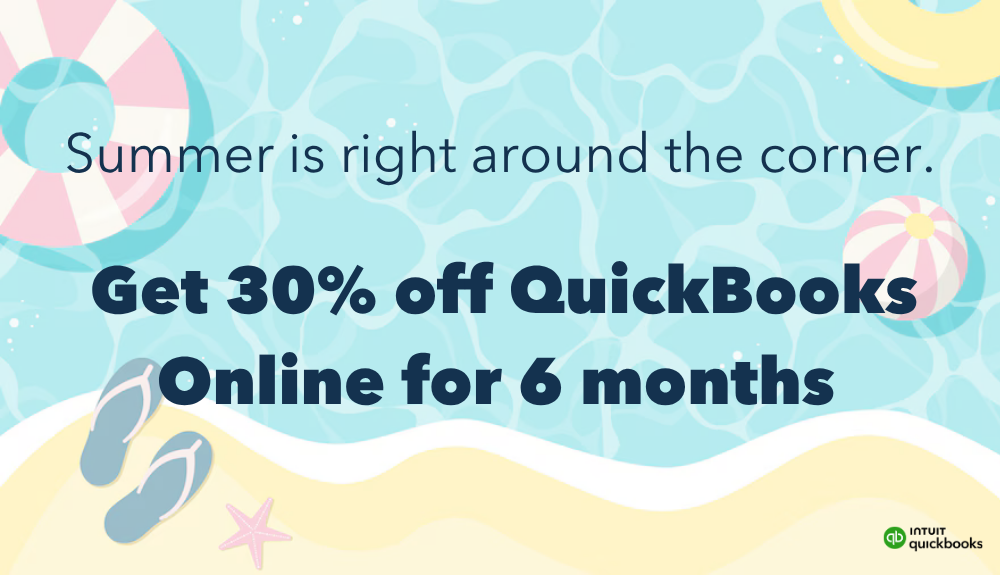
QuickBooks Online — the cloud-based accounting software that keeps your business finances organised in the background so you can actually enjoy your summer.
☀️ The Summer Finance Problem Nobody Talks About
Summer is the season that business owners secretly dread, not because business slows down, but because the pace of life speeds up. Vacations get booked. School's out. Family events fill the calendar. Long weekends turn into long weeks. And somewhere in the middle of all that, the business finances take a quiet, uncelebrated seat in the back row.
Receipts pile up. Invoices go out late. A client payment sits unchecked in your inbox. The bank reconciliation you were supposed to do in June is still undone in August. And when autumn arrives and the pace picks back up, you are staring at two months of financial catch-up, exactly the kind of stress that erases whatever relaxation the summer produced.
This pattern plays out in small businesses everywhere, every summer. The solution is not to sacrifice your vacation time for bookkeeping. The solution is to automate the bookkeeping with a tool that runs in the background while you are at the beach.
That tool is QuickBooks Online, and this summer is the best time to start using it properly.
Those middle two statistics tell the real summer story. Forty hours per year spent on manual bookkeeping is already expensive in time. When those hours are crammed into the periods before quarterly tax deadlines (including two that fall squarely in summer) the cost compounds into stress, errors, and unnecessary penalties.
According to the IRS's guidance on estimated taxes, underpayment penalties apply whenever your payments fall short of requirements, and missed summer deadlines are the most common source of year-end tax surprises for self-employed individuals and small businesses.
🎁 Exclusive Summer Offer — Claim It Before You Go
and Get Your First 6 Months at 30% Off
30% Off for 6 Months
Significant discount on your QuickBooks Online subscription for the first six months — making this the most affordable time to start
30 Days Expert Bookkeeping Free
A live QuickBooks expert connects your accounts, categorises your transactions, and sets up your books — so summer starts clean, not chaotic
What Is QuickBooks Online?
QuickBooks Online (QBO) is the cloud-based version of Intuit's QuickBooks accounting software — the most widely used small business accounting platform in the world. Unlike the traditional desktop version, QuickBooks Online runs entirely in your browser or mobile app.
There is nothing to install, no data stored locally, no version upgrades to manage. Your financial data is accessible from any device with an internet connection; your laptop at home, your tablet on a road trip, or your phone on a beach.
QuickBooks Online connects directly to your business bank accounts and credit cards, automatically importing and categorising transactions. It handles invoicing, expense tracking, payroll integrations, sales tax calculations, and financial reporting — and generates the Profit and Loss statements, Balance Sheets, and Tax Summary reports your accountant needs at the end of every quarter.
For a deeper look at QuickBooks' specific tax preparation features, see our guide on how to maximise your last-minute tax prep with QuickBooks.
This article focuses specifically on how to use it to stay financially organised during the summer months, before the Q3 deadline arrives and you wish you had.
7 Ways QuickBooks Online Keeps Your Finances Organised This Summer
🏦 1. Automatic Bank and Credit Card Sync
The single most impactful thing QuickBooks Online does is eliminate the manual data entry step entirely. Connect your business bank accounts and credit cards, and every transaction (every client payment received, every vendor invoice paid, every business expense charged) syncs automatically, typically within 24 hours of posting.
This means that while you are at a lake house with your family, your financial records are updating themselves. By the time you return to the office, two weeks of transactions are already in QuickBooks waiting to be reviewed and categorised — not entered from scratch. For most small businesses, this feature alone recovers more than the monthly subscription cost in time savings.
📱 2. Full Mobile Access — Manage Finances from Anywhere
QuickBooks Online's mobile app for iOS and Android is a complete accounting tool in your pocket — not a stripped-down companion app.
You can review your cash flow, send and approve invoices, capture receipts, respond to payment reminders, and check outstanding bills from wherever the summer takes you.
The dashboard loads instantly on mobile and shows you exactly what your business finances look like right now, without needing to open a laptop.
If you are a business owner who has ever taken a vacation and felt a nagging worry about what might be happening with your cash flow, the QuickBooks Online mobile app replaces that anxiety with a 30-second reality check that lets you put the phone down and go back to enjoying the season.
🧾 3. Invoice Sending and Payment Tracking on the Go
Summer is not necessarily a slow season for client billing. Projects finish, deliverables are submitted, and invoices need to go out.
QuickBooks Online's invoicing features allow you to create, send, and track professional invoices directly from your phone in under two minutes — using saved client information, product and service items, and payment terms you configured when you set the account up.
QuickBooks also sends automatic payment reminders to overdue clients — so if a client misses a payment while you are off-grid for a week, QuickBooks is still following up on your behalf.
When the client pays online through the invoice link, the payment is recorded automatically and reconciled against the invoice. You might return from vacation to find outstanding invoices have been paid while you were swimming — and your books already reflect it.
📷 4. Receipt Capture with Your Phone Camera
Summer business expenses (client dinners, travel for meetings, supplies for projects, conference fees) accumulate quickly, and their receipts have a way of disappearing into glove compartments, jacket pockets, and the bottomless depths of desk drawers.
By the time you need them at tax time, half of them are gone.
QuickBooks Online's mobile receipt capture solves this at the source. Photograph the receipt immediately after the expense — the app uses optical character recognition to extract the amount, date, and vendor automatically, then matches it to the corresponding transaction in your bank feed.
The receipt is stored digitally and linked to the expense record permanently. You never need to find a paper receipt again.
💰 5. Real-Time Cash Flow Visibility
Cash flow is the single most important number for any small business — more important than profit, more important than revenue, and far more likely to cause a crisis if ignored.
Summer is when cash flow surprises happen: clients take longer to pay during vacation season, expenses spike with travel and events, and quarterly tax payments create sudden cash demands that catch unprepared business owners off guard.
QuickBooks Online's cash flow dashboard shows your projected incoming and outgoing cash over the next 30, 60, or 90 days — not just what has already happened, but what is coming.
Seeing a large tax payment due in September while still in July gives you eight weeks to prepare. Seeing an overdue client payment gives you time to follow up before it becomes a cash flow problem.
📊 6. Automated Quarterly Tax Preparation
The two summer estimated tax deadlines — June 15 (Q2) and September 15 (Q3) — are the deadlines most likely to catch business owners unprepared.
When your books are current in QuickBooks Online, calculating your estimated tax liability takes minutes rather than days: run the Profit and Loss report for the period, apply your effective tax rate, and you have a defensible estimated payment ready to submit.
QuickBooks' Tax Summary report maps your income and expenses directly to the categories used on standard US tax forms. For entrepreneurs running their own accounting, this report significantly reduces the risk of errors when preparing quarterly filings. For those working with an accountant, sharing the QuickBooks report replaces hours of information gathering with a single file.
IRS estimated tax payment deadlines: June 15 (Q2 payment) and September 15 (Q3 payment). Missing these deadlines results in underpayment penalties. With QuickBooks Online keeping your books current, calculating and scheduling these payments is a 10-minute task rather than a panic-driven weekend effort.
🤝 7. QuickBooks Live Expert — Complete Hands-Off Bookkeeping
If "I'll keep the books myself" has never quite survived contact with a busy season, QuickBooks Live Expert Assisted is the answer that removes the requirement entirely.
A certified QuickBooks bookkeeper is assigned to your account and takes over the work of connecting accounts, categorising transactions, and closing your books monthly — while you focus on actually running the business and enjoying the season.
The 30-day free trial included in the current offer means you can experience what it feels like to have professionally maintained books without paying for it first.
The combination of automated bank sync, receipt capture, invoicing, and a live bookkeeper managing the details is the closest thing to a true set-it-and-forget-it summer financial system for a small business.

QuickBooks Online's mobile app gives you a real-time view of your business finances from any device — so you can check in quickly and get back to enjoying your summer.
Your Summer Financial Checklist with QuickBooks Online
Use this checklist to set up QuickBooks Online properly before summer gets into full swing — then let the automation handle the rest:
✅ Pre-Summer QuickBooks Online Setup Checklist
- Connect all business bank accounts and credit cards — so every transaction syncs automatically without manual entry
- Set up auto-categorisation rules — train QuickBooks to categorise recurring transactions from regular vendors automatically
- Configure invoice templates — save your client details, service items, and payment terms so invoices take two minutes to send from your phone
- Enable automated payment reminders — QuickBooks follows up with overdue clients on your schedule without your involvement
- Set Q2 and Q3 estimated tax reminders — June 15 and September 15 in your calendar with QuickBooks reports scheduled to run the week before
- Activate the QuickBooks mobile app — iPhone or Android, turn on receipt capture and notifications before you leave on holiday
- Grant accountant access — if you work with an accountant, invite them to your QuickBooks now so they can access your books remotely when needed
- Run July 1 reconciliation — start summer with clean, reconciled books so the automation stays accurate throughout the season
The QuickBooks Online Mobile App — Your Summer Financial Command Centre
The mobile app deserves specific attention because it fundamentally changes what "managing your business finances" looks like when you are away from your desk. Here is exactly what you can do from the QuickBooks Online mobile app:
- Check your current bank and credit card balances linked to your QuickBooks account
- View outstanding invoices — who owes you money and how overdue each invoice is
- Create and send invoices directly to clients with your stored payment link included
- Photograph receipts and have them automatically matched to your bank transactions
- Review and approve transactions imported from your bank feed
- Check upcoming bills so nothing comes as a surprise while you are away
- Run your Profit and Loss report for any date range with a few taps
- Respond to payment notifications — get alerted when a client pays an invoice
"The summer I stopped treating bookkeeping as something that needed a desk and a block of time was the summer I actually relaxed on holiday. QuickBooks runs in the background. I check in for five minutes every few days. The financial picture is always current."
A Day in the Summer Life — With QuickBooks Handling the Numbers
🏖️ Here Is What Summer Looks Like with QuickBooks Online Running
Monday morning, beach town: You open QuickBooks on your phone while having coffee. Three new transactions synced overnight — a client payment received, a subscription renewal, and a business lunch from last Friday.
You photograph the restaurant receipt, swipe to approve the client payment (already logged against the invoice), and note that the subscription was correctly auto-categorised. Six minutes. Phone down. Family breakfast.
Wednesday: QuickBooks sends you an automated notification: "Invoice #142 is 7 days overdue — a payment reminder has been sent to your client." You didn't have to remember, chase, or write an awkward email. QuickBooks did it.
Friday: Your accountant emails asking for Q2 income figures for a quarterly review. You log into QuickBooks, run a Profit and Loss report for April through June, and forward it by email in under three minutes. Done from the passenger seat on the drive home.
September 1 (return to the office): You open QuickBooks. Every transaction from the summer is categorised, every invoice is reconciled, every receipt is attached. The Q3 estimated tax figure takes you four minutes to calculate. You haven't lost a single deductible expense. September starts clean.
This is not a fantasy scenario. It is exactly what QuickBooks Online, properly configured, enables for small business owners who give it 10 minutes of setup per week during the summer season.
Who Is QuickBooks Online For?
QuickBooks Online serves the full spectrum of small business types, but it is particularly well-matched for:
- Freelancers and solo entrepreneurs who do not want to hire a full-time bookkeeper but need professional financial records for tax filing and client invoicing
- Small business owners with between 1 and 25 employees who need payroll, expenses, invoicing, and reporting in one platform
- Service businesses — consultants, agencies, coaches, contractors — that bill clients on projects or retainers and need reliable invoice tracking and payment management
- eCommerce businesses with Shopify or WooCommerce integrations who need automated syncing between their store's sales and their accounting records
- International entrepreneurs with US LLCs who need to maintain US-standard financial records for tax filing — including those based in Nigeria, Ghana, Kenya, and other markets who have registered US entities
If you are still in the process of registering your business, see our guide on US business registration through Registered Agents Inc. to get your entity set up first.
For a complete small business tech stack beyond accounting (including the best website builders to establish your online presence and CRM software to manage client relationships) our guides on best website builders and best CRM software cover the most important tools you should have in place alongside QuickBooks Online.
QuickBooks Online Pricing Plans
QuickBooks Online is available in four plans that scale with the complexity of your business. All plans are currently available at 30% off for the first six months through the current offer:
- 1 user
- Income and expense tracking
- Invoice and payment management
- Bank sync and reconciliation
- Basic tax reports
- Mobile app full access
- 3 users
- All Simple Start features
- Accounts payable (bill management)
- Time tracking
- Multi-currency
- 5 users
- All Essentials features
- Inventory management
- Project profitability tracking
- Budgeting tools
- 25 users
- All Plus features
- Custom reporting
- Automated workflows
- Dedicated account support
QuickBooks Online pricing is updated regularly. The discounted prices above reflect the 30% summer offer applied to standard rates. Always confirm current pricing at quickbooks.intuit.com. Add QuickBooks Live Expert Assisted to any plan for 30 days free — your own bookkeeper setting up and maintaining your books so summer really can be hands-off.
30% Off Your Plan
Simple Start, Essentials, Plus, or Advanced — all at 30% off your first 6 months
Live Bookkeeper — 30 Days Free
A real QuickBooks expert sets up your account, connects your bank, and keeps your books — free for 30 days
FAQs About QuickBooks Online Summer Finances
Yes — genuinely, not just in the marketing sense. QuickBooks Online's iOS and Android apps provide access to your full financial data: bank balances, cash flow, outstanding invoices, expense categorisation, receipt capture, and financial reports. The mobile experience is designed for real work, not just viewing. For most summer check-ins — reviewing transactions, sending an invoice, photographing a receipt, checking whether a client has paid — the phone app handles everything without needing to open a laptop. The tasks that genuinely benefit from a larger screen (detailed report analysis, complex reconciliation, accountant collaboration) are still best done at a desk, but those tasks can wait until you are back from vacation.
QuickBooks Desktop is installed software that runs on a single Windows computer and stores data locally. QuickBooks Online is cloud-based software that runs in any browser or mobile app, with data stored securely in the cloud. For summer financial management, this distinction is critical: QuickBooks Desktop cannot be accessed from your phone on vacation — QuickBooks Online can be accessed from any device with an internet connection. QuickBooks has been moving new users exclusively toward the Online version, and the Online product has substantially broader features for most small business use cases.
The IRS requires self-employed individuals and small businesses to pay estimated taxes quarterly. The two summer deadlines are June 15 (Q2, covering April and May income) and September 15 (Q3, covering June, July, and August income). With QuickBooks Online keeping your books current, calculating your estimated tax liability before each deadline is a quick process — run the Profit and Loss report for the relevant period, apply your estimated tax rate, and submit the payment. Without current books, this calculation either requires scrambling to reconstruct months of transactions or guessing — both of which carry the risk of underpayment penalties. See our detailed QuickBooks tax prep guide for a full walkthrough.
QuickBooks Live Expert Assisted is a service that pairs your QuickBooks Online account with a certified bookkeeper who works inside your account — connecting your bank accounts, categorising transactions, reconciling monthly, and preparing your books for tax time. It is not phone support — it is an actual bookkeeper maintaining your books. The current summer offer includes 30 days of QuickBooks Live free with any new QuickBooks Online subscription. If your plan for staying on top of finances this summer is "have someone else handle it," this is the most practical implementation of that plan within QuickBooks' ecosystem.
A basic QuickBooks Online setup — creating your account, connecting your business bank accounts, and configuring your chart of accounts — takes approximately 30 to 60 minutes. Bank connection and transaction import begin immediately after you connect your accounts. If you use QuickBooks Live Expert Assisted, the bookkeeper handles the setup for you in the first week. The recommendation is to set up QuickBooks now, at the start of summer, so the automation has time to learn your transaction patterns before the Q3 tax deadline arrives. Starting in August means two months of catch-up; starting in June means three months of automated, current books waiting for you by September.
QuickBooks Online is available in multiple countries including Nigeria, Ghana, Kenya, South Africa, the UK, Canada, and Australia — though the specific features available (particularly tax-related features like VAT management, sales tax, and payroll integrations) vary by country. The global version of QuickBooks Online covers income and expense tracking, invoicing, bank sync, and financial reporting in every supported country. For entrepreneurs based in Africa or elsewhere who have US LLCs and need to maintain US accounting records, the US version of QuickBooks Online is accessible and fully functional regardless of where the account holder is physically located.
Final Thoughts — Enjoy Your Summer. QuickBooks Has the Numbers.
The most valuable thing QuickBooks Online delivers this summer is not a feature or a report or a tax form. It is the peace of mind that comes from knowing your financial house is in order while you are not looking at it.
Small business owners who are genuinely good at taking time off share a common trait: they have systems that operate without constant supervision. QuickBooks Online (with automatic bank sync, mobile access, invoice automation, receipt capture, and a live bookkeeper available if needed) is the financial system that earns that freedom.
You do not need to check in every day. You do not need to spend evenings catching up on receipts. You do not need to arrive at September with two months of bookkeeping to do before the Q3 tax deadline.
Set it up properly before summer, use the mobile app for five-minute weekly check-ins, and let QuickBooks handle the rest. The beach, the barbecue, and the family time are waiting.
Start QuickBooks Online This Summer — 30% Off + Free Expert Help
Set up in under an hour. Automatic bank sync from day one. 30 days of live bookkeeper support to get your summer finances running on autopilot.