📋 Table of Contents
- What to Look for in Audio Editing Software
- Quick Comparison Table
- 1. Adobe Audition
- 2. Avid Pro Tools
- 3. PreSonus Studio One
- 4. Audacity
- 5. Cubase
- 6. Logic Pro
- 7. Ableton Live
- 8. FL Studio
- 9. Reaper
- 10. iZotope RX
- 11. GarageBand
- 12. Sound Forge Audio Studio
- 13. Ocenaudio
- 14. WavePad
- 15. Ashampoo Music Studio
- Which Audio Editor Should You Choose?
- Frequently Asked Questions
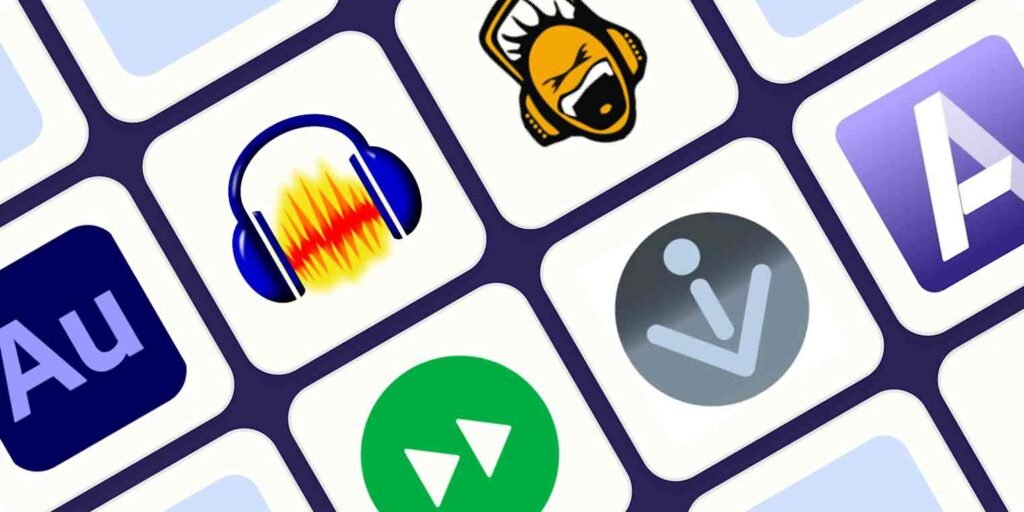
The 15 best audio editing software tools in 2026 — ranked for musicians, podcasters, video editors, and content creators at every experience level.
Professional audio production has never been more accessible. What once required an expensive recording studio and a dedicated audio engineer can now be accomplished on a laptop with the right software.
But that accessibility comes with its own challenge: there are dozens of audio editing tools competing for your attention, ranging from completely free open-source editors to professional DAWs (Digital Audio Workstations) that cost hundreds of dollars.
I have evaluated the most widely used audio editing software across every use case — podcasters, YouTubers, musicians, video editors, broadcasters, and beginners who just want clean audio without a steep learning curve. This guide covers all 15 in enough detail to let you make a clear, confident decision about which one belongs in your workflow.
One consistent truth from across all of these tools: audio quality matters more than most creators expect. A shaky camera shot is forgivable. Poor audio (crackling, background hum, distorted vocals) makes content unwatchable regardless of how good the visuals are. Getting your audio editing workflow right from the start is worth the investment of time to choose the right tool.
What to Look for in Audio Editing Software
Before evaluating specific tools, know what your use case requires. The right answer for a professional music producer is different from the right answer for a podcaster or a YouTube creator adding voiceover to screen recordings:
- Multitrack editing — if you record with multiple microphones or mix music with separate instrument tracks, you need a DAW with robust multitrack support
- Noise reduction and restoration — for podcasters and video creators recording in imperfect environments, background noise removal is often the single most important feature
- File format support — the tool should support the formats you record in and export to (MP3, WAV, FLAC, AAC, AIFF are the most common requirements)
- Operating system compatibility — some professional DAWs are Mac-only (Logic Pro, GarageBand); most are cross-platform
- Plugin support — VST, VST3, AU, and AAX plugins extend any DAW's capabilities significantly. Confirm your chosen tool supports the plugins you use.
- Learning curve — free tools like Audacity have gentler entry points than professional DAWs like Pro Tools or Cubase, which can take months to master
- Price model — one-time purchase (Logic Pro, Studio One, Reaper) versus monthly subscription (Adobe Audition, Pro Tools) affects the long-term cost significantly
Quick Comparison Table
| # | Tool | Best For | Price | Platform |
|---|---|---|---|---|
| 1 | Adobe Audition | Video editors, broadcasters | $20.99/mo | Win + Mac |
| 2 | Avid Pro Tools | Post-production professionals | $31.99/mo or $299/yr | Win + Mac |
| 3 | PreSonus Studio One | Serious DAW, music production | $14.95/mo or $399.95 | Win + Mac |
| 4 | Audacity | Beginners, podcasters, free users | Free | Win + Mac + Linux |
| 5 | Cubase | Composers, music production | From $99.99 | Win + Mac |
| 6 | Logic Pro | Mac-based musicians and producers | $199.99 one-time | Mac only |
| 7 | Ableton Live | Electronic music, live performance | From $99 | Win + Mac |
| 8 | FL Studio | Beat makers, hip-hop producers | From $99 | Win + Mac |
| 9 | Reaper | Affordable full-featured DAW | $60 (discounted) | Win + Mac + Linux |
| 10 | iZotope RX | Audio repair and noise removal | From $99 | Win + Mac |
| 11 | GarageBand | Mac/iOS beginners, free option | Free (Mac/iOS) | Mac + iOS only |
| 12 | Sound Forge | Simple editing and restoration | $59.99 | Windows only |
| 13 | Ocenaudio | Fast, lightweight free editing | Free | Win + Mac + Linux |
| 14 | WavePad | Simple audio editing for beginners | Free / from $39.95 | Win + Mac |
| 15 | Ashampoo Music Studio | Music organising, burning, tagging | $19.99 | Windows only |
1. Adobe Audition — Best for Video Editors and Broadcasters
Adobe Audition is part of the Adobe Creative Cloud suite, making it the preferred audio editor for video producers who are already inside the Adobe ecosystem.
It supports single-track and multitrack editing, waveform view, and spectral frequency display — a powerful tool for visualising and removing specific unwanted frequencies (hiss, hum, pops) that are otherwise impossible to isolate by ear.
Its noise reduction is one of the best available at its price point. You capture a short "noise print" from a section of your recording that contains only the background noise, then apply it to the entire clip — Audition removes that noise profile throughout.
The Essential Sound panel simplifies common tasks (dialogue cleanup, music mixing, sound effects) with presets that produce professional results without manual EQ work.
✓ Pros
- Seamless Premiere Pro integration — send and sync audio in one click
- Spectral frequency display for precise noise identification
- Essential Sound panel simplifies complex tasks for beginners
- Hundreds of royalty-free sound effects included
- Adobe Sensei AI for auto-remix and auto-ducking
- Strong multitrack editing with automation lanes
✗ Cons
- Monthly subscription only — no one-time purchase option
- Value is reduced if you are not already using Adobe CC tools
- Not a dedicated DAW for music composition — limited MIDI capabilities
Pricing: $20.99/month as a standalone app, or included in Adobe Creative Cloud All Apps at ~$59.99/month. Students and educators receive a 60% discount. A 7-day free trial is available.
2. Avid Pro Tools — Best for Post-Production Professionals
Avid Pro Tools has been the dominant digital audio workstation in professional audio production for over three decades.
Its 64-bit audio engine handles up to 768 voices and audio tracks simultaneously, with full support for Avid hardware (Pro Tools | Carbon, HD Native) that delivers dedicated DSP processing and premium audio I/O for studios with demanding throughput requirements.
The cloud collaboration feature allows up to 10 users to work on the same session simultaneously — relevant for distributed recording teams and post-production houses with remote workflows. Its MIDI editor, mixing window, and automation capabilities are among the most mature in any DAW, refined through decades of professional use.
✓ Pros
- Industry-standard — universal session compatibility with other professionals
- Up to 768 audio tracks — handles the largest, most complex sessions
- Cloud collaboration for up to 10 simultaneous users
- Extensive hardware support and dedicated DSP options
- Pro Tools Intro is free for basic use
- Retroactive recording — captures audio even if you forgot to press record
✗ Cons
- Expensive relative to alternatives with comparable features
- Steep learning curve — not suitable for beginners
- Best features require expensive hardware investment
Pricing: Pro Tools Intro — Free. Pro Tools — $31.99/month or $299/year (paid upfront). Pro Tools Studio — $39.99/month or $599/year.
3. PreSonus Studio One — Best Serious DAW for Music Production
PreSonus Studio One was designed with workflow efficiency at its core — its drag-and-drop interface covers virtually every common task, from adding virtual instruments and plugins to routing FX chains between channels.
The Arranger Track makes song structure editing fast, and the Score Editor adds notation capabilities for composers who work between audio and sheet music.
The Project Page is Studio One's most unique feature: an integrated mastering environment that links directly to finished mixes in the same session. You can move between mix and master in one click, making adjustments to your mix and immediately hearing how they affect the mastered output.
The 64-bit floating-point audio engine and Analog Mixing module (which adds analogue warmth to the digital signal path) round out a genuinely professional feature set.
✓ Pros
- Integrated mastering Project Page — unique in the DAW market
- Exceptionally fast drag-and-drop workflow
- Arranger Track for efficient song structure editing
- One-time purchase available — no mandatory subscription
- Free Studio One Prime version for new users
- Strong notation and score editing capabilities
✗ Cons
- Full Professional version is expensive at $399.95
- Less third-party hardware support than Pro Tools
- Some advanced features require the paid Sphere subscription
Pricing: Studio One Prime — Free (limited features). Studio One Artist — $99.95 one-time. Studio One Professional — $399.95 one-time. PreSonus Sphere — $14.95/month or $164.95/year.
4. Audacity — Best Free Audio Editor for Beginners and Podcasters
Audacity is the most widely used free audio editor in the world — downloaded over 100 million times and maintained by an active open-source community. It runs on Windows, Mac, and Linux with a consistent interface across all platforms.
The feature set covers everything a podcaster, educator, or beginner content creator needs: multitrack recording, noise reduction, EQ, compression, reverb, pitch correction, and lossless export in a wide range of formats.
Its plugin support (LADSPA, LV2, Nyquist, VST, and AU on Mac) extends its capabilities significantly beyond its built-in tools.
The Spectral Frequency Display provides a visual representation of frequency content — useful for identifying and removing specific unwanted sounds even at this price point. Unlimited undo/redo makes experimentation safe, and the Level Meter monitors recording volumes in real time.
✓ Pros
- Completely free — no subscription, no trial, no limits
- Cross-platform — Windows, Mac, and Linux
- Plugin support — VST, LV2, AU, LADSPA, Nyquist
- Spectral frequency display for visual noise removal
- Unlimited undo/redo for non-destructive editing
- Exports to MP3, WAV, FLAC, OGG, AIFF, and more
✗ Cons
- Interface feels dated compared to modern DAWs
- Not suitable for serious music production — limited MIDI
- Real-time effects preview is limited on some operations
Pricing: Completely free and open-source. No paid tiers.
5. Cubase — Best for Composers and Advanced Music Production
Steinberg Cubase has been a fixture in professional music production since the late 1980s and continues to be one of the most feature-complete DAWs available.
Its 64-bit audio engine supports 32-bit/192kHz recording, its MIDI editor is among the most mature in the industry, and its chord track and harmonic editing features make it particularly powerful for composers working across harmony and arrangement simultaneously.
VariAudio 3 provides micro-pitch and timing adjustment for vocal recordings with precision that competes directly with dedicated pitch correction tools.
The Lower Zone keeps your Mix Console, Editor, and Chord Pad accessible without switching windows. With over 80 effect plugins, 3,400+ instrument patches, and Audio Alignment for multi-mic recording, Cubase covers a genuinely professional production range.
✓ Pros
- VariAudio 3 — excellent built-in pitch correction for vocals
- Score Editor — compose, arrange, and produce in one tool
- Audio Alignment — sync multiple microphone recordings automatically
- 80+ effect plugins and 3,400+ instrument patches included
- One-time purchase available — no mandatory subscription
- 30-day free trial available
✗ Cons
- Expensive — full Pro version starts at $579
- Steep learning curve for new users
- Lower tiers have meaningful feature limitations
Pricing: Cubase Elements — $99.99. Cubase Artist — $299.99. Cubase Pro — $579.99. All are one-time purchases with a 30-day trial.
6. Logic Pro — Best for Mac-Based Music Production
Logic Pro is Apple's professional digital audio workstation — developed and maintained by Apple as the flagship macOS music production environment.
The software includes an exceptional collection of virtual instruments, plugins, and sample libraries that would cost thousands of dollars if purchased separately, including Alchemy (a powerful synthesizer), the Vintage series of analogue instrument emulations, and the Drummer tool that generates realistic drum performances from simple style instructions.
Flex Time and Flex Pitch provide non-destructive timing and pitch correction that rivals dedicated tools. The Live Loops feature brings an Ableton-style performance grid to Logic, making it versatile for both studio composition and live arrangement.
The one-time $199.99 pricing with no subscription, combined with Apple's hardware optimisation for M-series chips, makes Logic Pro an exceptional value for the Mac ecosystem.
✓ Pros
- Outstanding value — $199.99 one-time, no subscription
- Industry-leading virtual instrument collection included
- 90-day free trial — most generous in the DAW market
- Optimised for Apple Silicon — excellent performance on M-series Macs
- Live Loops for Ableton-style performance workflows
- Flex Time and Flex Pitch for intuitive audio manipulation
✗ Cons
- Mac only — no Windows or Linux version
- Requires macOS — not usable on older or non-Apple hardware
Pricing: $199.99 one-time purchase from the Mac App Store. 90-day free trial available.
7. Ableton Live — Best for Electronic Music and Live Performance
Ableton Live is the dominant DAW in electronic music production and live performance for a specific reason: its dual-view approach. The Session View provides a non-linear grid where clips can be triggered in any order — perfect for live improvisation, DJing, and loop-based composition.
The Arrangement View provides a traditional timeline for detailed composition and editing. Most users work in both, using Session View to improvise and arrange, then recording the output into Arrangement View for mixing and production.
Ableton's device ecosystem (built-in instruments and effects) is excellent, and Max for Live — available on Suite — extends it into a fully programmable audio environment.
The Ableton Push hardware controller is specifically designed to work with Live's session view and provides an intuitive tactile interface for live performance.
✓ Pros
- Session View — unique non-linear performance environment
- Best-in-class for electronic music and live shows
- Excellent MIDI controller support and Push hardware integration
- 90-day free trial on all editions
- Max for Live on Suite — programmable audio and MIDI devices
- Huge user community and massive library of third-party content
✗ Cons
- Expensive — Suite costs $749, which is substantial
- Session View takes time to learn effectively
- Video scoring capabilities are weaker than Pro Tools or Cubase
Pricing: Live Intro — $99. Live Standard — $449. Live Suite — $749. All are one-time purchases. 90-day trial available.
8. FL Studio — Best for Beat Makers and Hip-Hop Producers
FL Studio (formerly FruityLoops) is built around a pattern-based composition workflow that is particularly well-suited to hip-hop, trap, electronic, and dance music production.
The Step Sequencer provides a grid-based interface for building drum patterns and melodic sequences quickly, while the Piano Roll is widely regarded as one of the most capable and intuitive MIDI editors in any DAW — supporting ghost notes, chord colouring, and scale highlighting that accelerates melody writing for producers without formal music theory training.
FL Studio's lifetime free updates policy is unique in the professional software market — purchase any edition and all future updates, including major version upgrades, are included at no additional cost.
The free trial includes full access to every feature with no time limit, with the only restriction being that saved projects cannot be reopened in the trial version (you must purchase to continue work).
✓ Pros
- Lifetime free updates — industry-unique policy
- Excellent Piano Roll — best MIDI editor for beginner producers
- Full-featured free trial with no time limit
- Strong built-in synthesizers (Harmor, Sytrus, ZGameEditor Visualizer)
- Fast, pattern-based workflow ideal for beat making
- Large community with extensive third-party plugin support
✗ Cons
- Pattern-based workflow less intuitive for linear audio recording
- Audio recording workflow less streamlined than Pro Tools or Studio One
- Mac version arrived later — Windows is still the primary platform
Pricing: Fruity Edition — $99. Producer Edition — $199. All-Plugins Bundle — $499. Lifetime free updates included with all purchases.
9. Reaper — Best Affordable Full-Featured DAW
Reaper is a complete digital audio workstation developed by Cockos that has earned a devoted following among home studio producers, podcasters, game audio designers, and professional engineers alike.
Its tight codebase produces exceptional stability even on lower-spec machines — the installer is under 20MB and runs on hardware that most other DAWs cannot.
The 60-day free trial operates on an honour system, and the $60 discounted licence (available to individuals and businesses earning under $20,000 revenue annually) is one of the most ethical pricing structures in the professional software market.
Reaper supports every major plugin format (VST, VST3, AU on Mac, LV2), integrates with a wide range of audio interfaces, and handles complex routing scenarios that challenge larger DAWs.
Its scripting language (EEL2, Python, Lua) allows fully custom workflow automation, and an active community has produced thousands of free scripts, themes, and extensions that extend the platform's capabilities significantly.
✓ Pros
- $60 discounted licence — extraordinary value for full professional features
- Extremely lightweight — runs well on older and budget hardware
- Highly customisable — themes, scripts, custom actions
- Runs on Windows, Mac, and Linux
- 60-day free trial (honour system)
- Excellent stability — very rare crashes even in long sessions
✗ Cons
- Default interface is utilitarian — requires customisation to look modern
- Steep initial learning curve for new users coming from consumer tools
- Included instruments and samples are minimal — relies on third-party plugins
Pricing: Discounted personal licence — $60. Commercial licence — $225. Both include updates through the current major version. The 60-day trial is full-featured.
10. iZotope RX — Best for Audio Repair and Noise Removal
iZotope RX is the most widely used audio repair and restoration software in professional media production. Its suite of spectral editing tools (including Dialogue Isolation, De-noise, De-reverb, De-click, De-clip, and Ambience Match) allows editors to rescue recordings that would otherwise be unusable.
The interface is built around a high-resolution spectrogram where users can visually select and remove specific audio problems with surgical precision.
✓ Pros
- Best-in-class audio repair tools — used in Hollywood post-production
- AI-powered Dialogue Isolation, De-noise, and De-reverb
- Spectral editor for visual, precise audio problem removal
- Works as a standalone app and as a plugin within your DAW
- Ambience Match for seamlessly blending edited sections
✗ Cons
- Not a full DAW — repair tool only, no composition or arrangement
- Advanced version (Advanced) is expensive at $599
- Some AI features require Standard or Advanced for full access
Pricing: RX Elements — $99. RX Standard — $399. RX Advanced — $599. Subscription options available via iZotope's Music Production Suite.
11. GarageBand — Best Free Option for Mac and iOS Users
GarageBand is Apple's free music creation and audio recording application, included with every Mac and available as a free download on iOS.
For Mac-based creators, it represents one of the best starting points available — the interface is considerably more approachable than any professional DAW, while the feature set includes multitrack recording, a library of loops and sounds, virtual instruments, podcasting templates, and guitar amp simulation.
✓ Pros
- Completely free — included with every Mac
- Beginner-friendly interface — gentle learning curve
- Excellent loop library and Smart Instruments
- Works on iOS for mobile recording
- Seamless upgrade path to Logic Pro
✗ Cons
- Mac and iOS only — no Windows or Linux version
- Limited compared to professional DAWs for music production
- Plugin and format support more restricted than Logic Pro
Pricing: Free. Available from the Mac App Store and iOS App Store.
12. Sound Forge Audio Studio — Best for Simple Windows Editing and Restoration
Sound Forge Audio Studio from MAGIX is a Windows-only audio editor that covers recording, editing, mastering, and CD burning without the full complexity of a DAW.
Its comprehensive effect chain includes 11 DirectX plugins, automated mastering wizards, and VST plugin support. The Oscilloscope provides real-time visualisation of waveform and effect output, and the Instant Action window gives quick access to commonly used tools without navigating menus.
✓ Pros
- One-time purchase — no subscription
- Auto-mastering wizard for beginners
- Digitise vinyl and cassette to digital audio
- Customisable toolbar and interface
- VST plugin support for extended effects
✗ Cons
- Windows only — no Mac version
- Not suitable for music composition — editing focus only
- Fewer features than Audacity at a higher price point
Pricing: Sound Forge Audio Studio 17 — $59.99 one-time. A free trial is available.
13. Ocenaudio — Best Free Cross-Platform Lightweight Editor
Ocenaudio is a free, open-source audio editor built on the libsndfile and Qt libraries, giving it native performance on Windows, Mac, and Linux.
Its design prioritises speed and simplicity — the interface loads quickly, the real-time effect preview plays immediately when you adjust parameters, and the Multi Selection feature allows you to apply effects to multiple non-contiguous sections simultaneously. VST plugin support extends its built-in capabilities, and the spectrogram view provides visual frequency analysis.
✓ Pros
- Completely free — no subscription or licence
- Real-time effect preview before committing changes
- Cleaner interface than Audacity — easier for beginners
- Multi Selection for editing multiple sections simultaneously
- Cross-platform — Windows, Mac, Linux
✗ Cons
- Less feature-rich than Audacity for power users
- No multitrack support — single-track editing only
- Smaller community and fewer resources than Audacity
Pricing: Completely free and open-source.
14. WavePad — Best Simple Editor for Beginners
WavePad is NCH Software's consumer-focused audio editor, designed to make basic audio editing tasks (cutting, trimming, splitting, merging, noise reduction, and format conversion) accessible to users with no prior audio experience.
The interface is more simplified than Audacity, with a toolbar-based workflow and contextual right-click menus that guide new users through common tasks. It supports a wide range of file formats and includes basic noise reduction, amplification, and effect tools.
✓ Pros
- Free version available with adequate basic features
- Simplest interface of any editor on this list
- Available on Windows, Mac, iOS, and Android
- Batch processing for converting multiple files simultaneously
- Supports 50+ audio file formats
✗ Cons
- Free version includes watermarked exports and limited features
- Not suitable for professional or music production work
- Less powerful than Audacity or Ocenaudio for comparable tasks
Pricing: Free (non-commercial use). Master's Edition — $39.95 one-time.
15. Ashampoo Music Studio — Best for Music Organisation and Burning
Ashampoo Music Studio is a Windows multimedia application that goes beyond basic audio editing to cover the full music management workflow: importing audio from CDs and vinyl, organising and tagging library files, trimming and editing individual tracks, converting between formats, burning CDs, and even creating CD cover artwork.
Its built-in audio editor handles basic cuts, fades, volume adjustments, and audio splitting for practical tasks like trimming silence from recordings or creating ringtones.
✓ Pros
- Comprehensive music library management in one tool
- CD ripping, burning, and cover creation included
- Metadata tagging and auto-rename functions
- Affordable at $19.99 one-time
- Free trial of the full version available
✗ Cons
- Windows only — no Mac version
- Basic audio editing only — not suitable for production work
- Not appropriate for podcast or music production workflows
Pricing: $19.99 one-time. Free trial of the full version available.
Which Audio Editing Software Should You Choose?
Match Your Situation to the Right Tool
Ready to Take Your Content Creation Further?
Great audio is the foundation of great content — and AIpreneur Academy covers the full creator stack including audio, video, monetisation, and AI tools for digital entrepreneurs.
Frequently Asked Questions
For most use cases, Audacity is the best free audio editing software — it is cross-platform (Windows, Mac, Linux), feature-rich, supports VST plugins, and has been continuously developed for over two decades. For Mac users, GarageBand is a strong free alternative with a more modern interface and music production capabilities Audacity lacks. For users who find Audacity's interface dated, Ocenaudio offers a cleaner, more modern free option with real-time effect preview.
Professional podcasters use a range of tools depending on their budget and workflow complexity. Audacity is the most common starting point for new podcasters due to its zero cost and adequate feature set. Adobe Audition is popular among podcasters who also produce video content. Reaper at $60 is widely used by experienced podcasters who want a professional DAW without subscription pricing. iZotope RX is frequently used as a complementary tool specifically for dialogue cleanup and noise removal, regardless of which primary DAW the podcaster uses.
For most individual musicians and producers on Mac, Logic Pro delivers comparable production capability at a significantly lower price ($199.99 one-time versus $31.99/month for Pro Tools). Pro Tools has advantages in specific professional contexts — studios where session compatibility with clients using Pro Tools is essential, post-production environments with dedicated Pro Tools hardware, and large-format mixing scenarios involving 500+ tracks. For home studio work, songwriting, mixing, and music production, Logic Pro is the better value for the overwhelming majority of Mac users.
An audio editor (like Audacity, Ocenaudio, or WavePad) is primarily designed for editing individual audio files — cutting, trimming, applying effects, and exporting. A Digital Audio Workstation (DAW, like Logic Pro, Ableton Live, or Pro Tools) is a complete music production environment that adds multitrack recording, MIDI composition, virtual instruments, advanced mixing, and mastering to the audio editing capabilities. DAWs are significantly more complex but far more capable for music production and advanced audio work. Podcasters and simple content creators typically need an audio editor; musicians and producers need a DAW.
Yes. GarageBand is available free on iOS for iPhone and iPad and is the most capable mobile audio production option available. WavePad also has iOS and Android apps for basic editing on mobile. For recording on the go and transferring to a desktop for editing, apps like Voice Memos (iOS), Dolby On, and Adobe Audition (iOS, requires subscription) are widely used. Most professional audio editing still happens on desktop for screen size and processing power reasons, but mobile recording and basic editing has become genuinely practical with modern app options.