Loading...
Landingi Review 2026: The Best Affordable Landing Page Builder for Marketers and Agencies?
A full breakdown of Landingi's plans, visitor caps, Smart Sections, real user feedback, and an honest verdict on who gets the most value from it in 2026.
Disclosure: This post contains affiliate links. If you click through and make a purchase, I may earn a small commission at no extra cost to you. I only recommend tools I have thoroughly researched and believe offer genuine value. Read my full affiliate disclosure →
⚡ Quick Verdict
Overall Rating★★★★☆ 4.2 / 5
Best ForSolo marketers, digital entrepreneurs, small agencies
Starting PriceFree · Paid from $29/month (annual)
Templates400+ professionally designed
Free PlanYes — 5 pages, 100 visitors/month
Key Watch-OutVisitor caps on lower plans; mobile view needs manual setup
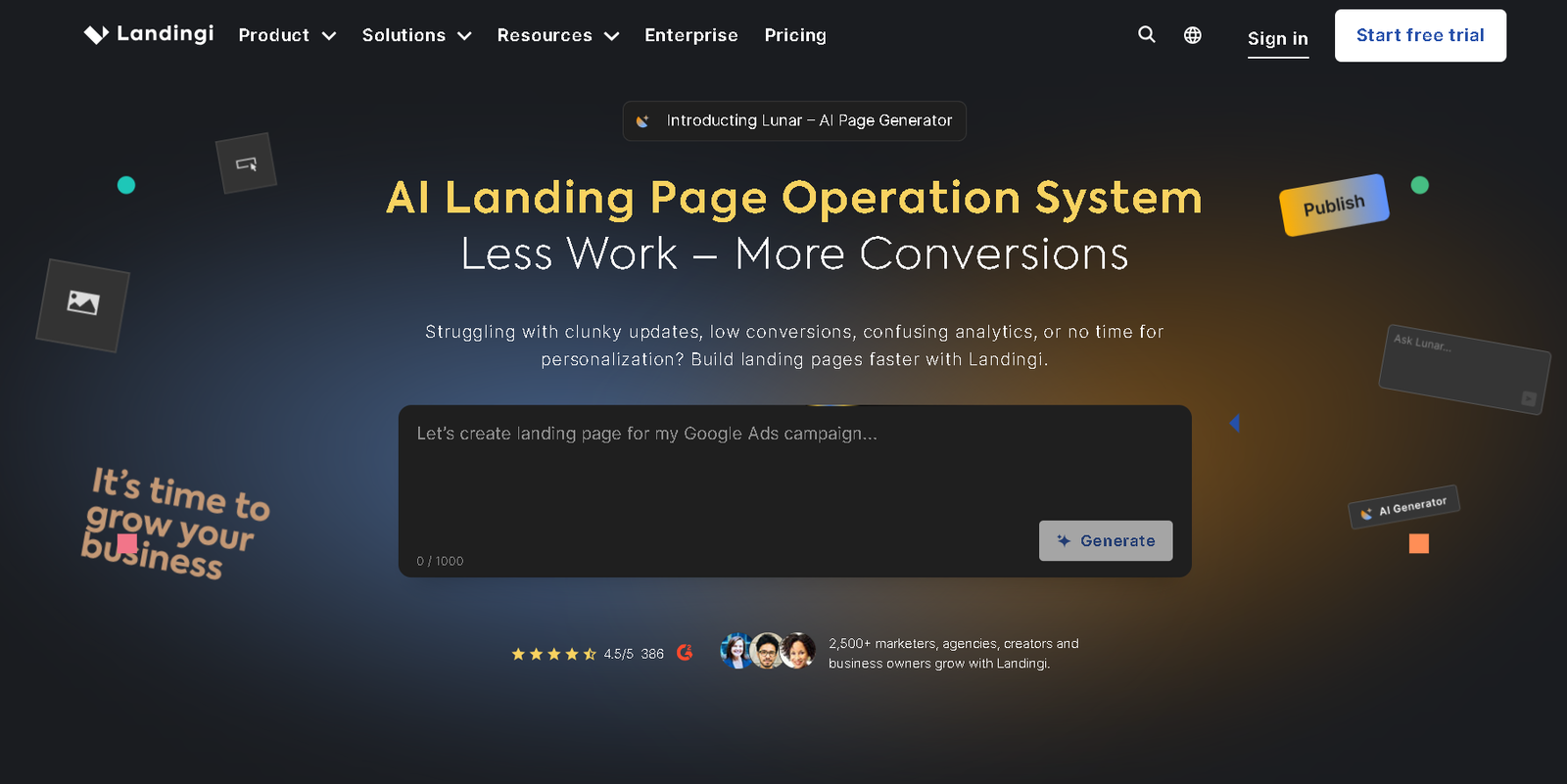
Landingi — the affordable landing page builder built for marketers and agencies in 2026.
📋 Table of Contents
Your campaign is ready. The ads are live, the offer is solid, and the budget is set. Then you hit the same wall that slows down marketers everywhere: you need a landing page, and your developer has a two-week backlog. By the time the page goes live, the campaign window has passed.
Landingi was built for exactly this situation. It is a no-code landing page builder that lets marketers, solo founders, and small agencies publish professional, conversion-focused pages without touching a line of code or waiting on a developer.
What Is Landingi?
Landingi is a cloud-based landing page builder designed for marketers and teams who need to build, test, and publish high-converting pages quickly.
The platform gives you a drag-and-drop editor, 400+ templates, built-in A/B testing, a form builder, pop-ups, countdown timers, and 170+ integrations with CRM and email marketing platforms.
Unlike a full website builder, and unlike general platforms covered in our guide to the best website builders for small businesses — Landingi is purpose-built for one thing: landing pages that convert.
For more context on the broader monetisation strategy behind dedicated landing pages, our guide on how to make money online as a blogger covers why purpose-built pages consistently outperform standard website pages for lead capture.
📌 Who Uses Landingi
Landingi is used by over 4,000 businesses worldwide, from solo marketers running paid ad campaigns to digital agencies managing landing page libraries for multiple clients.

Landingi's drag-and-drop editor — build professional pages without writing a line of code
Landingi Pricing Plans (2026)
Landingi offers four main paid plans alongside a free tier. All prices below reflect annual billing. Monthly billing is available at a higher rate.
Free
$0/month
No credit card required
- 5 landing pages
- 100 unique visitors/month
- Up to 3 users
- Drag-and-drop editor
- Basic templates
- Landingi subdomain only
Create
$29/month
$39/mo monthly · billed annually
- Unlimited landing pages
- 5,000 unique visitors/month
- 1 custom domain
- All 400+ templates
- Form builder
- Basic integrations
Best Value
Automate
$49/month
$69/mo monthly · billed annually
- Unlimited landing pages
- 50,000 unique visitors/month
- A/B testing
- Smart Sections
- Pop-ups & sticky bars
- 170+ integrations
- EventTracker analytics
Agency
$109/month
$149/mo monthly · billed annually
- 500,000 unique visitors/month
- White-label portal
- Sub-accounts per client
- Audit log
- Priority support
- Custom branding
💡 Start Free, Upgrade When Ready
The free plan requires no credit card and gives you access to the editor and basic templates. It is the lowest-risk way to evaluate whether Landingi fits your workflow before committing to a paid plan.
Understanding the Visitor Cap
The visitor cap is the one aspect of Landingi's pricing that most people misunderstand, and it deserves a clear explanation before you sign up.
Each plan limits the number of unique monthly visitors across all your landing pages combined, not per page. The Free plan caps at 100 visitors per month, Create at 5,000, Automate at 50,000, and Agency at 500,000. If your pages collectively attract more visitors than your plan allows, Landingi will throttle or pause traffic until the next billing cycle.
⚠️ Visitors vs. Conversions
Landingi does not cap your conversions on most paid plans. If 5,000 visitors come to your Create plan pages and 1,000 fill in your form, all 1,000 leads are counted and delivered. The cap is on raw visitor traffic only, not on how many leads you can collect. This is a meaningful advantage over some competitors who charge overage fees when campaigns perform well.
Key Features Breakdown
Drag-and-Drop Editor
Landingi's editor works on a free-form canvas rather than a grid system, which means you can place any element precisely where you want it on the page.
Users across G2 and Capterra consistently praise how intuitive it is for people without design backgrounds. Most people can publish their first page within an hour of signing up.

Landingi's template library — 400+ designs organized by industry and campaign goal
400+ Templates
Templates are organized by industry (SaaS, e-commerce, events, real estate) and goal (lead generation, webinar registration, app downloads, product launches).
Each template is mobile-responsive by default, though the mobile view can require some manual adjustment to get elements stacking exactly as you want them.
A/B Testing
Available on the Automate plan and above. You can create multiple page variants, split incoming traffic by percentage, and track which version delivers a better conversion rate. Users on G2 specifically highlight A/B testing as a reason they chose Landingi over cheaper alternatives.
Built-in Pop-ups, Sticky Bars, and Countdown Timers
Conversion tools like exit-intent pop-ups, timed overlays, sticky call-to-action bars, and countdown timers are included in the builder, no separate subscription required. These can be triggered by scroll depth, time on page, exit intent, or button click.
Integrations
Landingi connects natively with 170+ tools including Mailchimp, GetResponse, ActiveCampaign, HubSpot, Salesforce, Google Analytics, and Zapier. Lead data captured through Landingi forms flows directly into your CRM or email platform without manual CSV exports.
For a broader look at how CRM integrations affect your overall sales workflow, our guide to the best CRM software for small businesses is worth reading alongside this review.
Smart Sections: The Feature That Changes the Game for Agencies
If you manage landing pages for multiple campaigns or clients, Smart Sections is the feature that will matter most to you.
Here is the problem it solves: imagine you are an agency running 30 landing pages across 10 client accounts. Your agency's contact phone number changes, or a client updates their logo, or a CTA button text needs to be revised across every page.
Without Smart Sections, you update each page individually — 30 edits, 30 chances to miss something, and a significant waste of time for a change that should take seconds.
Smart Sections lets you create reusable blocks (headers, footers, testimonial sections, CTA banners) that you save once and embed across as many pages as you want.
When you edit the section, the change propagates across every page using that block simultaneously. One edit, every page updated.
"For agencies managing large landing page libraries, Smart Sections alone is worth the price difference between Landingi and cheaper alternatives."

Landingi A/B testing dashboard showing conversion rate comparison between page variants
Landingi vs. Competitors
| Feature | Landingi | Unbounce | Instapage | Leadpages |
|---|---|---|---|---|
| Starting Price (annual) | $29/mo | $74/mo | $79/mo | $37/mo |
| Free Plan | ✓ Yes | ✗ No | ✗ No | ✗ Trial only |
| Templates | 400+ | 100+ | 200+ | 200+ |
| A/B Testing | ✓ Automate+ | ✓ All plans | ✓ All plans | ✓ Standard+ |
| Smart Sections | ✓ Automate+ | ✓ All plans | ✗ No | ✗ No |
| AI Traffic Optimization | ✗ No | ✓ Smart Traffic | ✗ No | ✗ No |
| Built-in Pop-ups | ✓ Yes | ✗ No | ✗ No | ✓ Yes |
| Integrations | 170+ | 100+ | 120+ | 90+ |
Landingi Pros & Cons
What Landingi Does Well
- Genuine free plan — no credit card required, 5 pages, 100 visitors, full editor access
- 400+ templates — the largest template library in its price category, updated regularly
- Smart Sections — update reusable blocks across dozens of pages in one edit
- Built-in A/B testing on Automate and above — no separate tool needed
- 170+ native integrations including Mailchimp, GetResponse, HubSpot, Salesforce, and Zapier
- Unlimited conversions on most plans — your lead count is not capped, only raw visitor traffic
- Built-in pop-ups, sticky bars, and countdown timers — no additional subscriptions
- Significantly cheaper than Unbounce and Instapage for comparable features
Limitations Worth Knowing
- Visitor caps on lower plans — 5,000 visitors/month on Create is limiting for active paid ad campaigns
- Mobile view requires manual setup — elements need separate positioning for mobile screens
- No AI traffic optimization — unlike Unbounce's Smart Traffic, Landingi does not auto-route visitors to best-performing variants
- No real-time collaboration — multiple users cannot edit the same page simultaneously
- No hamburger menu on mobile — a commonly cited limitation; mobile navigation requires workarounds
Try Landingi Free — No Credit Card Needed
Build your first landing page today with full editor access and 400+ templates. Zero cost to start.
🚀 Start with Landingi Free →Who Is Landingi Best For?
Landingi is the right fit if you are:
- A solo marketer or digital entrepreneur who needs to build and publish landing pages quickly without a developer
- A small agency managing landing pages across multiple client campaigns — Smart Sections alone justifies the Automate plan
- A paid ads manager who needs dedicated landing pages for PPC campaigns with built-in A/B testing
- A blogger or content creator wanting high-converting opt-in pages for lead magnets and email list growth
- Any team that wants Unbounce or Instapage-level features at a significantly lower monthly cost
Landingi may not be the right fit if you are:
- Running very high-traffic campaigns where 50,000+ monthly visitors would exhaust the Automate plan quickly
- A large team needing real-time collaborative editing simultaneously
- Primarily focused on AI-powered conversion optimization — Unbounce's Smart Traffic is better for that
Our Recommendation: Landingi
⭐ Recommended — Best Value Landing Page Builder for SMBs
Landingi
Build, test, and publish high-converting landing pages without a developer — starting free.
For solo marketers, digital entrepreneurs, and small agencies who need professional landing pages without Unbounce or Instapage's price tag, Landingi delivers the strongest value in the market.
The 400+ template library, built-in A/B testing, Smart Sections for agencies, and 170+ integrations cover the full lifecycle of a landing page campaign.
The free plan removes all barriers to getting started, and at $49/month on the Automate plan, you get a feature set that competing platforms charge $74 to $79/month for.
- Largest template library in its price category — 400+ designs across industries and goals
- Smart Sections for agency-level efficiency — update reusable blocks across all pages at once
- Built-in A/B testing, pop-ups, sticky bars, and countdown timers — no extra subscriptions
- 170+ native integrations including Mailchimp, GetResponse, HubSpot, Salesforce, and Zapier
- Unlimited conversions on paid plans — leads are not capped, only raw visitor traffic
- Free plan with no credit card required — genuine zero-risk starting point
- Consistently praised customer support across G2, Capterra, and GetApp
* Affiliate link — I may earn a commission if you sign up, at no extra cost to you.
Frequently Asked Questions (Landingi Review)
Does Landingi have a free plan?
Yes. Landingi offers a free plan that includes up to 5 landing pages, 100 monthly unique visitors, and access to the drag-and-drop builder for up to 3 users. No credit card is required. Most marketers find the free plan sufficient for initial testing, though the 100 visitor cap makes it impractical for live campaigns with meaningful traffic.
Is Landingi worth it for small businesses?
Yes, for most small businesses and solo marketers, Landingi delivers strong value. The Create plan at $29/month gives you unlimited landing pages, 5,000 monthly visitors, access to all 400+ templates, and a custom domain. The Automate plan at $49/month adds A/B testing, Smart Sections, pop-ups, and 170+ integrations — a feature set that Unbounce and Instapage charge $74 to $79/month for.
What is the Landingi visitor cap and how does it work?
Each Landingi plan includes a monthly unique visitor limit that applies across all your landing pages combined. The Free plan allows 100 visitors per month, Create allows 5,000, Automate allows 50,000, and Agency allows 500,000. Importantly, Landingi does not cap conversions on most paid plans — you can collect unlimited leads even within your visitor limit.
What is Landingi Smart Sections?
Smart Sections is a feature that lets you create reusable page blocks — headers, footer sections, CTA banners, testimonial rows — and embed them across multiple landing pages. When you edit the Smart Section once, the change is reflected automatically across every page that uses it. Smart Sections is available on the Automate plan and above.
How does Landingi compare to Unbounce and Instapage?
Landingi starts at $29/month versus Unbounce at $74/month and Instapage at $79/month. Landingi has the largest template library at 400+, the lowest entry price, and Smart Sections for agency workflow efficiency. Unbounce's main advantage is its Smart Traffic AI which automatically routes visitors to the highest-converting page variant. For solo marketers and small agencies on a budget, Landingi delivers the best overall value per dollar.
Build Your First Landing Page Today
Start on the free plan. No credit card. Full editor access, 400+ templates, and unlimited pages on paid plans from $29/month.
✅ Get Started with Landingi Free →