Loading... document.addEventListener("DOMContentLoaded", function() { var days = ['Sun','Mon','Tue','Wed','Thu','Fri','Sat']; var months = ['Jan','Feb','Mar','Apr','May','Jun','Jul','Aug','Sep','Oct','Nov','Dec']; function tick() { var el = document.getElementById('wpclock-text'); if (!el) return; var now = new Date(); var h = now.getHours(), m = now.getMinutes(), s = now.getSeconds(); var ampm = h >= 12 ? 'PM' : 'AM'; h = h % 12 || 12; el.textContent = days[now.getDay()] + ', ' + months[now.getMonth()] + ' ' + now.getDate() + ' ' + String(h).padStart(2,'0') + ':' + String(m).padStart(2,'0') + ':' + String(s).padStart(2,'0') + ' ' + ampm; } tick(); setInterval(tick, 1000); });
7+ Best Podcast Software to Edit and Record Your Show
📋 Table of Contents
- What to Look for in Podcast Software
- Quick Comparison — 7 Best Podcast Software at a Glance
- 1. Buzzsprout — Best Hosting + Promotion + Analytics (David's Top Pick)
- 2. Adobe Audition — Best for Professional Audio Editing
- 3. RSS.com — Best for Podcast Monetisation
- 4. Libsyn — Best for All Experience Levels
- 5. Audacity — Best Free Audio Editor
- 6. GarageBand — Best Free Option for Mac Users
- 7. Logic Pro — Best Professional DAW for Mac
- Which Podcast Software Should You Choose?
- Frequently Asked Questions

The 7 best podcast software tools in 2026 — covering recording, editing, hosting, distribution, and monetisation for creators at every level.
Podcasting is one of the most powerful distribution channels available to content creators and entrepreneurs in 2026. Around 32% of Americans listen to podcasts each month — and 45% of podcast listeners say they were influenced to purchase a product after hearing about it on a show. Those numbers are too compelling to ignore if you are building an audience or selling anything online.
But the platform does not matter if you do not have the tools to produce, host, and grow your show properly. There are two categories of podcast software you need to understand: audio editing and recording software (where you produce your episodes) and podcast hosting platforms (where you store and distribute your episodes to Spotify, Apple Podcasts, and everywhere else).
This guide covers the best options across both categories — including free tools for beginners and professional platforms for creators who are serious about sound quality and audience growth.
My top overall pick is Buzzsprout — it combines podcast hosting, distribution, analytics, and monetisation in the most beginner-accessible package on this list. Let's break down all seven.
What to Look for in Podcast Software
- Editing capability — noise removal, EQ, compression, and multitrack editing are the core functions you need for professional-sounding audio
- Recording quality — look for 16-bit minimum support; 24-bit or 32-bit gives you the best headroom in post-production
- Distribution reach — hosting platforms should submit your podcast to all major directories (Spotify, Apple Podcasts, Amazon Music, iHeartRadio) automatically
- Analytics depth — know who is listening, from where, on what platform, and which episodes perform best
- Monetisation features — sponsorship matching, dynamic ad insertion, and listener donation tools help turn your audience into income
- Learning curve — free tools like Audacity and GarageBand are beginner-accessible; professional DAWs like Logic Pro and Adobe Audition require meaningful learning investment
Quick Comparison — 7 Best Podcast Software at a Glance
| # | Tool | Best For | Price | Platform |
|---|---|---|---|---|
| 1 | Buzzsprout ⭐ | Hosting, distribution, analytics, monetisation | Free / $12/mo+ | Web (all platforms) |
| 2 | Adobe Audition | Professional audio editing and multitrack | $20.99/mo | Win + Mac |
| 3 | RSS.com | Podcast hosting with strong monetisation | $4.99–$8.25/mo | Web (all platforms) |
| 4 | Libsyn | All levels — hosting, publishing, analytics | $5–$20/mo | Web (all platforms) |
| 5 | Audacity | Free open-source audio editing for beginners | Free | Win + Mac + Linux |
| 6 | GarageBand | Free podcast recording and editing on Mac | Free | Mac + iOS |
| 7 | Logic Pro | Professional Mac DAW for high-quality production | $199.99 one-time | Mac only |
1. Buzzsprout — Best Podcast Hosting, Distribution, and Analytics
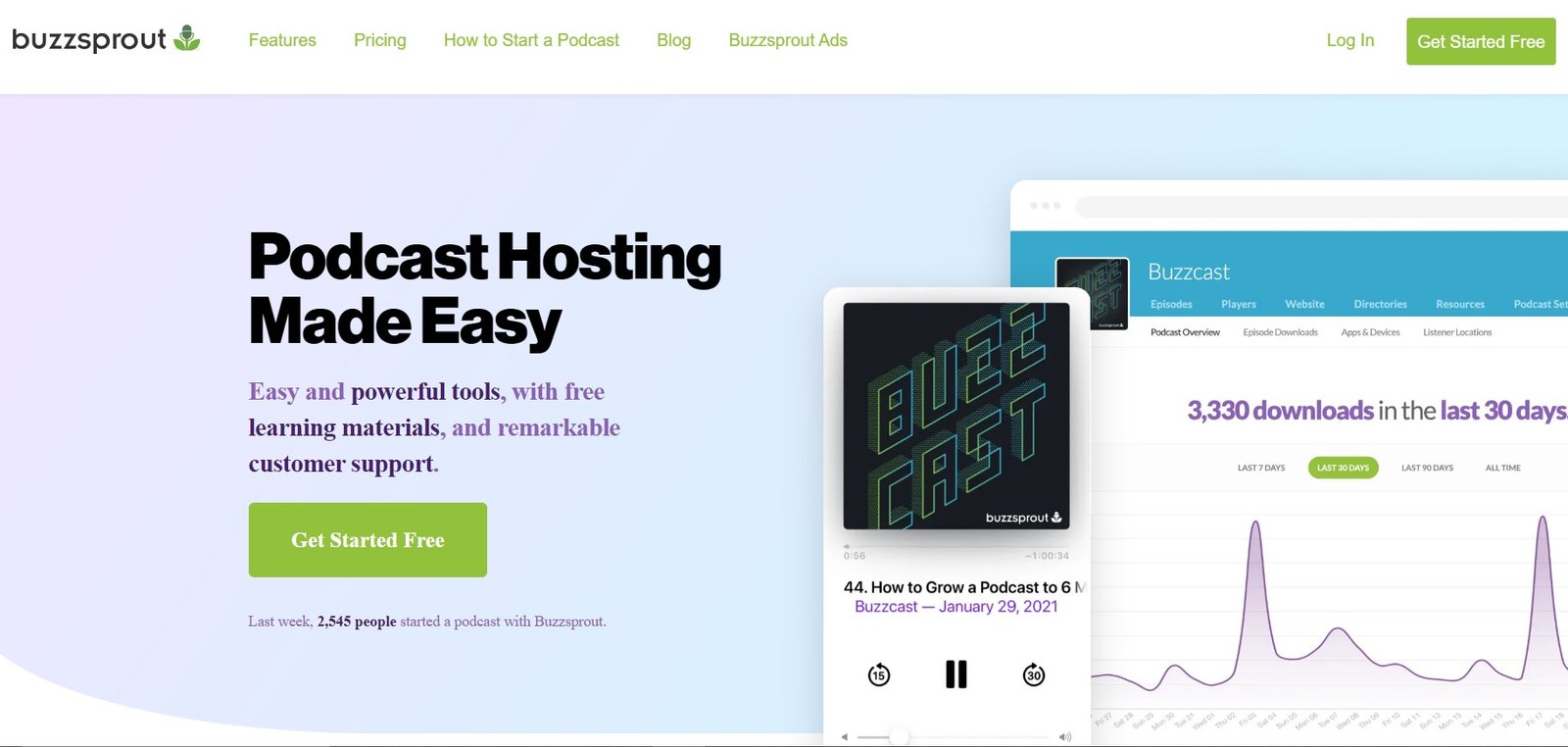
Buzzsprout — the complete podcast platform for creating, hosting, distributing, and growing your show from a single dashboard.
Buzzsprout is the podcast hosting platform that gets your show out into the world. Once you have recorded and edited your episode, Buzzsprout handles everything else: uploading it to your feed, distributing it to Spotify, Apple Podcasts, Amazon Music, Stitcher, iHeartRadio, SoundCloud, and more, and giving you the analytics data to understand what is working.
Its Magic Mastering feature automatically optimises your audio (adjusting levels, EQ, and consistency to meet industry loudness standards) without any manual processing.
For podcasters who are not audio engineers, this single feature can make the difference between a podcast that sounds homemade and one that sounds professionally produced.
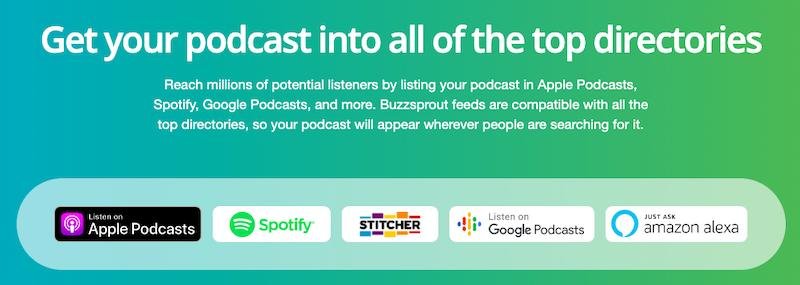
Buzzsprout automatically distributes your podcast to 20+ major platforms — Spotify, Apple Podcasts, Amazon Music, and more — with a single upload.
Buzzsprout is my top pick for new and growing podcasters because it removes the technical complexity from everything after the recording. The 90-day free trial is genuinely generous — most people have a clear sense of the platform's value well before they need to pay. The Magic Mastering and analytics dashboard are the two features I recommend paying attention to first. If you are serious about podcasting, this is where I'd start.
Key Features
- Magic Mastering — automatically optimises audio levels, EQ, and loudness to professional standards on every episode
- One-click distribution — submit once and appear on Spotify, Apple Podcasts, Amazon Music, iHeartRadio, SoundCloud, Stitcher, and 20+ other platforms
- Advanced analytics — track downloads, listener location, platforms used, and listening trends by episode
- Chapter markers — add navigation chapters inside episodes so listeners can jump to specific sections
- Transcription — improve accessibility and SEO discoverability by adding full episode transcripts
- Social sharing clips — create shareable video soundbites from episodes for social media marketing
- Affiliate monetisation — Buzzsprout partners with brands and enables dynamic ad insertion to monetise your audience
- Custom podcast website — get a branded podcast website with custom domain included on paid plans
- Unlimited users and podcasts — manage multiple podcasts and team members from a single account
✓ Buzzsprout Pros
- Easiest-to-use podcast platform on this list
- 90-day free trial — generous evaluation period
- Magic Mastering automatically improves audio quality
- Distributes to 20+ platforms with a single upload
- Strong analytics including listener geography and platform data
- Built-in affiliate monetisation and dynamic ad insertion
- Unlimited users and podcast management from one account
✗ Buzzsprout Limitations
- Not an audio editor — you need separate software to record and edit episodes
- Paid plans price by hours of upload per month
- Video podcast features more limited than dedicated video platforms
2. Adobe Audition — Best for Professional Audio Editing
Adobe Audition's multitrack editor — the professional standard for podcast audio production with spectral analysis, noise reduction, and 50+ audio effects.
Adobe Audition is the audio editing software of choice for professional podcasters and content creators who already work within the Adobe Creative Cloud ecosystem.
It is particularly powerful for creators who also produce video content — the two-way integration with Adobe Premiere Pro lets you send a clip from your video editor to Audition for audio cleanup, then sync the corrected audio back without re-exporting the file.
Adobe Audition excels at multitrack podcast production — recording roundtable discussions with separate microphone inputs, each with individual EQ, compression, and gain settings.
The Spectral Frequency Display provides a visual heatmap of audio frequencies, making it possible to identify and surgically remove specific unwanted sounds (a microphone crackle, a breath, a phone buzz in the background) that are nearly impossible to find by ear alone.
Adobe Audition is for podcasters who care about audio quality at a professional level. Its Essential Sound Panel is surprisingly accessible even for beginners — it applies professionally designed presets for dialogue, music, and sound effects with one click, without needing to understand EQ or compression manually. If you already pay for Adobe Creative Cloud for video or design work, Audition is already included and worth using. If you are paying for it standalone, the $20.99/month is justified only if audio quality is a primary priority.
Key Features
- Spectral Analysis — visually identify and eliminate unwanted sounds using the frequency heatmap
- Essential Sound Panel — one-click professional presets for dialogue, music, ambience, and SFX without manual EQ
- Multitrack recording — record multiple microphones simultaneously with individual track processing
- Adaptive noise reduction — capture a noise print from your recording environment and remove it throughout
- Envelopes — control volume levels, fades, and music ducking under dialogue automatically
- Match Loudness — normalise all speakers and tracks to consistent volume levels across an episode
- 50+ effects — comprehensive professional audio effects library including reverb, delay, EQ, dynamics, and more
✓ Adobe Audition Pros
- Spectral display for surgical noise and audio repair
- Seamless integration with Adobe Premiere Pro for video podcasters
- Essential Sound Panel simplifies professional audio for non-engineers
- 50+ audio effects including reverb, EQ, dynamics, and noise reduction
- Multitrack recording handles roundtable and interview podcasts
- Included in Adobe Creative Cloud subscriptions
✗ Adobe Audition Limitations
- Monthly subscription — one of the more expensive standalone options
- Advanced features have a meaningful learning curve for beginners
- Requires a reasonably powerful computer for smooth performance
- Not a hosting platform — you still need Buzzsprout or another host
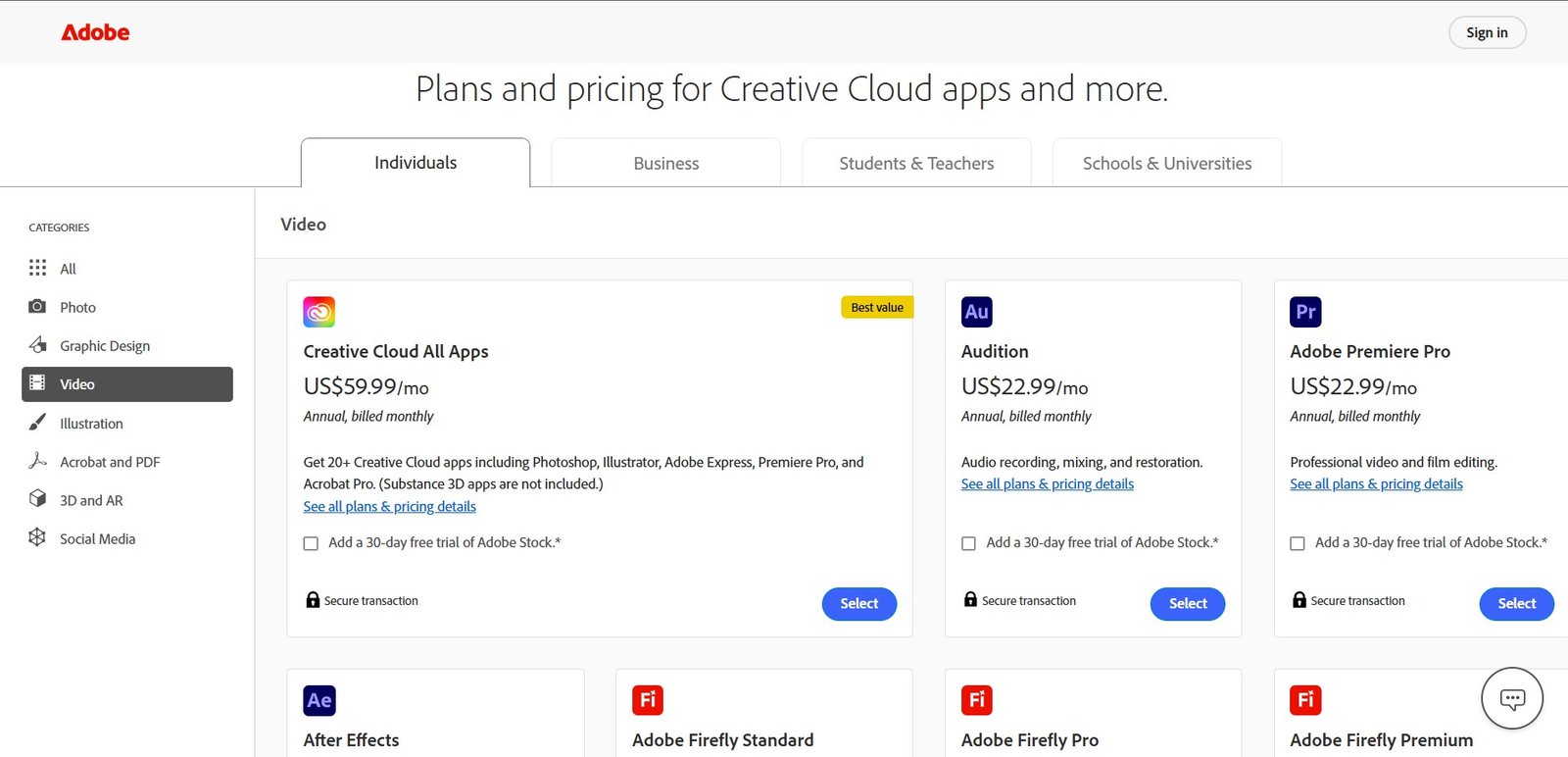
Adobe Audition pricing — $20.99/month standalone, or included in Adobe Creative Cloud All Apps for creators already in the Adobe ecosystem.
3. RSS.com — Best for Podcast Monetisation
RSS.com — podcast hosting with built-in sponsorship matching and dynamic ad insertion for podcasters ready to monetise their audience.
RSS.com is a full-service podcast hosting platform that places a strong emphasis on helping podcasters earn revenue from their shows.
The platform's built-in sponsorship marketplace connects podcasters directly with brands looking for relevant advertising placements — allowing smaller shows to access sponsorship opportunities without needing a large agency relationship. Dynamic ad insertion means you can update the ads running inside older episodes without re-editing and re-uploading them.
If monetising your podcast is a primary goal — whether through sponsorships, dynamic ads, or listener donations — RSS.com is the hosting platform most directly oriented around that goal. The sponsorship marketplace removes one of the biggest barriers new podcasters face in securing brand deals. The analytics are solid, the distribution is comprehensive, and the pricing is accessible even for student creators.
Key Features
- Sponsorship marketplace — get discovered by brands relevant to your audience without agency representation
- Dynamic ad insertion — place ads into any episode, new or old, without re-editing
- Donation button — accept direct listener financial support through your episode pages
- Wide distribution — submit to Amazon Music, Apple Podcasts, Google, Samsung, Spotify, and more
- Episode chapters — add navigational chapter markers for longer, more complex episodes
- Soundbite clips — create shareable audio clips from your episodes for social promotion
- Episode scheduling — plan episode publication dates to maintain a consistent release schedule
- Embedded player — embed episodes directly into your website with a branded player
✓ RSS.com Pros
- Best-in-class sponsorship discovery and dynamic ad tools
- Donation button for direct listener support
- Episode chapters and soundbite clips for engagement
- Easy social media sharing across major platforms
- Affordable student and NGO plan at $4.99/month
- Comprehensive distribution across all major directories
✗ RSS.com Limitations
- Limited AI-powered features compared to some competitors
- No native video-to-podcast conversion feature
- Not an audio editor — you still need separate editing software
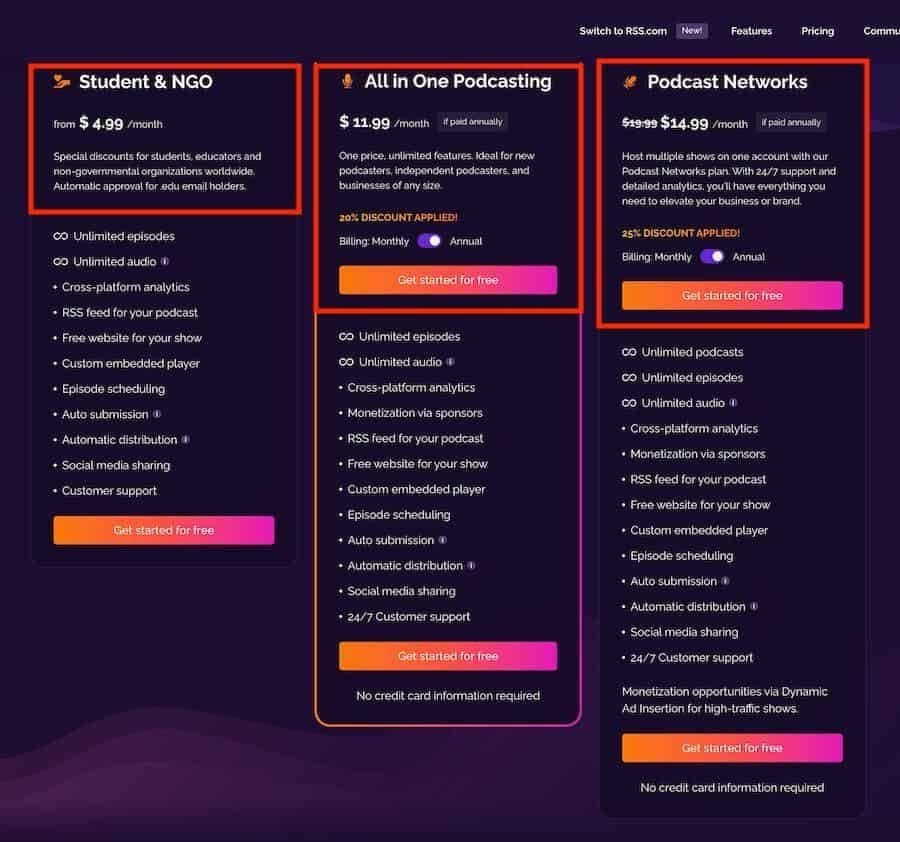
RSS.com pricing — from $4.99/month for students and NGOs to $8.25/month for the standard all-in-one plan.
4. Libsyn — Best for All Experience Levels
Libsyn — one of the most established podcast hosting platforms since 2004, trusted by both new and experienced podcasters for publishing, distribution, and growth.
Libsyn (short for Liberated Syndication) is one of the longest-established podcast hosting platforms available (operating since 2004) and serves as the infrastructure for many of the world's most downloaded shows.
Its pricing is based on monthly upload volume (hours of audio per month) rather than total storage or listener count, which makes it cost-predictable for podcasters who publish at a consistent cadence.
The platform provides a comprehensive tutorial system that walks users through concept creation, growth strategies, and monetisation — making it accessible to beginners while still serving high-volume professional podcasters with advanced analytics and custom branding tools. All plans include unlimited bandwidth, which means you never pay more when your audience grows.
Libsyn is the platform that many professional podcasters grow into — it is not necessarily the simplest starting point, but it is one of the most reliable over the long term. The unlimited bandwidth on all plans is a significant operational advantage as your show grows. If you are starting a podcast with the intention of building it into a significant media property, Libsyn's infrastructure and reputation make it worth considering from day one.
Key Features
- Drag-and-drop publishing — upload completed episodes and publish to your feed instantly
- Unlimited bandwidth — no extra charges as your audience and download numbers grow
- Custom branding — branded audio and video players on all plans
- Marketing distribution tools — get your show onto every major platform listeners might be using
- Comprehensive analytics — track downloads, listener geography, and platform usage
- Monetisation features — tools to help podcasters earn from their audience and content
✓ Libsyn Pros
- 20+ years in operation — proven platform stability and reliability
- Unlimited bandwidth on all plans — no growth cost surprises
- Custom branded audio and video players
- Comprehensive tutorial system for beginners
- Trusted by many of the world's most popular podcasts
✗ Libsyn Limitations
- Entry plan (3 hours/month at $5) is limiting for frequent publishers
- Interface feels less modern than newer competitors
- Not an audio editor — separate editing software still required
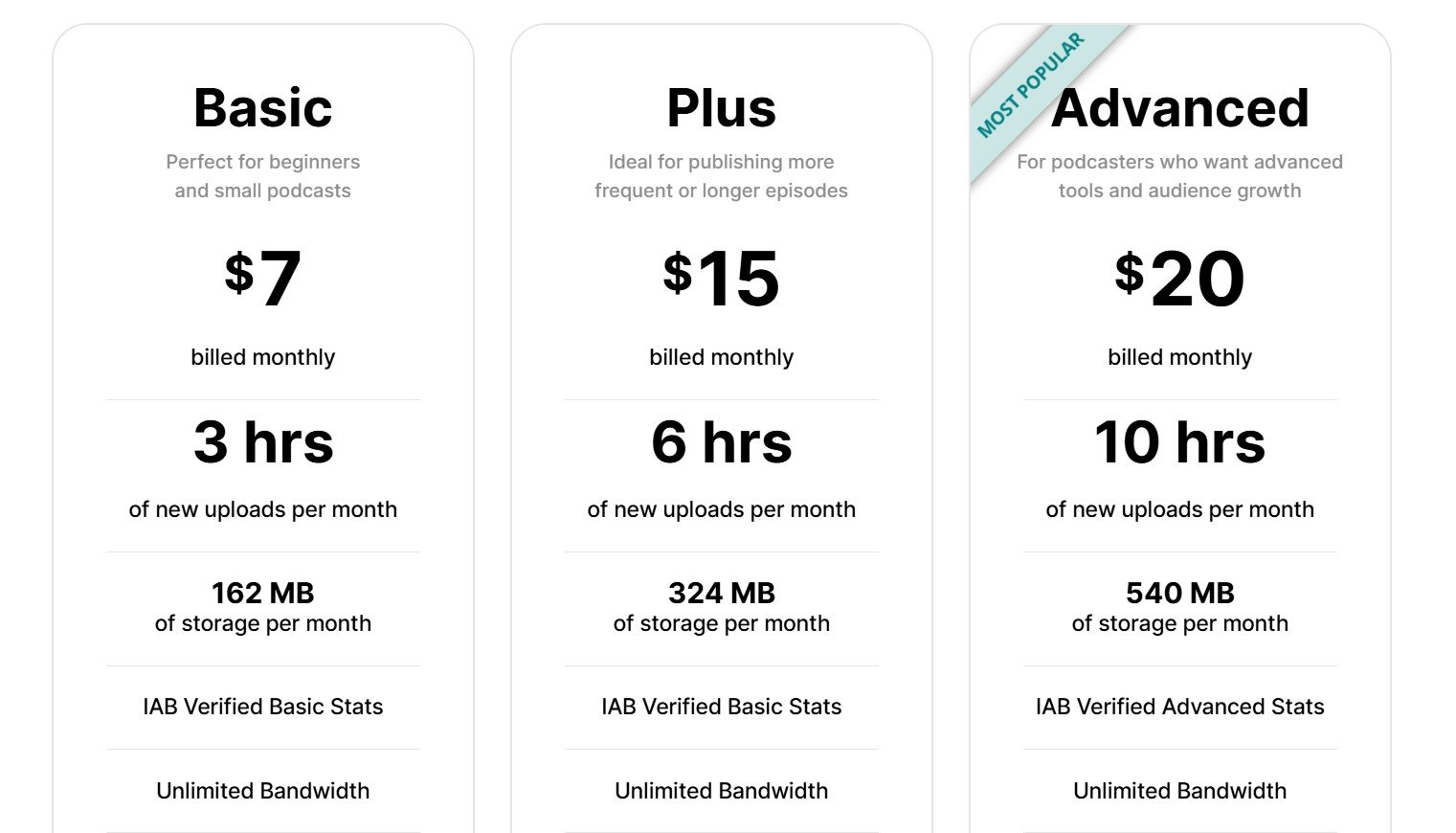
Libsyn's upload-based pricing — pay for the hours of content you publish per month, with unlimited bandwidth and distribution on all tiers.
Buzzsprout, RSS.com, and Libsyn are hosting platforms — they store and distribute your finished episodes. Audacity, GarageBand, Logic Pro, and Adobe Audition are editing and recording software — you use them to produce the episode before uploading. Most podcasters need at least one tool from each category. For more on choosing a hosting platform specifically, see our complete podcast hosting guide.
5. Audacity — Best Free Audio Editor
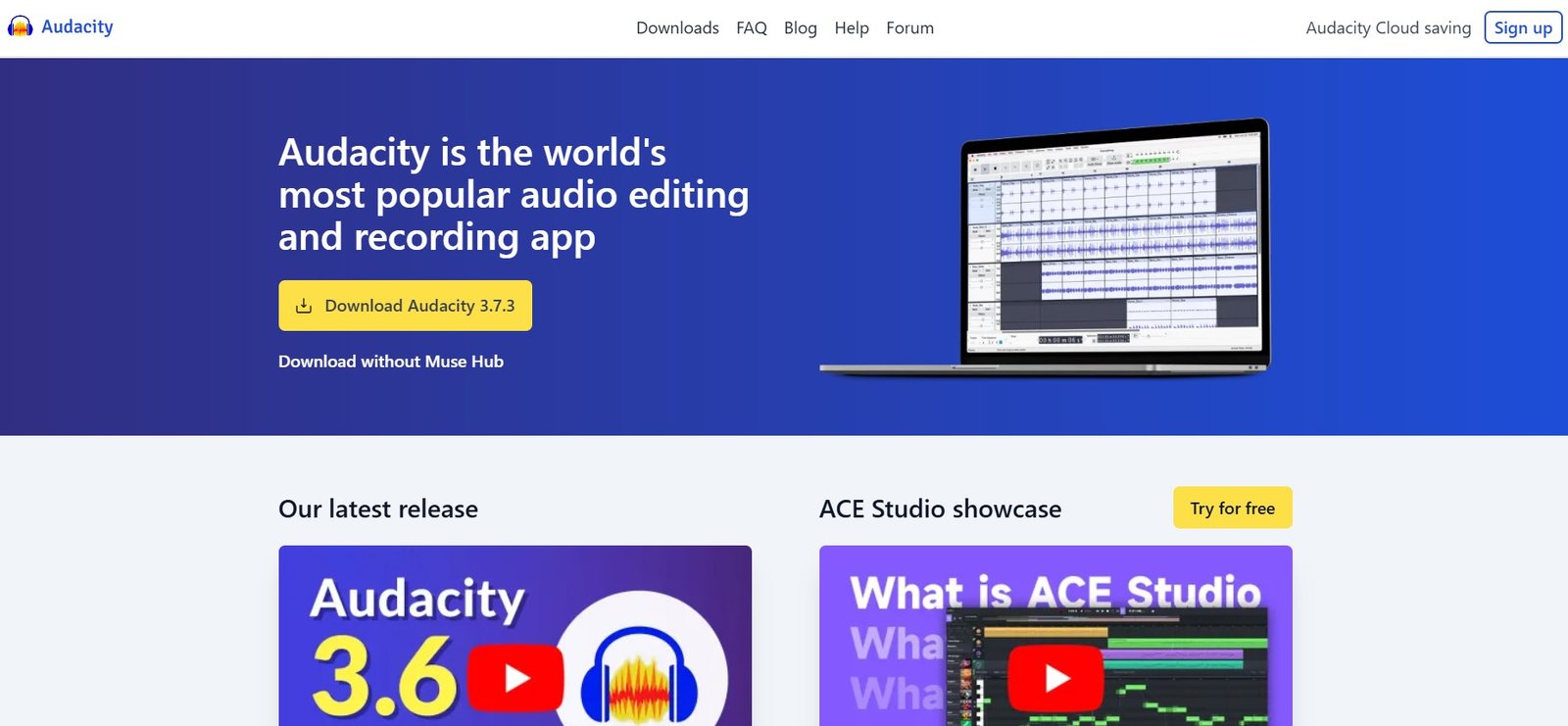
Audacity — the free, open-source audio editor used by millions of podcasters, musicians, and content creators worldwide.
Audacity is the most widely used free audio editor in the world — downloaded over 100 million times and maintained by an active open-source community.
For any podcaster starting out with a constrained budget, Audacity provides a genuine professional editing toolkit at zero cost: multitrack recording, noise reduction, EQ, compression, and an extensive plugin library.
Audacity works on Windows, Mac, and Linux — making it one of the most universally accessible tools on this list.
Its digital audio workstation handles 16-bit, 24-bit, and 32-bit audio, supports LADSPA, LV2, VST, and Audio Unit plugins (on macOS), and exports to MP3, WAV, FLAC, OGG, AIFF, and other formats without any additional software needed.
If you are not yet sure whether podcasting is right for you, or if budget is a constraint, Audacity is where I would tell you to start. It is genuinely capable for podcast production — the noise reduction, EQ, and compression tools are everything most podcasters need. The interface is dated compared to modern software, but the underlying functionality is sound. Start here, and upgrade to Adobe Audition or Logic Pro when you outgrow it.
Key Features
- Multitrack recording — record from multiple microphones or sources simultaneously
- Noise reduction — capture a noise profile and remove background hum, hiss, or HVAC throughout a recording
- Spectral frequency view — visual frequency analysis for identifying problem sounds
- EQ and compression — the core tools for shaping and polishing podcast audio
- Plugin support — LADSPA, LV2, VST, Nyquist, and Audio Unit effects extend the built-in toolkit
- Unlimited undo/redo — make any edit safely without losing previous states
- Export flexibility — MP3, WAV, FLAC, OGG, AIFF, and more format support
✓ Audacity Pros
- Completely free — no subscription, trial, or feature limits
- Cross-platform — Windows, Mac, and Linux
- Genuinely capable professional toolkit at zero cost
- Large community with extensive tutorials and resources
- VST plugin support for extended capabilities
✗ Audacity Limitations
- Interface is dated compared to modern DAWs
- No built-in music library or loop browser
- Less sophisticated than Adobe Audition for complex audio restoration
- Not a hosting platform — you still need Buzzsprout or similar
6. GarageBand — Best Free Option for Mac and iOS Users
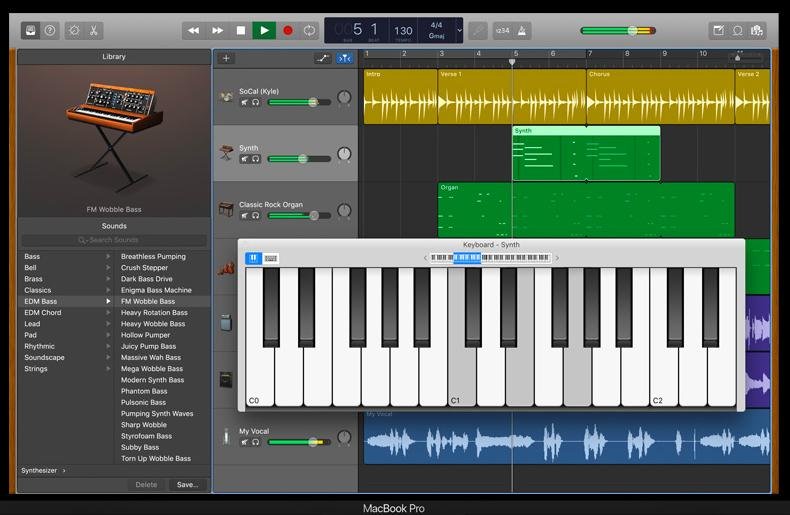
GarageBand's multitrack recording interface — arrange separate tracks for your voice, music, intros, and sound effects with drag-and-drop simplicity.
GarageBand comes installed free on every Mac and is available as a free download on iOS.
For Mac-based podcasters, it is one of the best starting points available — offering a significantly more modern interface than Audacity, Apple's extensive audio quality optimisations, and a clean multitrack environment for arranging voice tracks, music beds, intros, and ad spots.
GarageBand allows you to enable multiple plugins per track (noise gates, EQ, compression) and provides shape-shifting volume controls for mixing individual tracks.
Its pre-recorded loops and Smart Instruments make creating original podcast intro music and jingles accessible even without music production experience.
Most importantly, GarageBand files open directly in Logic Pro — making the upgrade path seamless when you are ready for professional tools.
GarageBand is one of the best free software deals in content creation. If you own a Mac, it is already installed — and it is significantly better than most people expect. The interface is approachable, the audio quality is excellent, and the upgrade path to Logic Pro is seamless when you outgrow it. For any Mac-based creator starting a podcast in 2026, this is the free editor I would recommend before Audacity.
✓ GarageBand Pros
- Completely free — pre-installed on all Macs
- Modern, clean interface — more beginner-friendly than Audacity
- Works on iPhone and iPad for mobile recording
- Smart Instruments and loop library for creating jingles
- Seamless upgrade path to Logic Pro
- Supports noise gate, EQ, and compression plugins per track
✗ GarageBand Limitations
- Mac and iOS only — Windows and Linux users need Audacity
- Less advanced noise reduction than Adobe Audition or iZotope RX
- Not a hosting platform — you still need Buzzsprout or similar
7. Logic Pro — Best Professional DAW for Mac Podcasters
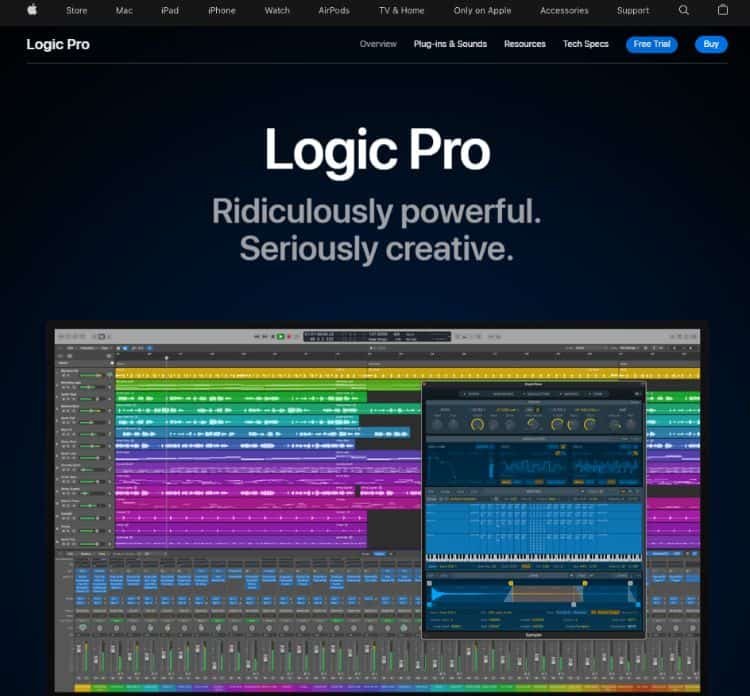
Logic Pro — Apple's professional-grade production environment for Mac users who have outgrown GarageBand and need the full depth of a professional DAW.
Logic Pro is the natural upgrade path for Mac users who outgrow GarageBand. Sharing the same core interface conventions as GarageBand (which makes the transition significantly easier than moving to a completely different platform) Logic Pro adds the depth of a true professional DAW: advanced multitrack mixing, Flex Time and Flex Pitch for timing and pitch correction, a comprehensive library of virtual instruments, a full MIDI editing environment, and Apple Silicon optimisation for exceptional performance on M-series Macs.
For podcasters specifically, Logic Pro's audio editing precision, noise reduction capabilities, and the included Remix FX plugin for creative transitions make it a genuinely excellent production environment.
The $199.99 one-time purchase (with no subscription and a 90-day free trial) gives Logic Pro arguably the best value proposition of any professional DAW on any platform.
Logic Pro is the professional standard for Mac-based audio production for one simple reason: it delivers comparable capability to Pro Tools, Cubase, and Studio One at $199.99 as a one-time purchase, with a 90-day trial to evaluate before paying. If you are serious about audio quality and you work on a Mac, this is the long-term tool I would invest in. Start with GarageBand, graduate to Logic Pro when your production needs it.
Key Features
- Flex Time and Flex Pitch — correct timing and pitch of recorded audio without quality loss
- Multi-Touch Mixing — control your mix from Mac, iPad, or iPhone simultaneously
- Smart Tempo — automatically match the tempo of different audio tracks
- Ultimate recording quality — supports 24-bit/192kHz audio for the highest fidelity
- Remix FX — DJ-style transitions and effects for creative podcast productions
- Logic Remote — control Logic Pro from your iPhone or iPad wirelessly
- 3,400+ instrument patches and Apple Loops — comprehensive library for creating original music
✓ Logic Pro Pros
- $199.99 one-time purchase — no subscription
- 90-day free trial — longest in any professional DAW
- Shares interface with GarageBand — easy transition
- Optimised for Apple Silicon — excellent M-series Mac performance
- Comprehensive virtual instrument and effects library included
- Industry-standard professional audio quality
✗ Logic Pro Limitations
- Mac only — Windows podcasters cannot use Logic Pro
- $199.99 investment may be hard to justify for casual podcasters
- Not a hosting platform — you still need Buzzsprout or similar
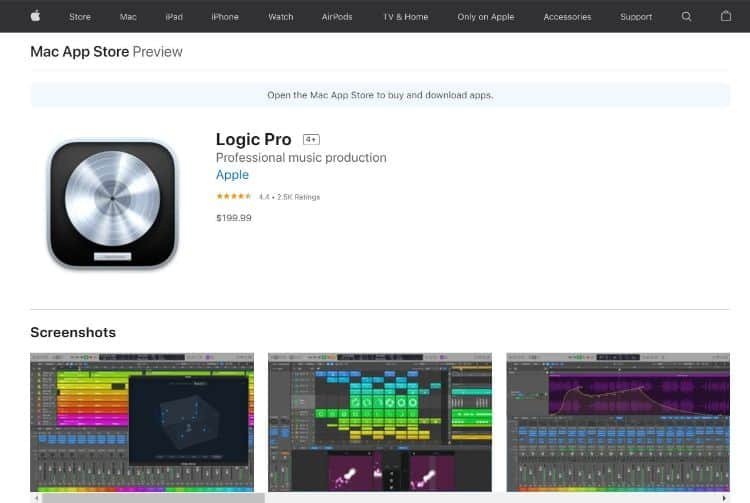
Logic Pro pricing — $199.99 one-time purchase with a 90-day free trial. No subscription required. Available from the Mac App Store.
Which Podcast Software Should You Choose?
Match Your Situation to the Right Tool
Ready to Launch Your Podcast?
Start with Buzzsprout's 90-day free trial — no credit card required. Record in GarageBand or Audacity, host and distribute on Buzzsprout, and grow your audience from day one.
Frequently Asked Questions
Podcast recording and editing software (Audacity, GarageBand, Adobe Audition, Logic Pro) is what you use to capture and produce your audio — recording your voice, editing out mistakes, adding music, and processing your sound to professional quality. Podcast hosting platforms (Buzzsprout, RSS.com, Libsyn) are where you upload the finished episode file. The hosting platform stores the audio, generates your RSS feed, and distributes your episodes to Spotify, Apple Podcasts, and other directories. Most podcasters need at least one tool from each category.
For audio editing: Audacity is the best free option on Windows, Mac, and Linux — it is genuinely capable for professional podcast production. GarageBand is the best free option specifically for Mac users — its interface is cleaner and more modern than Audacity. For hosting: Buzzsprout offers a 90-day free trial with full features — the most generous free trial of any major hosting platform.
No — you can start with a smartphone or a basic USB microphone. The most important factor in audio quality is minimising background noise in your recording environment (recording in a small, soft-furnished room, away from HVAC noise and outside traffic) rather than having expensive equipment. A decent USB microphone in the $50 to $100 range combined with Audacity's noise reduction will produce results that are more than adequate for a starting podcast. Upgrade your equipment as your audience grows and your income from the podcast justifies the investment.
You submit your podcast to Spotify, Apple Podcasts, and other directories through your hosting platform — not directly. When you sign up with Buzzsprout, RSS.com, or Libsyn, the platform generates an RSS feed for your show. You then submit that RSS feed URL to Spotify for Podcasters and Apple Podcasts Connect. After initial approval (typically 24 to 72 hours), your episodes will automatically appear on each platform whenever you upload a new one. Most hosting platforms guide you through this submission process step by step.
Yes — podcasting can generate revenue through several models: brand sponsorships (advertisers pay to be mentioned in your episodes), dynamic ad insertion (automated ads placed inside episodes by platforms like RSS.com), listener donations or subscriptions (platforms like Buzzsprout and Patreon support this), affiliate marketing (recommending products and earning commissions when listeners purchase), and premium content (exclusive paid episodes or early access for paying subscribers). The most successful monetisation strategies combine multiple revenue streams and typically require a listener base of at least 1,000 to 2,000 downloads per episode to attract consistent brand sponsorships.