Loading... document.addEventListener("DOMContentLoaded", function() { var days = ['Sun','Mon','Tue','Wed','Thu','Fri','Sat']; var months = ['Jan','Feb','Mar','Apr','May','Jun','Jul','Aug','Sep','Oct','Nov','Dec']; function tick() { var el = document.getElementById('wpclock-text'); if (!el) return; var now = new Date(); var h = now.getHours(), m = now.getMinutes(), s = now.getSeconds(); var ampm = h >= 12 ? 'PM' : 'AM'; h = h % 12 || 12; el.textContent = days[now.getDay()] + ', ' + months[now.getMonth()] + ' ' + now.getDate() + ' ' + String(h).padStart(2,'0') + ':' + String(m).padStart(2,'0') + ':' + String(s).padStart(2,'0') + ' ' + ampm; } tick(); setInterval(tick, 1000); });
How To Maximize Your Last-Minute Tax Prep with QuickBooks
With deadlines looming and stacks of receipts piling up, last-minute tax preparation can feel overwhelming. Luckily, QuickBooks is here to help. In this post, we'll explore how QuickBooks can assist with last-minute Tax Preparation, Expense Tracking, and overall organization—making filing your taxes easier even under a tight deadline.
📋 Table of Contents
- The Last-Minute Tax Prep Problem
- Special Offer — 30% Off + 30 Days QuickBooks Live Free
- How QuickBooks Simplifies Tax Preparation
- QuickBooks for Expense Tracking
- Step-by-Step: Using QuickBooks for Last-Minute Tax Prep
- QuickBooks Tax Software Integrations
- Staying Organised Under Tax Deadline Pressure
- Why Year-Round QuickBooks Use Changes Everything
- Frequently Asked Questions
- Final Thoughts
QuickBooks — the accounting platform that turns last-minute tax chaos into organised, actionable financial data you can file with confidence.
Let me paint a picture you probably recognise. Tax deadline is a week away. Your bank statements are scattered across three email threads, a spreadsheet you half-filled in February, and a folder of receipts you told yourself you would sort in January. Your accountant is asking for reports you are not sure QuickBooks has, and you are not even certain your expense categories are right.
This is the last-minute tax prep experience for most small business owners. It is stressful, error-prone, and expensive — not just in accountant hours, but in missed deductions, late filing penalties, and the hidden cost of running a business without a clear picture of your own finances.
QuickBooks does not eliminate the need to prepare your taxes — but it dramatically changes what that preparation looks like.
When your books are connected and categorised in QuickBooks, "tax prep" becomes a matter of running a few reports and handing them to your accountant or importing them into your tax software. No scrambling. No manual entry. No guesswork about what was a deductible expense.
This guide shows you exactly how to use QuickBooks for last-minute tax prep — step by step — and explains the special offer that makes this the best moment to start.
The Last-Minute Tax Prep Problem — Why It Keeps Happening
Last-minute tax stress is almost never about not knowing taxes are coming. Business owners know deadlines exist. The problem is almost always one of three things:
- Receipts and transactions that were never recorded during the year, creating a backlog of manual entry work at the worst possible moment
- Expenses that were never categorised — a year of bank transactions dumped into "Uncategorised Expenses" that now need to be reviewed line by line
- No clear financial reports — no reliable profit and loss statement or balance sheet ready for the accountant or tax software
QuickBooks solves all three of these problems — either in advance (if you set it up properly at the start of the year) or in recovery mode (if you are catching up now). Either way, the platform is significantly faster than rebuilding your books in a spreadsheet from scratch.
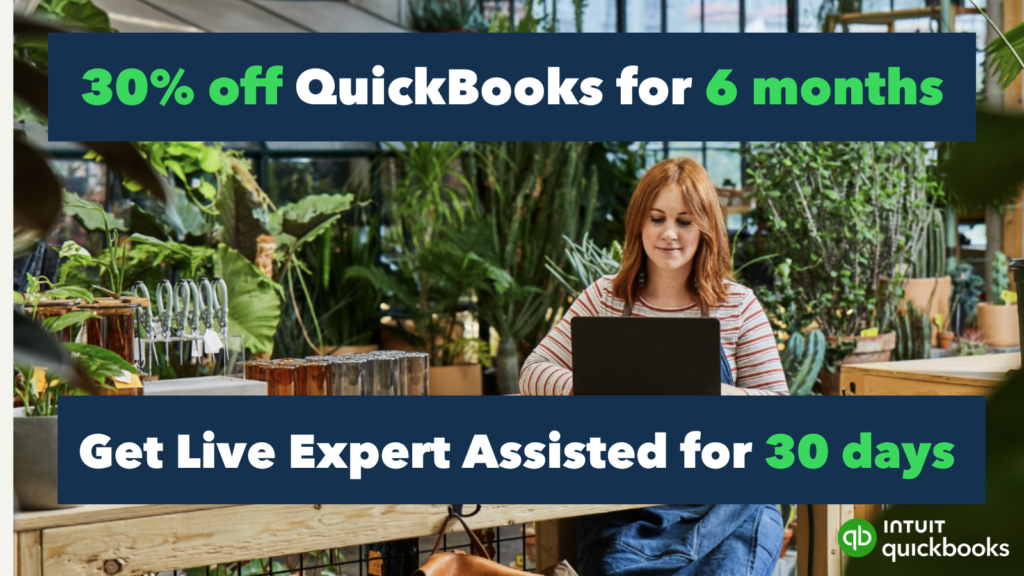
🎁 Special Offer — 30% Off for 6 Months + 30 Days QuickBooks Live Free
30% Off for 6 Months
Significant discount on your QuickBooks subscription for the first six months — making this the most affordable time to start
30 Days QuickBooks Live Expert Assisted
A live QuickBooks expert reviews your setup, connects your accounts, categorises transactions, and guides you through tax prep — free for 30 days
How QuickBooks Simplifies Tax Preparation
QuickBooks is built around a single principle that directly benefits tax preparation: your financial data should be captured once and be available everywhere.
When transactions are imported automatically, categorised correctly, and stored securely in the cloud, generating the reports your accountant or tax software needs becomes a process measured in minutes rather than days.
🔄 Automated Bank and Credit Card Import
Connect your business bank accounts and credit cards to QuickBooks and every transaction syncs automatically — typically within 24 hours of posting.
This eliminates the most time-consuming part of manual bookkeeping: the data entry step. Instead of typing in every transaction, you are reviewing and categorising them — a much faster process.
For last-minute tax prep specifically, this feature means you can recover months of unrecorded transactions quickly.
Connect your accounts, let QuickBooks pull the transaction history (most banks allow 90-day or 12-month history imports), and then use QuickBooks' categorisation tools to sort them efficiently.
📂 Automatic Expense Categorisation
QuickBooks uses machine learning to categorise transactions based on how similar transactions have been categorised in the past — either by you or by patterns from millions of other QuickBooks users.
Over time, the system learns your specific patterns: that your monthly payment to a particular vendor is always "Advertising," that transactions from a specific supplier are always "Office Supplies."
When starting fresh, you will need to review and approve suggested categories. Once established, the system requires minimal manual intervention.
For tax purposes, correct categorisation is the difference between claiming all legitimate deductions and leaving money on the table — particularly for categories like home office, vehicle, meals, and travel expenses that have specific IRS rules.
📊 Real-Time Financial Reports for Tax Filing
The reports your accountant needs for tax preparation — Profit and Loss Statement, Balance Sheet, Accounts Receivable/Payable Aging — are generated in QuickBooks with a few clicks, not a few days.
For last-minute preparation, the ability to run a current-year Profit and Loss statement immediately and share it with your accountant via email or accountant access credentials eliminates one of the biggest bottlenecks in the end-of-year process.
QuickBooks also generates a Tax Summary report that groups your income and expenses into the categories used on major US tax forms — making it significantly easier to transfer numbers to your tax return accurately without manual cross-referencing. See our related guide on QuickBooks features that help small businesses succeed during tax season for more on the specific report types available.
📱 Mobile Receipt Capture
The QuickBooks mobile app includes a receipt capture feature — photograph a receipt, and QuickBooks extracts the amount, date, vendor, and category automatically using optical character recognition, then matches it to an existing transaction in your account.
For business owners who accumulate physical receipts throughout the year, this feature turns receipt reconciliation from a desk-clearing exercise into a quick mobile workflow.
For last-minute tax prep, batch-capturing receipts using the mobile app before your filing deadline ensures that deductible expenses supported by physical documentation are reflected in your books — reducing your taxable income and reducing audit risk for any deduction you claim.

QuickBooks' financial reporting dashboard — generate your Profit and Loss statement, Balance Sheet, and Tax Summary in seconds for your accountant or tax software.
QuickBooks for Expense Tracking — The Foundation of Good Tax Prep
The reason last-minute tax prep is stressful is almost always that expenses were not tracked properly during the year. QuickBooks solves this prospectively (by tracking expenses automatically going forward) and retrospectively (by helping you reconstruct this year's records from bank data if you are starting now).
The categories that matter most for small business tax deductions — and where errors are most costly — are: home office (deductible percentage of home-related expenses), vehicle and mileage (business use of personal vehicle), meals and entertainment (50% deductible for business meals), professional development (courses, books, conferences), and equipment and software (potentially 100% deductible via Section 179). QuickBooks allows you to create custom sub-categories for each of these to ensure clean separation from personal expenses.
Setting Up Expense Categories for Tax-Ready Books
If your QuickBooks accounts are not yet set up with tax-specific categories, here is the quickest path to getting organised before a deadline:
- Run your Uncategorised Expenses report — this shows all transactions that have not yet been assigned a category. This is your starting backlog.
- Sort by vendor name — transactions from the same vendor are usually always the same category. Categorise all transactions from Vendor A before moving to Vendor B.
- Use QuickBooks' category suggestions — accept suggested categories for obvious matches, correct the errors, and move quickly through the list rather than agonising over each one individually.
- Flag anything genuinely unclear for your accountant — do not guess on categorisation for transactions where the tax treatment is ambiguous. Use QuickBooks' memo or notes field to describe the transaction and let your accountant make the final call.
Step-by-Step: Using QuickBooks for Last-Minute Tax Prep
Whether you have been using QuickBooks all year or you are starting right now under deadline pressure, this is the fastest path to having tax-ready books:
Connect All Your Business Bank Accounts and Credit Cards
Go to Banking → Connect Account in QuickBooks. Search for your bank and follow the connection prompts. Connect every account that was used for business transactions — checking, savings, business credit cards, and any PayPal or Stripe accounts that receive business payments. QuickBooks will import your transaction history automatically.
Review and Categorise All Imported Transactions
Once connected, go to Banking → For Review. QuickBooks shows all imported transactions awaiting your review. For each transaction: confirm or correct the suggested category, add a memo if needed, and click Add to accept it into your books.
Work through these systematically — all transactions from the same vendor can often be bulk-categorised. Select multiple similar transactions, right-click, and use Categorise Selected to apply the same category to all of them simultaneously. This dramatically speeds up large backlogs.
Reconcile Your Accounts
Go to Accounting → Reconcile and reconcile each account against your bank statements. Reconciliation confirms that the transactions in QuickBooks match what your bank actually recorded — catching any duplicates, missing transactions, or errors. Run this for every month of the tax year you are filing.
Capture and Match Outstanding Receipts
Use the QuickBooks mobile app to photograph any physical receipts you have not yet entered. The app's receipt scanning tool extracts transaction details automatically.
For digital receipts (email confirmations, PayPal receipts, SaaS subscription invoices), forward them to your QuickBooks email address — QuickBooks creates a transaction entry from each email automatically.
Run Your Tax Preparation Reports
Once your accounts are reconciled and your transactions are categorised, generate the reports your accountant or tax software needs:
- Profit and Loss Statement — go to Reports → Profit and Loss, set the date range to your full tax year
- Balance Sheet — go to Reports → Balance Sheet, set to end of tax year
- Tax Summary Report — go to Reports → Tax Summary, which maps your expenses to standard tax form categories
- Accounts Receivable Aging — relevant if you have outstanding invoices that affect your taxable income
Export these as PDF or Excel and send to your accountant, or use them to complete your filing through your tax software. If you use QuickBooks Live Expert Assisted, your live bookkeeper generates these reports and hands them off to you in the correct format.
Export to Your Tax Software or Share with Your Accountant
QuickBooks integrates directly with major US tax software (including TurboTax Business and H&R Block) allowing you to import your QuickBooks data without manual re-entry.
Go to Taxes → Tax Exports and follow the integration prompts for your specific tax software.
If you work with an accountant, invite them to your QuickBooks account via My Accountant → Invite Accountant, giving them direct access to your books without sharing your login credentials.
QuickBooks Tax Software Integrations
One of QuickBooks' most practically useful tax prep features is its direct integration with the most widely used US tax software platforms, eliminating the need to manually transfer numbers from your accounting system to your tax return:
For small business owners filing Schedule C, Form 1065 (partnerships), or Form 1120-S (S-Corps), the TurboTax Business integration is the most commonly used — it pulls QuickBooks income and expense data directly into the relevant tax form fields, reducing manual entry errors and significantly speeding up the filing process.
If you are a Nigerian, Ghanaian, or other African entrepreneur with a US LLC filing US taxes, QuickBooks' integration with tax software still applies. Your US LLC files its own tax return (typically Form 1065 for multi-member or Form 1040 Schedule C for single-member), and QuickBooks' financial reports provide the income and expense data you or your US accountant needs for that filing. The platform's cloud-based access means you can manage and review your US business books from anywhere in the world.
Staying Organised Under Tax Deadline Pressure
QuickBooks' organisational features extend beyond core accounting to the workflow management that keeps last-minute tax prep from descending into chaos:
📋 Centralised Financial Dashboard
The QuickBooks dashboard provides a real-time snapshot of your business financial health (cash flow position, outstanding invoices, upcoming bills, and recent transactions) in a single view.
During tax prep, this overview prevents the common mistake of overlooking outstanding receivables or unpaid liabilities that affect your taxable income and deductions.
🔔 Tax Deadline Reminders
QuickBooks can be configured to alert you to important tax deadlines — estimated quarterly payments, payroll tax deposits, and annual filing due dates. For business owners who miss deadlines not from lack of preparation but from simple oversight, this reminder system removes one preventable source of IRS penalties.
☁️ Secure Cloud Storage of All Financial Records
Every transaction, report, and document in QuickBooks is stored securely in the cloud with automatic backup. For tax audit purposes, the ability to access any financial record from any tax year at any point (without relying on local file backups or physical paper storage) is a significant operational and legal protection. QuickBooks retains your data according to its data retention policy regardless of your subscription status changes.
Why Year-Round QuickBooks Use Changes the Tax Conversation
Last-minute tax prep with QuickBooks is significantly better than last-minute tax prep without it. But the real leverage comes from treating QuickBooks as a year-round business management tool rather than an annual tax filing aid.
When QuickBooks is connected to your bank and actively maintained throughout the year, tax season looks different:
- Your Profit and Loss statement is always current — you run it, review it, and hand it to your accountant without any preparation work
- All receipts are captured and matched in real time — no end-of-year receipt archaeology
- Quarterly estimated tax payments are easier to calculate accurately — because you have current-year income data, not last year's estimates
- Deductible expenses are captured as they occur — not reconstructed from memory months later
- Accountant time is shorter and cheaper — because the books they receive are clean, reconciled, and categorised correctly
- Audit risk is lower — because every transaction has documentation and categorisation rationale that you can produce immediately
The transformation from last-minute tax stress to confident filing is primarily a function of maintaining consistent QuickBooks use throughout the year.
The current special offer (30% off for six months plus 30 days of QuickBooks Live Expert Assisted) is the most practical starting point available.

QuickBooks Live Expert Assisted — a real bookkeeper works inside your QuickBooks account, connecting accounts, categorising transactions, and preparing your books for tax filing.
30% Off for 6 Months
Applies to all QuickBooks Online plans — Simple Start, Essentials, Plus, and Advanced
QuickBooks Live Expert Assisted
Your own bookkeeper connects your accounts, categorises transactions, and prepares your books for the first 30 days — free
Build Your Business Financial Skills Further
QuickBooks handles your tax numbers — AIpreneur Academy covers the broader business skills, systems, and strategies that make your finances grow in the first place.
Frequently Asked Questions About Tax Prep with QuickBooks
QuickBooks is an accounting and bookkeeping platform — it organises and reports your financial data but does not file your tax return itself. However, it integrates directly with major US tax software platforms (TurboTax Business, H&R Block Premium) to transfer your financial data into the filing process without manual re-entry. QuickBooks also allows you to invite your accountant to access your books directly, making the handoff to a professional tax preparer straightforward. QuickBooks Live Tax (available in some regions) does offer direct tax filing as an add-on service.
When you first connect a bank account or credit card to QuickBooks, most financial institutions allow QuickBooks to import 90 days of transaction history automatically. Some banks allow up to 12 months. For transactions older than what the automatic import covers, you can manually upload bank statement CSV files through QuickBooks' manual import feature. If you need to reconstruct a full tax year of records and your bank limits the automatic import, download your bank statements as CSV files for each month and import them individually — most banks provide statement downloads going back at least two to three years.
QuickBooks Live Expert Assisted connects you with a certified bookkeeper who works directly inside your QuickBooks account. They set up your chart of accounts, connect your bank accounts, categorise your transactions, and help you close your books each month. For small business owners who know they should be maintaining clean books but consistently run out of time to do it properly, QuickBooks Live can be genuinely transformative — particularly at tax time, when the difference between organised and disorganised books can cost hundreds of dollars in unnecessary accountant fees and missed deductions. The 30-day free trial included in the current offer makes it risk-free to evaluate.
QuickBooks works best when connected exclusively to business bank accounts and business credit cards — accounts used only for business transactions. If personal expenses appear in your business account (common in sole proprietorships), QuickBooks has an "Owner's Draw" or "Personal Expense" category to correctly classify them. These are not deductible business expenses and should be clearly separated from legitimate business spending. For ongoing use, the most important habit is opening a dedicated business bank account and business credit card and running all business transactions exclusively through those accounts — it makes QuickBooks dramatically easier to maintain and makes your books much cleaner for tax purposes.
For most small businesses and solo entrepreneurs doing last-minute tax prep, QuickBooks Simple Start (the entry plan) is sufficient — it covers the core features needed for tax preparation: bank connection and sync, expense categorisation, Profit and Loss reports, and tax software integration. If you need to manage multiple users, track inventory, or handle billable hours, QuickBooks Essentials or Plus are the appropriate tiers. The 30% discount applies to all plans, so choose the plan that matches your operational needs rather than selecting a lower plan purely on price — the discount makes the cost difference between tiers smaller.
QuickBooks Online is available in multiple countries including Nigeria, Ghana, Kenya, South Africa, and many others — though the tax features, bank connections, and tax form integrations are most fully developed for the US market. Nigerian and African entrepreneurs who primarily need QuickBooks for their US LLC (a common structure for those selling to Western markets) should sign up for the US version of QuickBooks and connect their US business bank account. For managing purely local Nigerian or Ghanaian business finances, QuickBooks' availability and local bank connection support varies — check QuickBooks' current country availability on their website, as this expands regularly.
Final Thoughts — Stop Dreading Tax Season
Tax season is stressful because most small business owners arrive at it unprepared. The preparation they have to do in the final days before a deadline (categorising transactions, chasing receipts, generating reports) is work that would have taken minutes per week if done consistently throughout the year.
QuickBooks does not automatically make you financially organised. But it gives you the infrastructure to become organised, keeps that organisation in place once established, and turns the work of tax preparation from a chaotic paper scramble into a structured process of running reports from data that is already accurate and complete.
If you are reading this under deadline pressure, the practical starting point is clear: connect your accounts, use QuickBooks' categorisation tools to work through your transaction backlog, run your reports, and take advantage of QuickBooks Live if the backlog is too large to manage alone.
The 30-day free trial of QuickBooks Live Expert Assisted makes this the most cost-effective moment in the current offer cycle to start.
And when this tax season is over, do not let QuickBooks gather digital dust. The version of yourself that arrives at next year's tax deadline with clean, reconciled, current books will find that "last-minute tax prep" is no longer a relevant concept.
Start QuickBooks Today — 30% Off + 30 Days Expert Help Free
Get your books tax-ready faster with the accounting platform trusted by 7 million small businesses worldwide.