Loading...
7 Best QR Code Generators in 2026
Disclosure: This post contains affiliate links. If you click through and make a purchase, we may earn a small commission at no extra cost to you. We only recommend tools we have personally tested and researched. Read our full disclosure →
📋 Table of Contents
- What Are QR Codes and Why Do They Matter in 2026?
- Quick Comparison — 7 Best QR Code Generators at a Glance
- 1. Uniqode — Best for Enterprise QR Code Management
- 2. OpenQR.io — Best for Fast, Branded Business Campaigns
- 3. QR Code Tiger — Most Customisable QR Code Generator
- 4. QRCodeChimp — Best for Unique Shapes and Visual Branding
- 5. ME-QR — Best Free QR Code Generator with Analytics
- 6. Pageloot — Best for QR Code Tracking and Retargeting
- 7. Canva QR Code Generator — Best for Designers
- 6 Things to Consider Before Choosing a QR Code Generator
- QR Code Security Tips
- Frequently Asked Questions
- Final Verdict

The 7 best QR code generators in 2026 — evaluated for dynamic codes, analytics, customisation, pricing, and real business use cases.
QR codes have completed their journey from niche technology to everyday marketing infrastructure. They appear on restaurant menus, product packaging, business cards, event signage, social media profiles, and payment terminals — and every one of those placements is a direct bridge between a physical object and a digital destination that can be tracked, updated, and optimised.
The platform you use to generate and manage those codes determines how much control you have over that bridge. Static QR codes are fixed — once printed, the destination cannot be changed. Dynamic QR codes update without reprinting and track every scan.
Branded QR codes with your logo and colours reinforce trust and recognition. Analytics-enabled codes tell you when, where, and how often people are scanning.
This guide evaluates the seven best QR code generators available in 2026 (covering their features, pricing, use case fit, and honest limitations) so you can choose the right tool for your specific business context.
What Are QR Codes and Why Do They Matter in 2026?
QR stands for Quick Response. A QR code is a two-dimensional barcode that stores information (typically a URL, but also contact details, payment data, Wi-Fi credentials, event information, or plain text) that can be read instantly by any modern smartphone camera without requiring a dedicated app.
In marketing, QR codes bridge the physical-digital divide. A poster, flyer, product label, or business card carries no clickable links — but it can carry a QR code that delivers the same experience as clicking a link. With dynamic QR codes, that destination can be updated after the physical item is printed, tracked with detailed analytics, and A/B tested for different campaigns.
Quick Comparison — 7 Best QR Code Generators at a Glance
⚡ 7 Best QR Code Generators 2026 — Summary
🏆 #1 EnterpriseUniqode — HIPAA/GDPR compliant, deep analytics, team features
🚀 #2 Best for BusinessOpenQR.io — fast setup, branded codes, CRM integrations
🎨 #3 Most CustomisableQR Code Tiger — colors, shapes, logos, video QR codes
💡 #4 Unique ShapesQRCodeChimp — shaped codes, landing pages, bulk generation
🆓 #5 Best FreeME-QR — free dynamic codes, unlimited scans, multi-language
📊 #6 Best AnalyticsPageloot — retargeting, scan insights, white-label
🖌️ #7 Best for DesignersCanva — seamless integration with existing design workflow
1. Uniqode — Best for Enterprise QR Code Management
⭐ #1 — Best Enterprise QR Platform
Free PlanYes — limited QR codes
Paid From~$5/month
Dynamic CodesYes
AnalyticsAdvanced (real-time)
ComplianceHIPAA + GDPR
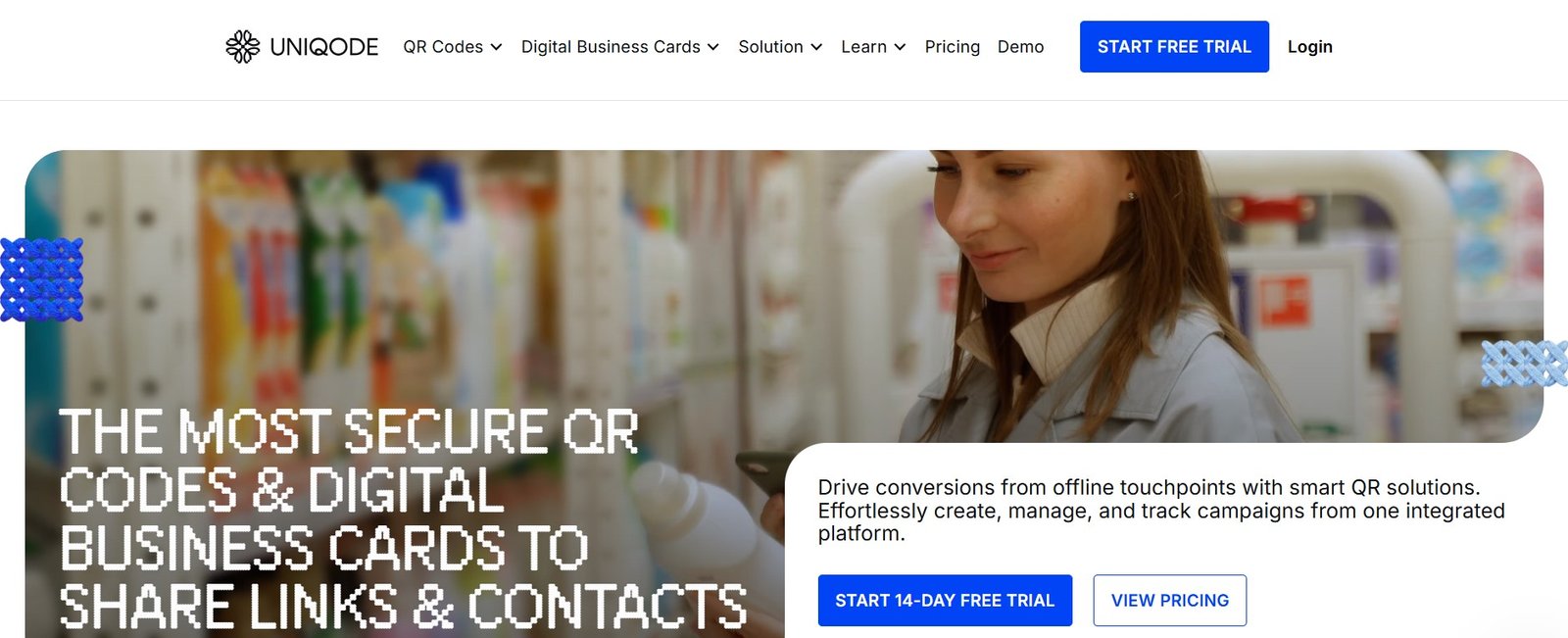
Uniqode's enterprise dashboard — manage large QR code campaigns, track scans in real time, and collaborate across teams with full compliance controls.
Uniqode (formerly Beaconstac) is the most feature-complete QR code management platform for teams and enterprises. Where most QR code generators focus on individual code creation, Uniqode treats QR codes as a managed marketing asset — with team workflows, version history, bulk operations, detailed analytics across campaigns, and compliance features required for healthcare and regulated industries.
The platform supports dynamic QR codes for URLs, vCards, landing pages, PDF files, social media profiles, menus, and Wi-Fi connections. The scan analytics dashboard shows real-time data by location, device type, time of day, and operating system — with exportable reports for campaign performance reviews.
For organisations running QR code campaigns across multiple teams, locations, or campaigns simultaneously, Uniqode's collaboration and permission controls make it the only enterprise-grade option on this list.
Key Features
- Dynamic and static QR codes for 15+ content types
- Real-time scan analytics (location, device, time)
- Customisable landing pages with forms and CTAs
- Team collaboration with role-based permissions
- HIPAA and GDPR compliance for regulated industries
- Bulk QR code generation and management
- Seamless integrations with marketing automation tools
- Custom domain support for branded short links
David's Take
Uniqode stands out for its user-friendly interface paired with genuinely enterprise-grade capabilities. It is one of the few QR code platforms that takes data security seriously enough to offer HIPAA compliance — which makes it the non-negotiable choice for healthcare, pharmaceutical, and heavily regulated business contexts. For smaller businesses, the free plan is a reasonable starting point, and the paid tiers are competitively priced for the depth of analytics and team features included.
✓ Pros
- HIPAA and GDPR compliant — essential for healthcare
- Best-in-class analytics with real-time scan data
- Team collaboration with role-based access
- Customisable landing pages built in
- Wide integration ecosystem with marketing tools
- Supports 15+ QR code types
✗ Cons
- Cannot reset QR codes without contacting support
- Limited QR code template designs compared to competitors
- Free tier free/paid code distinction is not clearly communicated
- Pricing can escalate for large organisations
Best for: Corporate marketing teams, healthcare organisations requiring HIPAA compliance, retail and packaging operations, and any business running QR campaigns at scale with multiple team members.
2. OpenQR.io — Best for Fast, Branded Business Campaigns
#2 — Best for Marketing Teams
Free PlanFree trial available
Paid From~$9.99/month
Dynamic CodesYes
AnalyticsReal-time tracking
Print-ReadyYes — high resolution
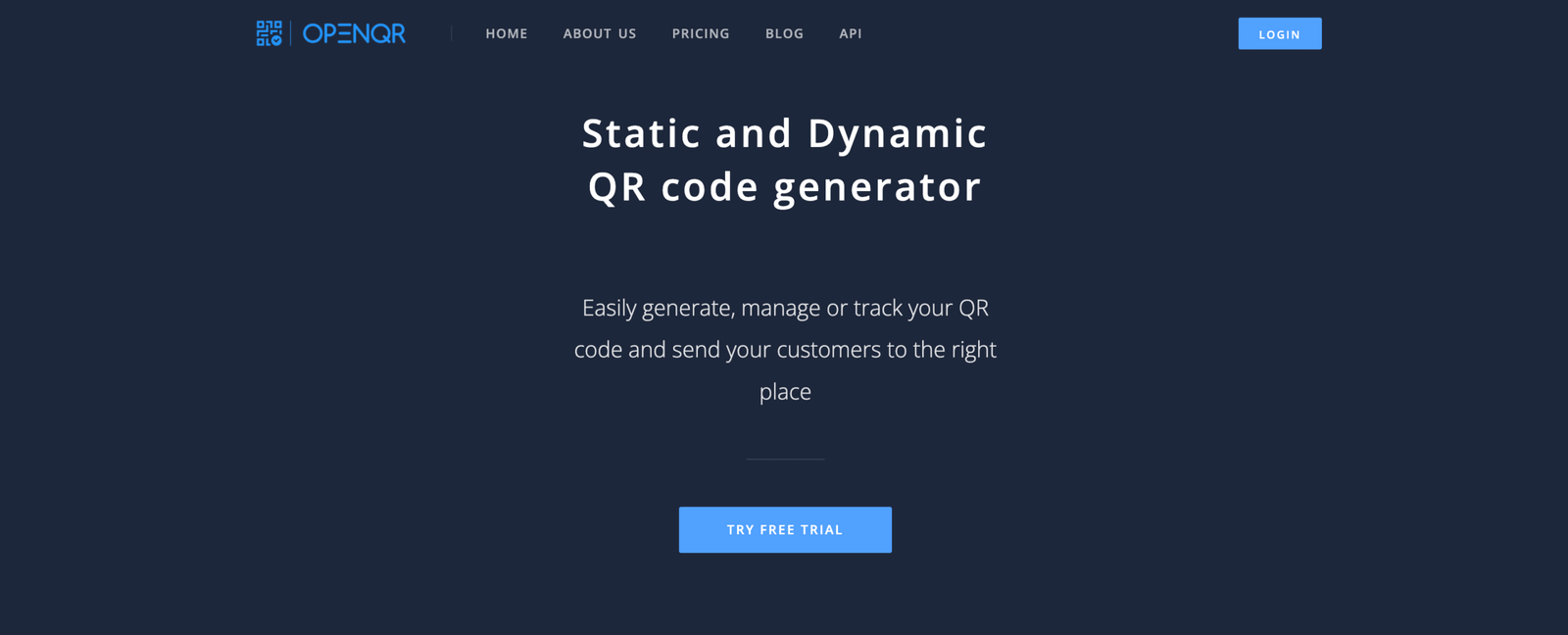
OpenQR.io — generate brand-consistent QR codes with your logo and colours, track scans in real time, and export in print-ready formats.
OpenQR.io is built for modern businesses that need smart, flexible QR code solutions with powerful tracking. Its code generator is fast — you can create a fully branded, analytics-enabled QR code in under two minutes — and the output quality is print-ready at high resolution for packaging, signage, and marketing materials.
The platform supports dynamic QR codes for payments, vCards, websites, file downloads, and marketing landing pages. CRM, email, and marketing tool integrations allow QR scan events to flow directly into your existing marketing stack — scan data can trigger automations, update contact records, or feed campaign analytics without manual export.
Key Features
- Custom-branded QR codes with logos and brand colours
- Dynamic codes for payments, vCards, websites, downloads
- Real-time scan analytics and tracking dashboard
- CRM, email, and marketing tool integrations
- Print-ready, high-resolution exports
- Bulk code generation for campaigns at scale
David's Take
OpenQR.io strikes a good balance between ease of use and business capability. The branded code output quality is excellent — particularly for print campaigns where a pixelated or poorly rendered QR code creates a poor first impression. The CRM integration is useful for marketing teams who want scan data to flow into their existing automation workflows rather than sitting in a separate analytics dashboard. A solid choice for e-commerce brands and marketing agencies.
✓ Pros
- Fast setup — branded codes live in under 2 minutes
- High-resolution print-ready exports
- CRM and marketing tool integrations
- Dynamic code editing without reprinting
- Real-time scan analytics dashboard
✗ Cons
- Newer platform — smaller user community than established alternatives
- No permanent free plan — trial only
- Template variety more limited than QR Code Tiger or QRCodeChimp
Best for: E-commerce brands, marketing agencies, retail packaging and product labelling, and event organisers who need branded, trackable codes with fast turnaround.
3. QR Code Tiger — Most Customisable QR Code Generator
#3 — Most Customisable
Free PlanYes — static codes free
Paid From~$7/month
Dynamic CodesYes (paid)
AnalyticsReal-time
Static CodesLifetime validity
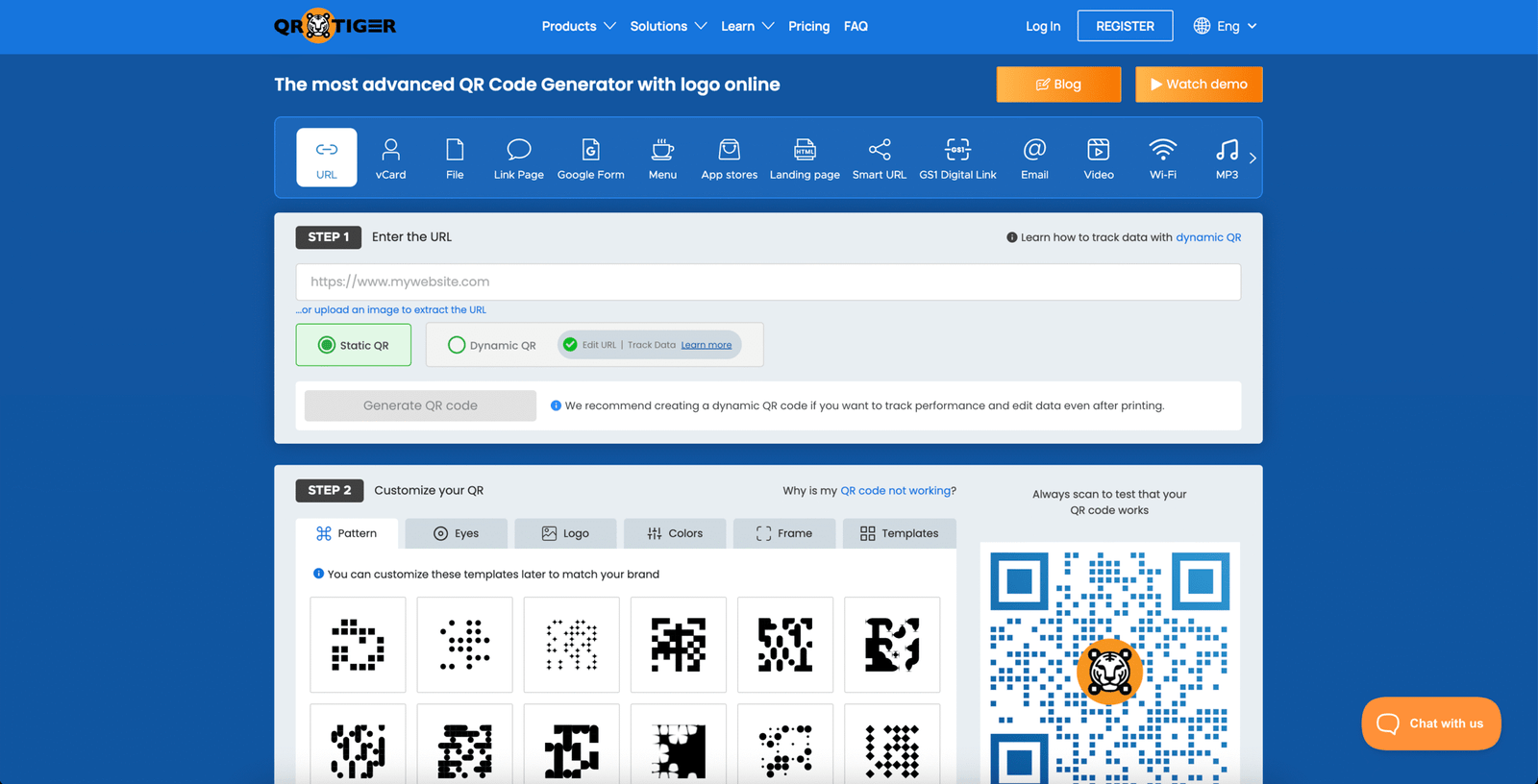
QR Code Tiger's customisation interface — colours, shapes, eye designs, logo upload, and frame text all adjustable per code.
QR Code Tiger is the go-to platform for brands that need highly customised QR codes that match their visual identity precisely.
Beyond basic colour and logo options, QR Code Tiger allows adjustment of the code's eye shape (the three corner squares), dot pattern style, frame design, frame text, and foreground/background colour gradients — resulting in QR codes that look designed rather than generated.
The platform supports an unusually wide range of dynamic code types, including video QR codes (link to a video without a URL showing), audio QR codes for MP3 files, app store QR codes, multi-URL QR codes for geolocation-based redirection, and social media profile QR codes.
Lifetime validity for static QR codes means they never expire — useful for long-running packaging or signage where dynamic codes are unnecessary.
Key Features
- Fully customisable eye shape, dot pattern, colour gradient
- Video, audio, app store, and multi-URL QR code types
- Trackable dynamic codes with real-time scan analytics
- CRM and third-party tool integrations
- Lifetime validity for static QR codes (never expires)
- Frame and text overlay design options
David's Take
QR Code Tiger earns its reputation as the most customisable option on this list. If your brand's QR code needs to look like it belongs in a premium marketing campaign rather than an afterthought, this is the tool to use. The video QR code capability is genuinely useful for product launches and events where directing people to a video is more effective than a landing page. The static code lifetime validity is a meaningful practical advantage for packaging operations that print in large volumes.
✓ Pros
- Most extensive visual customisation available
- Video, audio, app store, and multi-URL QR types
- Lifetime static code validity — no expiry
- CRM and marketing tool integrations
- Free static QR codes with no account required
✗ Cons
- Dynamic codes and analytics require paid plan
- Interface can feel overwhelming for first-time users
- Pricing for higher-volume plans increases quickly
Best for: Brands needing highly customised QR codes, marketers running branded campaigns, event organisers, and businesses with long-running packaging requirements needing static codes that never expire.
4. QRCodeChimp — Best for Unique Shapes and Visual Brand Creativity
#4 — Most Creative Shapes
Free PlanYes
Paid From~$6.99/month
Custom ShapesHeart, star, pet paw + more
Landing PagesBuilt-in
Bulk GenerationYes
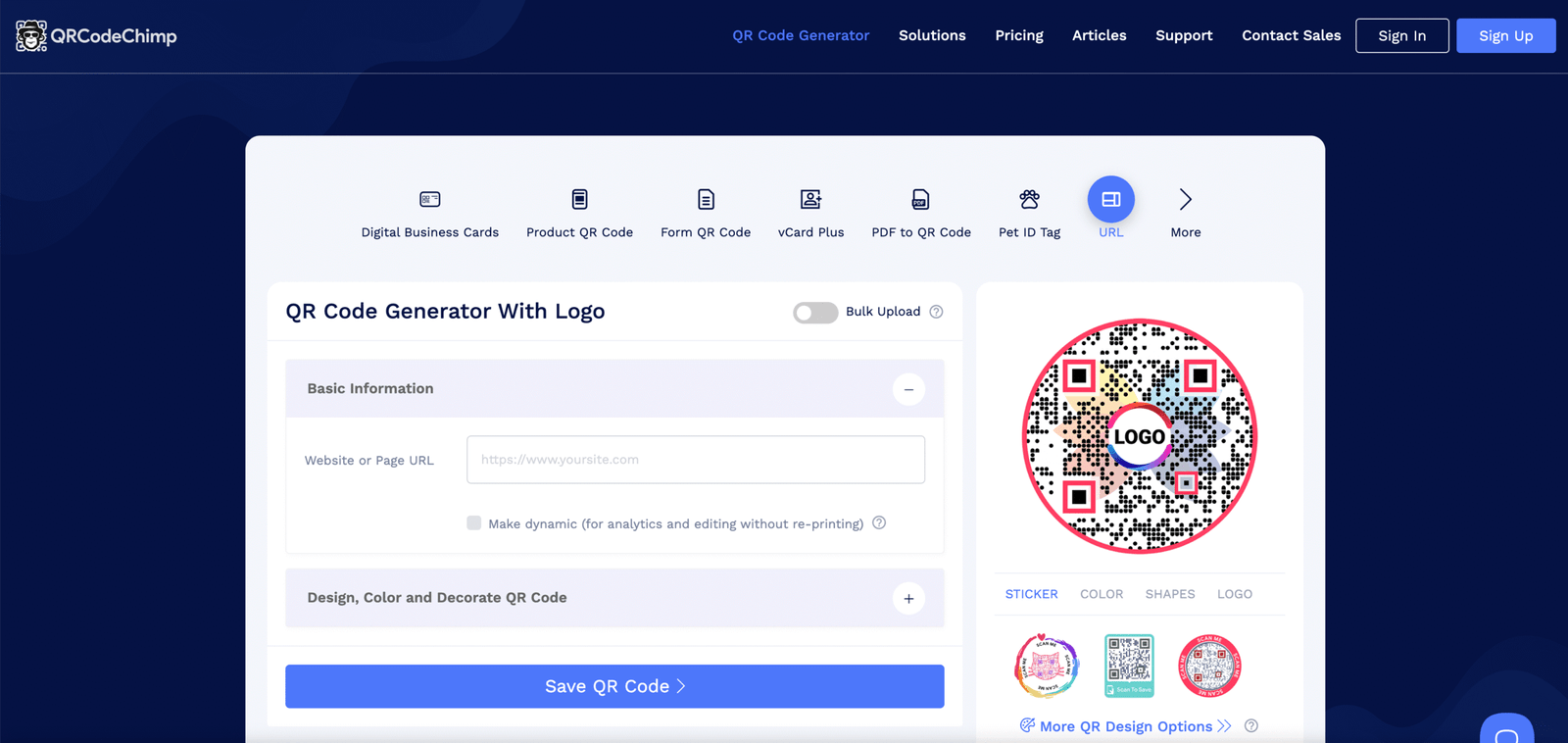
QRCodeChimp — shaped QR codes in heart, star, pet paw, and custom designs with built-in landing pages for higher engagement.
QRCodeChimp differentiates itself with the most extensive selection of custom QR code shapes available in any platform — heart-shaped codes for Valentine's Day campaigns, paw print codes for pet businesses, star-shaped codes for entertainment and hospitality, and geometric shapes for modern brand aesthetics.
These shaped codes are genuinely scannable, not decorative approximations.
The platform's built-in landing page builder adds a meaningful layer of functionality — rather than pointing a QR code directly at an external URL, you can build a dedicated mini-page within QRCodeChimp with your own text, images, CTAs, and forms.
This is particularly useful for campaigns where you want control over what the scanner sees immediately without requiring a separate website page. Multi-URL QR codes allow location or device-based redirection from a single printed code.
Key Features
- Unique custom QR code shapes (heart, star, pet paw, geometric)
- Built-in landing pages with forms, CTAs, and multimedia
- Multi-URL QR codes for location/device-based redirection
- Engagement tracking and customer insights
- Bulk QR code generation for large campaigns
- Digital business card QR codes with personalised branding
David's Take
QRCodeChimp's shaped codes are genuinely eye-catching and scannable — they are not just cosmetic. For campaigns where the QR code itself is part of the design aesthetic (gift packaging, event invitations, branded merchandise), these shaped codes produce a noticeably more professional result. The built-in landing page builder is underrated — it reduces the dependency on a separate website for campaign pages and speeds up launch times for time-sensitive campaigns.
✓ Pros
- Most creative and unique code shape options
- Built-in landing pages — no separate website needed
- Bulk generation for volume campaigns
- Free plan with meaningful features
- Good for digital business cards and personalised branding
✗ Cons
- Analytics less detailed than Uniqode or Pageloot
- Custom shapes may confuse some older-device QR scanners
- Some advanced features require higher-tier paid plan
Best for: Creative industries (events, restaurants, hospitality, retail), businesses wanting distinctive QR aesthetics in physical marketing materials, and real estate agents using digital business cards with personality.
5. ME-QR — Best Free QR Code Generator with Analytics
✓ Best Free Option
Free PlanYes — dynamic codes free
Paid From~$3.99/month
Dynamic CodesYes — on free plan
Unlimited ScansYes (free plan)
Multi-LanguageYes
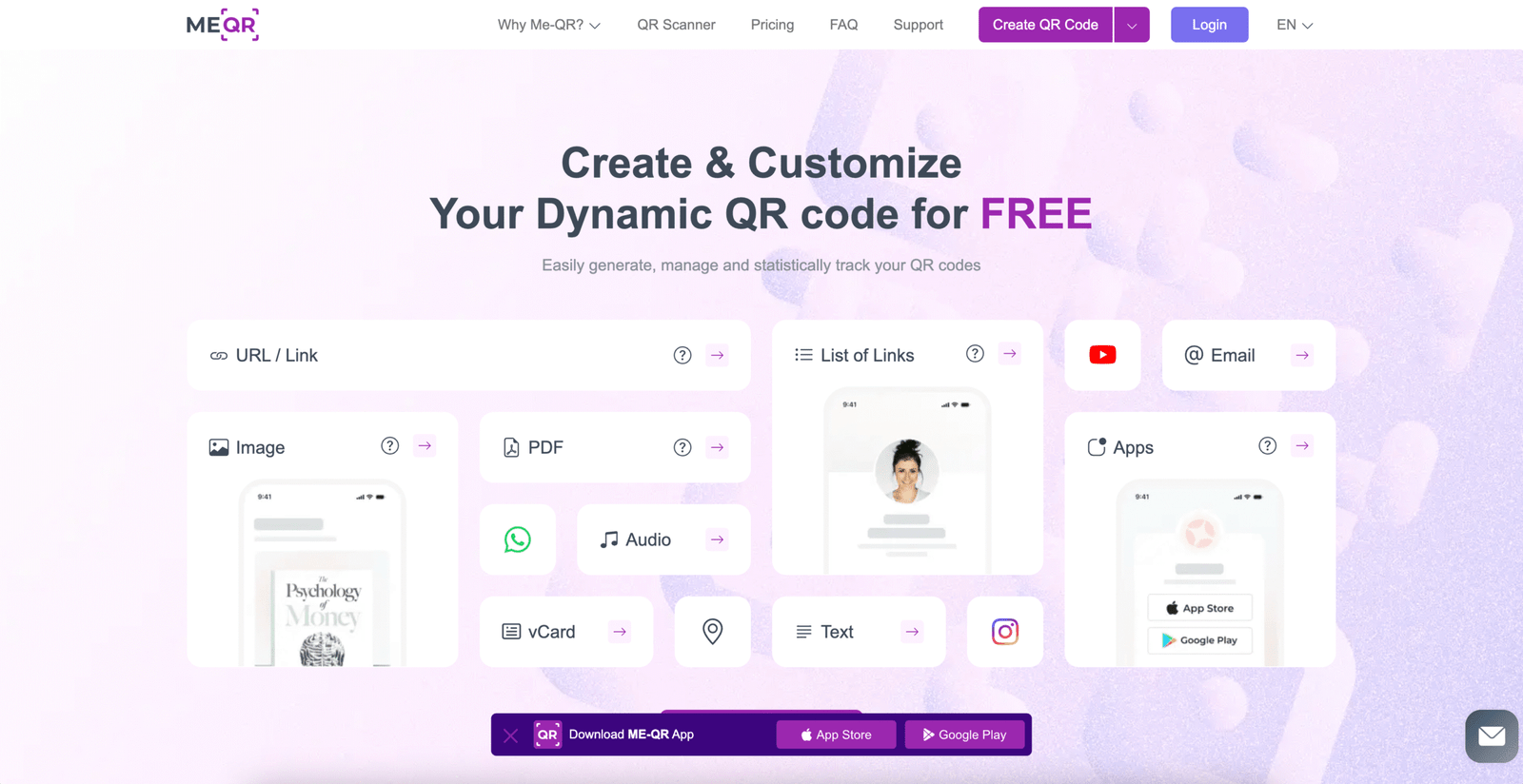
ME-QR — free dynamic QR codes with scan analytics, editable destinations, and multi-language support for international campaigns.
ME-QR offers what most free QR code platforms do not: free dynamic QR codes with analytics on the free tier. Most competitors reserve dynamic codes (which allow you to change the destination URL or content after printing) for paid plans.
ME-QR makes them accessible at no cost, which is a meaningful practical advantage for small businesses, content creators, and non-profits running campaigns on constrained budgets.
The platform supports QR codes for PDFs, social media profiles, audio files, websites, and contact information. Multi-language support makes it useful for international campaigns where the same physical QR code needs to serve audiences in different languages.
The scan analytics dashboard shows total scans, unique scans, device breakdown, and location data — functional for campaign tracking without requiring a paid subscription.
Key Features
- Free dynamic QR codes — update destination without reprinting
- Unlimited scans on free plan
- QR codes for PDFs, social media, audio, websites
- Multi-language support for international campaigns
- Scan analytics (total, unique, device, location)
- User-friendly dashboard for managing multiple codes
David's Take
ME-QR's free dynamic QR codes with analytics is genuinely generous — most platforms charge for this combination. For a small business owner, blogger, or content creator who wants to start using QR codes in marketing without any upfront cost, ME-QR is the starting point I recommend. The analytics depth is sufficient for basic campaign tracking. The multi-language support is a distinctive feature that most free-tier platforms do not offer.
✓ Pros
- Free dynamic codes — unique among free-tier platforms
- Unlimited scans with no scan cap on free plan
- Multi-language support for international use
- Scan analytics included on free tier
- Supports QR codes for PDFs, audio, and social media
✗ Cons
- Less brand customisation than QR Code Tiger or Uniqode
- Free plan QR codes include ME-QR branding
- Advanced team features require paid plan
Best for: Small businesses on a budget, bloggers and content creators, non-profits and educational institutions, and anyone wanting to start using dynamic QR codes with analytics at no cost.
6. Pageloot — Best for QR Code Tracking and Retargeting
#6 — Best for Paid Campaign Retargeting
Free PlanYes — 5 QR codes
Paid From~$12/month
RetargetingFacebook + Google Ads
White-LabelYes (agency plans)
Export FormatHigh-res vector (SVG/EPS)
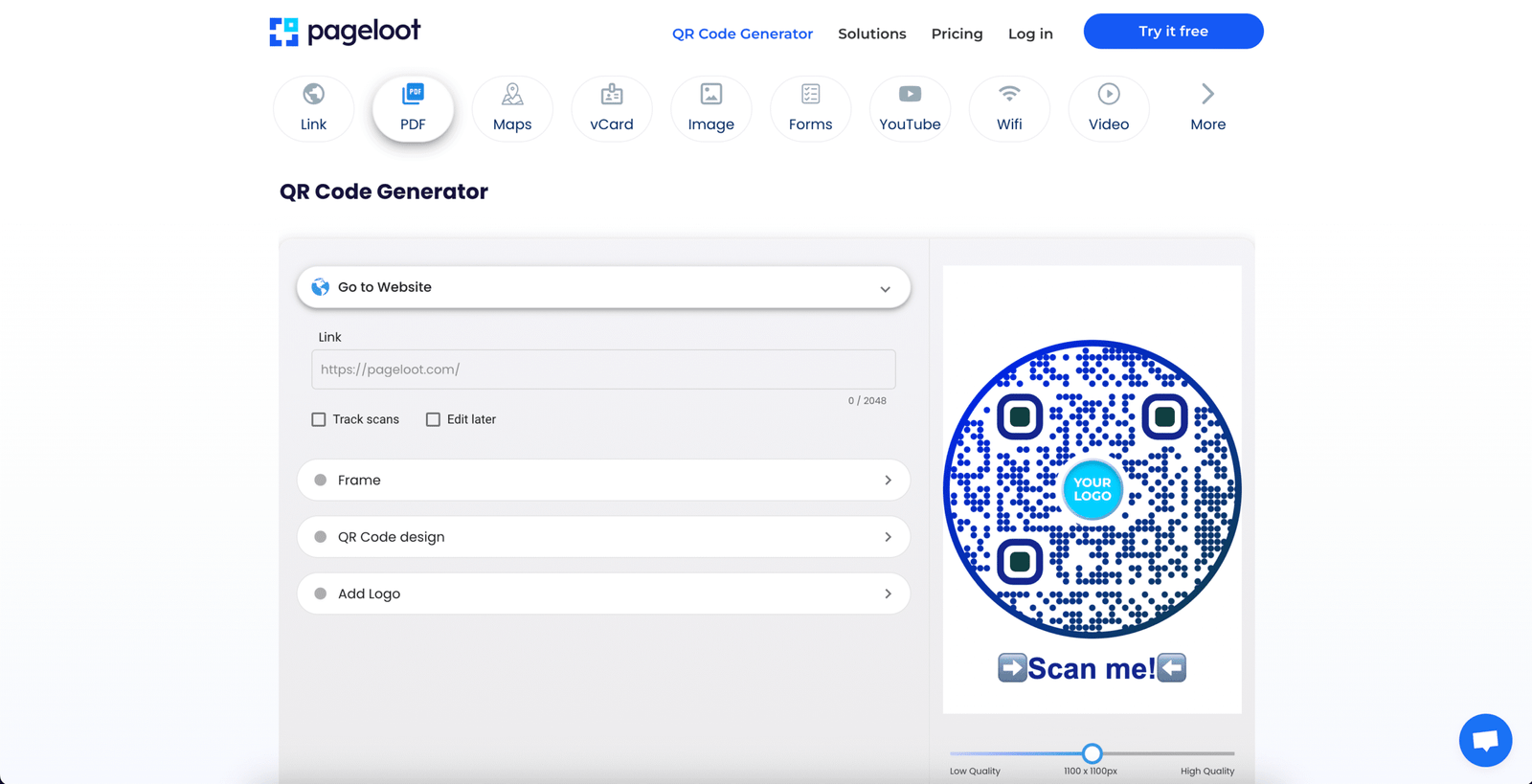
Pageloot's retargeting-enabled QR codes — add Facebook Pixel and Google Ads tracking to physical QR codes for cross-channel campaign attribution.
Pageloot occupies a specific and valuable niche: it is the only QR code platform on this list that natively supports retargeting pixels for Facebook Ads and Google Ads on QR code scans.
If someone scans your QR code on a poster, flyer, or product — and does not convert — Pageloot can add them to your Facebook or Google retargeting audience. This bridges physical and digital advertising attribution in a way that most QR code platforms cannot.
The white-label functionality makes it a strong choice for marketing agencies managing client QR campaigns, as all generated codes can carry client branding without any Pageloot attribution. High-resolution vector format exports (SVG and EPS) ensure codes remain sharp at any print size.
Key Features
- Retargeting integration — Facebook Pixel + Google Ads on scans
- Dynamic QR codes with editable destinations
- Detailed scan tracking with user behaviour insights
- Social media, business cards, and video link QR types
- White-label QR codes for agencies
- High-resolution vector export (SVG, EPS, PNG, PDF)
David's Take
Pageloot's retargeting capability is a genuine differentiator that no other QR code generator on this list offers in a comparable way. If you are running offline advertising (posters, flyers, print media) alongside digital paid campaigns, being able to add QR code scanners to your Facebook or Google retargeting audiences creates a much stronger connected marketing loop. For agencies specifically, the white-label option is valuable — it presents a professionally packaged service to clients without exposing the underlying tool.
✓ Pros
- Unique retargeting — add QR scanners to Facebook/Google ad audiences
- White-label for agencies — remove Pageloot branding
- Vector format exports for any print size
- QR code-based loyalty programme support
- Detailed scan behaviour analytics
✗ Cons
- Higher entry price (~$12/month) than simpler alternatives
- Retargeting setup requires Facebook Business Manager access
- Free plan limited to 5 QR codes only
Best for: Marketers running paid advertising campaigns who want to retarget QR code scanners, agencies managing client campaigns with white-label requirements, and businesses running QR code-based loyalty programmes.
7. Canva QR Code Generator — Best for Designers Already in Canva
#7 — Best for Canva Users
Free PlanYes (Canva Free)
Canva Pro$14.99/month
Dynamic CodesNo — static only
AnalyticsNo
Design IntegrationNative — in-canvas
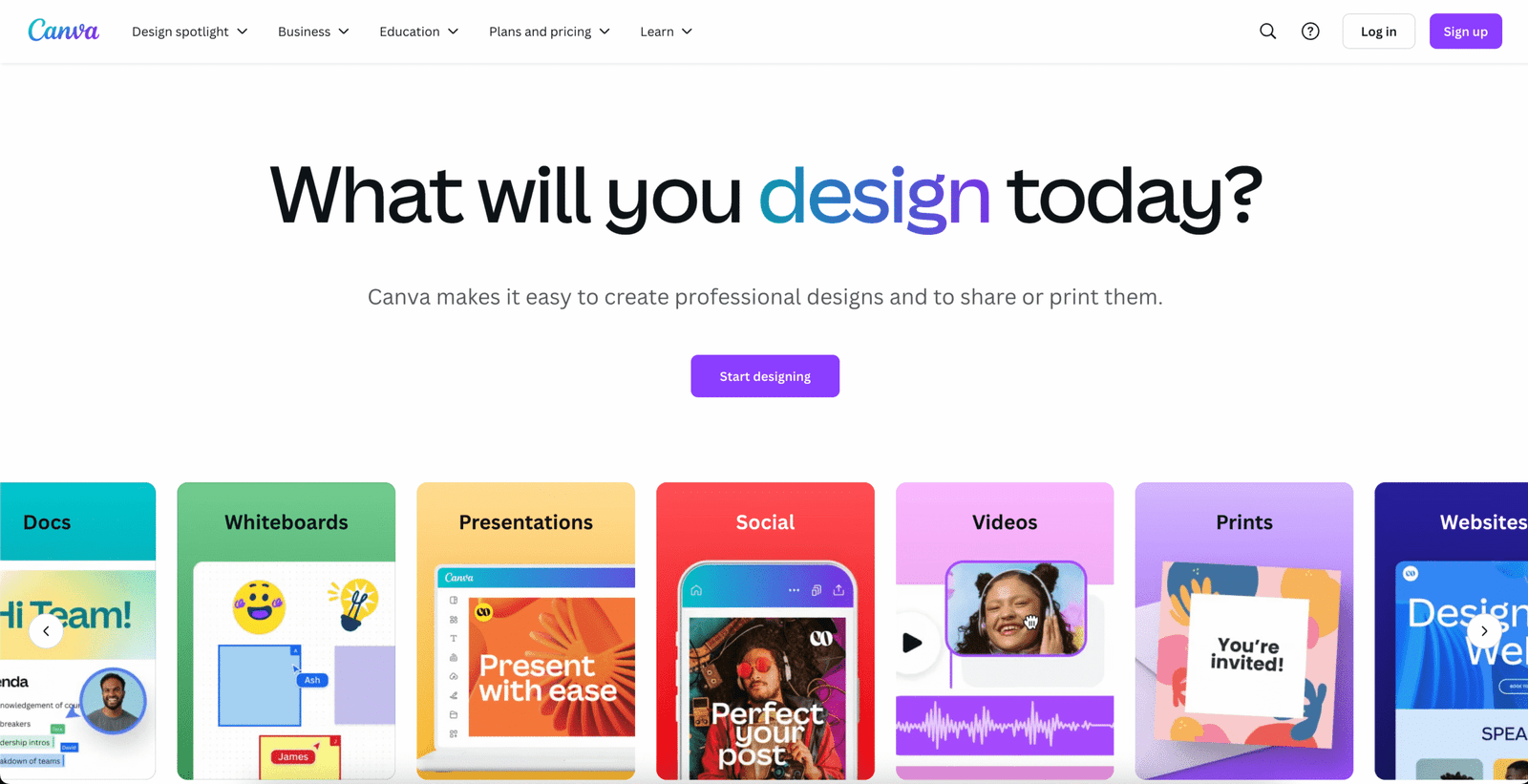
Canva's built-in QR code generator — add a scannable code directly to any design without leaving the Canva editor.
Canva's QR code generator is built directly into the Canva design editor — accessible through the Apps panel while you are already working on a flyer, social media post, business card, or presentation. You enter a URL, generate the QR code, and place it on your design canvas without leaving the platform or managing a separate tool.
This integration-first approach is Canva's core advantage for QR codes. For graphic designers, social media managers, and marketing teams who already live in Canva for their design work, the native QR code generator eliminates the need to generate a code elsewhere, download it, and import it back into the design.
It is not the most powerful QR code tool on this list (there are no dynamic codes, no analytics, and minimal customisation beyond the basics) but it is the most efficient for Canva users.
Key Features
- Native QR generation inside Canva — no tool switching
- Styled to match Canva design elements and colour palettes
- Works on free and Pro Canva accounts
- Instant placement into posters, cards, social posts, presentations
- High-resolution export as part of the overall design
David's Take
Canva's QR code generator makes sense if — and only if — you are already using Canva for your design work and need a simple static QR code placed directly into a design. For anything more sophisticated — dynamic codes, scan analytics, retargeting, bulk generation — one of the dedicated platforms above is the right choice. Think of the Canva QR code generator as a convenience feature for the design workflow, not as a standalone QR code management platform.
✓ Pros
- Completely native — no tool-switching for Canva users
- Free on both Canva Free and Pro accounts
- Perfect for one-off design placements
- High-quality export as part of professional designs
✗ Cons
- Static only — no dynamic codes or destination editing
- No analytics — cannot track scans
- Limited to Canva-generated designs — not a standalone tool
- No bulk generation or campaign management
Best for: Graphic designers, content creators, and marketing teams who already use Canva daily and need static QR codes placed directly into design projects without managing a separate platform.
6 Things to Consider Before Choosing a QR Code Generator
Every QR code generator has its own strengths and trade-offs. Before committing to a platform, evaluate these six factors against your specific use case:
📊 Static vs Dynamic Codes
Static codes are fixed — once printed, the destination cannot change. Dynamic codes allow you to update the destination URL without reprinting. If your campaign or code destination may change, you need dynamic codes — and most free plans restrict these.
📈 Analytics Requirements
Do you need to know how many people scanned the code, when, where, and on what device? Basic analytics are available on most free plans; detailed behavioural analytics (including retargeting) require paid tiers or specialist platforms like Pageloot.
🎨 Customisation Depth
For brand-consistent QR codes with logos, specific colours, and custom shapes, QR Code Tiger and QRCodeChimp offer the most options. For simple branded codes, OpenQR.io or Uniqode are faster to configure.
💰 Budget and Volume
Most platforms offer free static codes. Dynamic codes and analytics typically require payment from ~$4–$12/month. Estimate your monthly code volume — if you need fewer than 10 dynamic codes, ME-QR's free plan may be sufficient.
🔗 Integration Needs
If scan data needs to flow into your CRM, email marketing platform, or ad retargeting system, confirm the platform supports your specific tools. Uniqode and OpenQR.io have the broadest integration ecosystems; Pageloot covers Facebook and Google Ads specifically.
🏢 Team and Compliance
For enterprise organisations with multiple users managing campaigns, or those in regulated industries (healthcare, finance), Uniqode's HIPAA/GDPR compliance and team access controls make it the only appropriate choice on this list.
QR Code Security Tips — Keep Your Codes Safe and Trustworthy
QR codes are a powerful marketing tool — and like any tool that handles URLs and user redirects, they require responsible management to prevent security risks.
🔒 6 QR Code Security Best Practices
- Test your QR codes regularly — including after going live. Verify they lead to the correct destination. Regular testing catches potential hacking or destination changes early, before they damage your brand or harm your audience.
- Ensure your QR code's landing page uses SSL security. Any URL your QR code points to should have HTTPS (the padlock in the browser bar). An SSL certificate is the baseline protection against phishing and malware for any publicly accessible landing page.
- Avoid including sensitive information on QR landing pages. QR codes are accessible to anyone in public — do not put information on the destination page that you would not want a random person to see. Similarly, do not collect sensitive personal data via publicly displayed QR code forms.
- Brand your QR codes with your logo and colours. Branded codes visually communicate their legitimacy and make them significantly harder for bad actors to counterfeit convincingly. A consumer is more likely to trust a QR code bearing your brand than an unbranded black-and-white square.
- Tell people what to expect before they scan. Adding a line of copy near the code — "Scan to see today's menu" or "Scan for 10% off your first order" — lets people verify the outcome matches what they were promised. This prevents confusion and builds trust.
- Expire or redirect QR codes when campaigns end. A QR code pointing to a 404 page or an expired offer is a poor experience. A QR code pointing to a hijacked destination is a security risk. Retiring campaign codes when they are no longer active protects both your audience and your brand reputation.
Frequently Asked Questions
What is the difference between a static and dynamic QR code?
A static QR code encodes the destination URL or data directly into the code itself. Once the code is generated and printed, the destination cannot be changed — if you need to update where it points, you must generate a new code and reprint. A dynamic QR code stores a short link that redirects to your destination. Because the redirection is managed through the QR code platform's server, you can update the destination URL at any time without changing the physical code. Dynamic codes also support scan analytics, while static codes cannot track usage.
Are QR codes free to generate?
Most QR code generators offer free static code generation with no account required. Dynamic QR codes — which allow destination editing and scan tracking — are typically paywalled on most platforms, with the notable exception of ME-QR, which offers free dynamic codes with analytics. Paid plans across the platforms on this list range from approximately $4 to $30+ per month depending on features, code volume, and team size requirements.
Do QR codes expire?
Static QR codes generated through reputable platforms do not technically expire — the encoded data remains readable indefinitely. However, if the URL they point to goes offline or changes, the code will lead to a dead end. Dynamic QR codes are managed through the platform's servers; if your account lapses or you deactivate the code, it will stop functioning. Some platforms like QR Code Tiger offer lifetime validity specifically for static codes as a feature guarantee.
Which QR code generator is best for small businesses?
For small businesses on a budget who want dynamic codes with analytics at no cost, ME-QR is the strongest starting point — it offers free dynamic codes with scan tracking, which most competitors reserve for paid plans. For small businesses that need a slightly higher level of design customisation and branding control, QR Code Tiger's entry paid plan (~$7/month) provides an excellent balance of features. If you already use Canva for your marketing materials, its built-in QR code generator handles basic static code needs at no extra cost.
Can I track who scanned my QR code?
QR code analytics typically include total scans, unique scans, device type (iOS vs Android), browser, time of scan, and geographic location by country and city. You cannot identify individual scanners by name — QR code scanning is anonymous by default, as it works through the phone's camera without requiring login or registration. Pageloot goes furthest in tracking by connecting scan events to advertising audiences, allowing retargeting of anonymous scanners through Facebook and Google Ads pixel tracking.
Which QR code generator is best for a marketing agency?
Pageloot is the strongest choice for marketing agencies primarily because of its white-label functionality — all client QR codes can be presented without Pageloot's branding. Uniqode is the best choice for agencies that need to manage multiple client accounts with separate team permissions, compliance controls, and enterprise-level analytics. For agencies primarily running paid advertising alongside physical QR code campaigns, Pageloot's retargeting integration with Facebook and Google Ads is a unique competitive advantage in client campaigns.
Final Verdict — Which QR Code Generator Is Right for You?
The right QR code generator depends entirely on your use case, team size, and budget:
- Enterprise and compliance-sensitive businesses: Uniqode — HIPAA/GDPR compliance, team management, and the deepest analytics suite
- Small businesses starting for free: ME-QR — free dynamic codes with analytics, no credit card required
- Marketers running paid ad campaigns: Pageloot — retargeting QR scan audiences on Facebook and Google Ads
- Brands needing maximum visual customisation: QR Code Tiger — the most design-flexible option, including video QR codes and lifetime static validity
- Creative businesses wanting unique code aesthetics: QRCodeChimp — shaped codes, built-in landing pages, bulk generation
- Fast branded codes for business campaigns: OpenQR.io — clean, fast, print-ready with CRM integration
- Designers already in Canva: Canva QR Generator — native integration for convenience, not analytics
Ready to Take Your Digital Marketing Further?
QR codes are one powerful piece of a complete digital marketing system. AIpreneur Academy covers the full stack — email marketing, content creation, affiliate revenue, and AI tools for digital entrepreneurs.