Loading...
Xero Review 2026: Is It Finally Better Than QuickBooks? (Honest Truth)
Disclosure: This post contains affiliate links. If you click through and make a purchase, I may earn a small commission at no extra cost to you. I only recommend tools I have personally used and believe offer genuine value. Read my full disclosure →
📋 Table of Contents
- Xero Review Summary — Verdict at a Glance
- What's New in Xero (2026)
- The Dashboard and Interface
- Bank Reconciliation — The Killer Feature
- Features That Actually Matter
- Xero Pricing Plans 2026 (UK and US)
- Xero vs QuickBooks — Who Wins?
- Xero Alternatives Worth Considering
- Frequently Asked Questions
- Final Verdict: Is Xero Worth It?
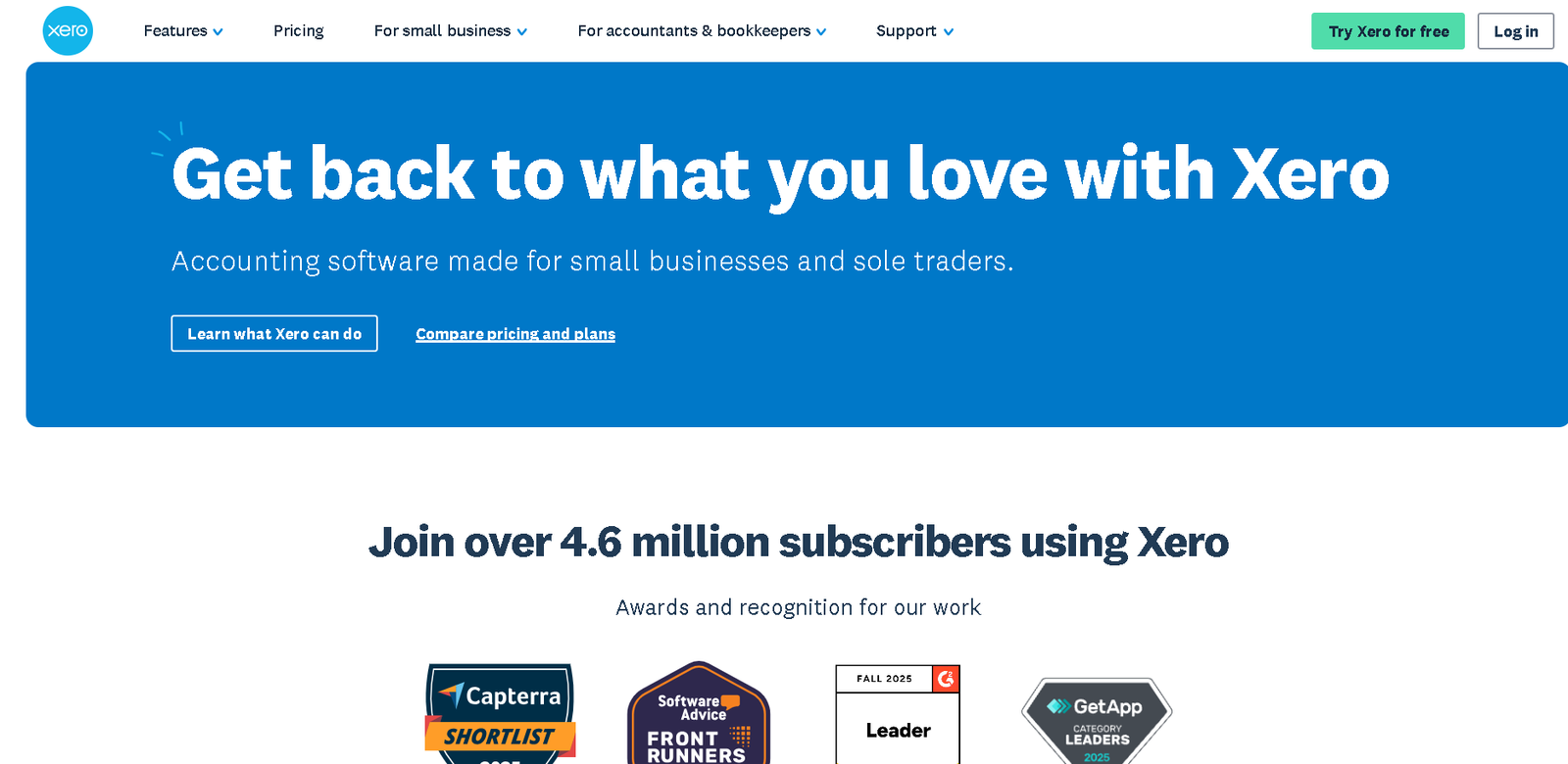
Xero's dashboard — real-time cash position, bank balances, and reconciliation all in one view.
Nobody starts a business because they love accounting. You started yours to make money, build something, serve clients, or solve a problem, not to spend Friday nights fighting with spreadsheets that refuse to balance.
For years, the default advice was "just get QuickBooks." In 2026, that advice is outdated. Xero has quietly but decisively become the platform that accountants recommend first and business owners actually enjoy using, and I wanted to test that claim properly before saying it out loud.
I spent 30 days running my real business finances through Xero; connected actual bank accounts, sent real client invoices, processed expenses, and even contacted their support team.
This Xero review is what I found. No screenshots. No feature lists copied from a product page. Just an honest account of what it is like to actually use it day to day.
Xero Review Summary — Verdict at a Glance
⚡ Quick Verdict — Xero Review 2026 · Rating: ★★★★★ 4.8/5
✓ What Xero Does Well
- Unlimited users on every paid plan
- Bank reconciliation so good it becomes a daily habit
- Hubdoc receipt capture included free on most plans
- UK payroll and MTD compliance built in
- Clean, modern interface built for non-accountants
- 1,000+ app integrations including Shopify, Stripe, and Dext
- 30-day free trial with no credit card required
✗ Where Xero Falls Short
- 20-invoice monthly limit on the entry-level Ignite plan
- No phone support — help is online only
- Payroll is an add-on cost on most plans
- Complex inventory management is weaker than QuickBooks
- Multi-currency only available from Comprehensive plan upward
Bottom line: Xero is the best accounting software for most small and medium-sized businesses in 2026 — particularly service-based businesses, agencies, e-commerce brands, and remote teams. If you need heavy inventory management or highly custom financial reporting, QuickBooks Enterprise is still the stronger choice.
What's New in Xero (2026 Update)
Xero pushes updates quietly, but the changes from late 2024 through 2026 have been significant. Here is what matters for anyone evaluating the platform right now:
JAX — Just Ask Xero
Xero's biggest 2025 launch was JAX, their AI-powered assistant built directly into the platform. JAX lets you ask plain-language questions about your finances — "What was my net profit in Q1?", "Which clients owe me the most?", "Show me my tax liability this quarter" — and get instant answers without building a report.
It also powers the enhanced bank transaction matching, which now learns your categorisation habits and gets noticeably smarter within the first two weeks of use.
Auto-Reconcile (Beta)
If you buy fuel from the same petrol station every Monday, Xero learns this pattern and auto-fills the category, the tax code, and the supplier name.
You see the transaction, confirm it looks right, and click "OK." The manual categorisation work that used to eat an hour of your week gets compressed into minutes.
Pricing Updated in 2025
Xero adjusted prices in late 2024 and 2025 in both the UK and US markets. The current prices are reflected in the pricing section below. Even after the adjustments, Xero remains cheaper than QuickBooks for any business with more than one or two users, because Xero includes unlimited users on all plans while QuickBooks charges extra per seat.
If you want to stay on top of UK tax changes affecting your accounting, our guide on last-minute tax prep for small businesses is worth reading alongside this review.
Improved Invoice Flow
The invoicing interface received a meaningful update: you can now edit a draft invoice and hit "Approve and Email" in a single click.
The previous flow required navigating through multiple confirmation screens; a frustrating friction point that users had complained about for years. It is fixed.
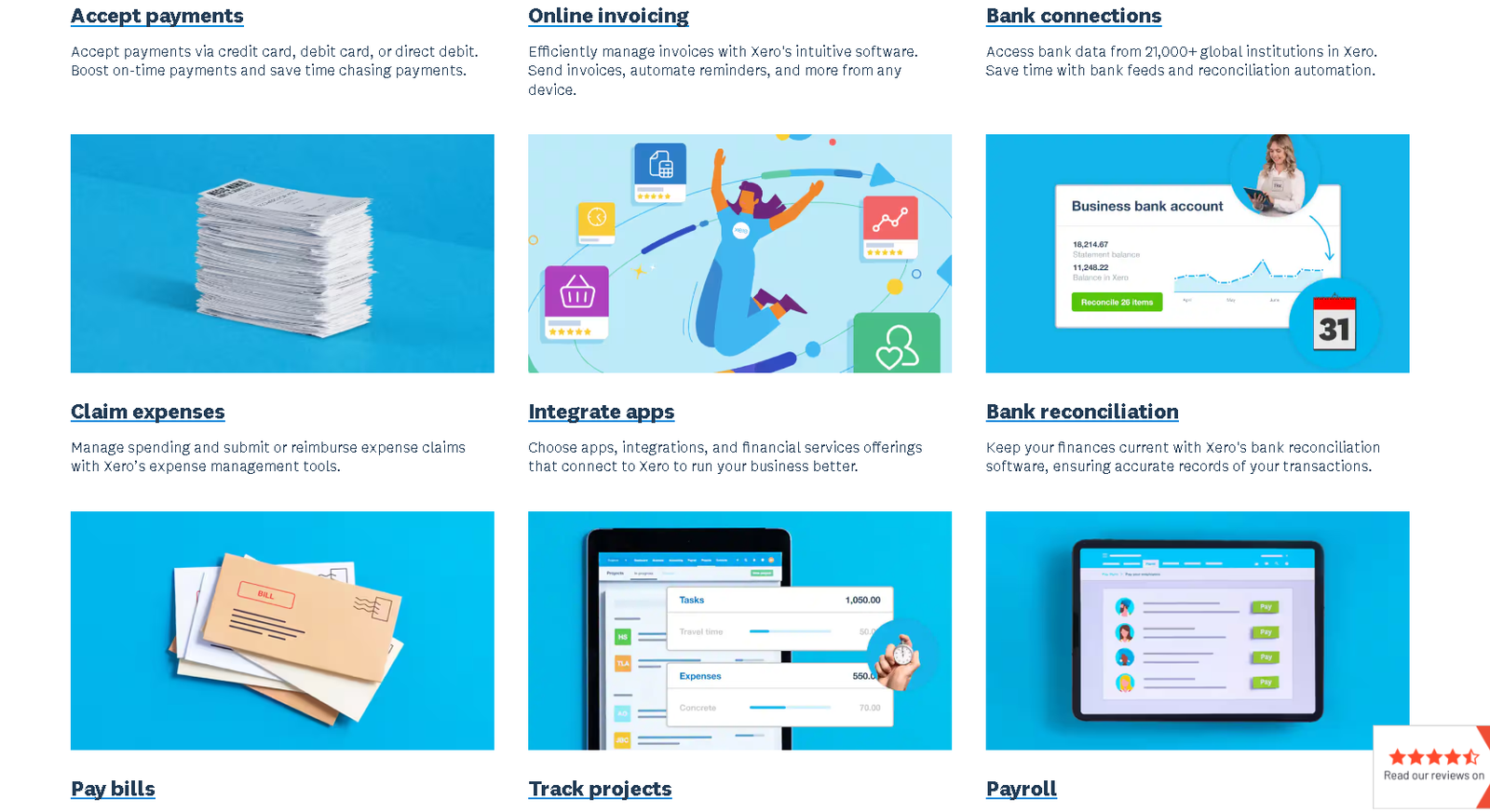
Xero's bank reconciliation interface — transactions come in automatically and get matched with one click.
The Dashboard and Interface
Most accounting software looks like it was designed in 1998 by people who wanted to punish you for running a business. Xero is different. When you log in, you see a financial cockpit, not a spreadsheet.
The main dashboard shows:
- Total cash in — who paid you and when
- Total cash out — what bills are coming due and when
- Live bank balances — pulled directly from your connected bank accounts in real time
- Profit and Loss snapshot — a rolling view of your performance without building a report
- Invoices owed to you — outstanding client balances with aging indicators
The language throughout the platform is plain English. You see "money in" and "money out" — not "debits" and "credits." You do not need an accounting qualification to understand what your business is doing financially.
This is the single biggest reason non-accountants prefer Xero over every alternative.
💡 From My Testing
After connecting my bank accounts, it took under 20 minutes to have a clear picture of my cash position, outstanding invoices, and upcoming bills. I did not open a single spreadsheet. That felt meaningful.
Bank Reconciliation — The Feature That Changes Your Habits
If you have used other accounting platforms, you know that bank reconciliation is usually a chore you dread and delay until the end of the month. Xero has made it so fast and visual that users (myself included) end up doing it daily without it feeling like work.
Here is how it works in practice:
- Xero pulls your bank transactions automatically every morning via direct bank feeds
- It presents unmatched transactions in a simple two-column interface: the bank statement line on the left, Xero's suggested match on the right
- If the match is correct, you click the green "OK" button. Done
- If Xero has categorised it wrong, you override it — and Xero learns from the correction
With JAX's enhanced matching turned on, transactions from suppliers you use regularly get matched correctly without any input from you. By the end of the first month, most recurring expenses reconcile automatically. You only handle the new or unusual transactions manually.
"I found myself logging in over my morning coffee just to clear the reconciliation queue. It genuinely feels more like clearing your inbox than doing accounting."
⚠️ Worth Knowing
If your books are messy when you start, the AI will make confident wrong guesses initially. Spend the first two weeks correcting every mismatch carefully — the system learns from those corrections and becomes significantly more accurate over the following weeks.
Features That Actually Matter
📄 Invoicing
Xero's invoices are clean and professional out of the box. You can brand them with your logo and colours, set automatic payment reminders, and with Stripe or GoCardless connected, add a "Pay Now" button directly on the invoice.
Clients can pay by card and the invoice marks itself as paid automatically, with the transaction fee recorded correctly in your books.
One genuine frustration: the entry-level Ignite plan limits you to 20 invoices per month. If you are a freelancer who sends more than 20 invoices, you must upgrade to the Grow plan. This is Xero's most commonly cited irritation among power users.
📎 Hubdoc — The Hidden Value
Xero acquired Hubdoc and now includes it free on most plans (a fact that many users are unaware of). Hubdoc is a digital receipt cabinet. You photograph a receipt on your phone, Hubdoc reads the date, supplier, and amount, and pushes a draft bill into Xero with the photo attached as evidence.
Competitors like Dext charge £20 to £30 per month for the same functionality. Getting it included in your Xero subscription is meaningful savings for any business keeping records for HMRC.
📊 Reporting
Xero's built-in reports cover everything a small or medium-sized business needs: Profit and Loss, Balance Sheet, Cash Flow Statement, Aged Receivables, Aged Payables, VAT Summary, and more. You can customise date ranges, compare periods, and export to PDF or Excel with one click. The reports are clean and readable.
Where Xero shows its limits is in highly complex custom reporting; if you need to build bespoke financial models or cross-entity consolidations, you will either need a tool like Fathom or Spotlight Reporting connected via the app marketplace, or you will need to consider QuickBooks Enterprise.
💼 UK Payroll and MTD Compliance
For UK users, Xero includes a fully compliant payroll module. It handles PAYE calculations, RTI submissions to HMRC, pension auto-enrolment for providers including Nest and The People's Pension, and payslip generation.
It is also fully compliant with Making Tax Digital for VAT — all VAT returns are submitted directly to HMRC through Xero with a full digital audit trail. For more detail on UK accounting and tax compliance in 2026, the HMRC business tax hub is the authoritative source for current obligations.
🔗 App Ecosystem
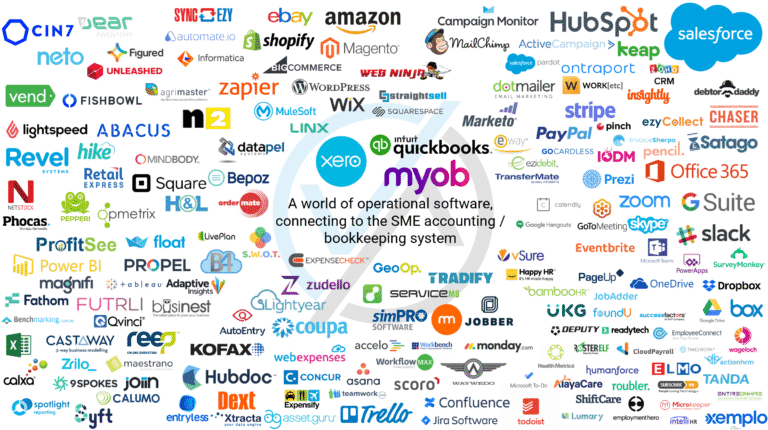
Xero's marketplace includes over 1,000 third-party integrations covering payment processors (Stripe, GoCardless, Square), e-commerce (Shopify, WooCommerce, Amazon), CRM (HubSpot, Salesforce), payroll (Gusto for US users), inventory (Cin7, Unleashed, DEAR), expenses (Dext, Expensify), and reporting tools (Fathom, Spotlight Reporting).
This is significantly broader than the QuickBooks or Sage ecosystems and makes Xero far more extensible as your business grows and your needs become more specific.

Xero's app marketplace connects with 1,000+ tools including Shopify, Stripe, GoCardless, and HubSpot.
Xero Pricing Plans 2026 — Full Breakdown
UK Pricing (Updated 2025)
Xero regularly offers up to 80% off for the first six months for new UK customers. Check the current offer on the Xero website before subscribing. All prices below are the standard rates excluding VAT.
| Plan | Price/mo | Invoices | Bills/mo | Multi-Currency | Best For |
|---|---|---|---|---|---|
| Ignite | £16 | 20/mo | 10/mo | ✗ | Side hustles, sole traders |
| Grow | £28 | Unlimited | Unlimited | ✗ | Most Ltd companies ← Sweet spot |
| Comprehensive | £47 | Unlimited | Unlimited | ✓ | Agencies billing in multiple currencies |
| Ultimate | £55 | Unlimited | Unlimited | ✓ | Larger teams needing expenses and projects |
📌 Payroll Add-On (UK)
UK Payroll is not included in the base price. You add it separately at £5/month for up to 5 employees, then £1/month per additional employee. On the Ultimate plan, up to 10 employees are included. Two free payroll months are available when you first add payroll to your subscription.
US Pricing (Updated November 2025)
| Plan | Price/mo | Invoices | Multi-Currency | Best For |
|---|---|---|---|---|
| Starter (Early) | $29 | 20/mo | ✗ | New freelancers and side projects |
| Standard (Growing) | $50 | Unlimited | ✗ | Most US small businesses ← Sweet spot |
| Premium (Established) | $75 | Unlimited | ✓ | International businesses |
📌 US Payroll
Xero does not have a native payroll module in the US. Instead, it integrates with Gusto — widely considered the best US payroll platform. Gusto syncs all payroll data back into Xero automatically. This is a separate subscription starting at around $40/month plus $5 to $6 per employee per month.
Xero vs QuickBooks — Who Wins in 2026?
This is the question every business owner asks. Here is the honest answer, without the marketing language:
Xero or QuickBooks — Choose Correctly
You have a team of 2 or more people sharing the software
→
Xero (unlimited users vs QuickBooks' per-seat pricing)
The unlimited users advantage is what makes Xero particularly compelling for growing teams. QuickBooks charges an additional fee for every user you add; once you have three or more people accessing your accounts, Xero becomes significantly cheaper even if the base plan prices look similar.
For a deeper look at QuickBooks specifically, our guide to QuickBooks features that help small businesses during tax season covers what it does especially well.
Xero Alternatives Worth Considering
Xero is not the right choice for every business. Here are three alternatives depending on what you actually need:

Direct Rival
QuickBooks Online
The only true full-service competitor to Xero. QuickBooks wins on native US payroll, inventory management, and highly customisable reporting. It loses on per-user pricing and interface cleanliness.
If you run a large inventory-heavy retail or manufacturing business, QuickBooks Enterprise handles raw materials, finished goods tracking, and job costing better than anything Xero offers natively.
Try QuickBooks →
Global Hiring Specialist
Deel
Xero manages your books. Deel manages your global team. If your biggest financial headache is paying contractors in Nigeria, developers in Eastern Europe, or a virtual assistant in the Philippines legally and compliantly, Deel handles the employment contracts, local tax compliance, and payments automatically — across 150+ countries. The smart approach is to use both: Deel to pay your team, synced into Xero for your accounting records.
Try Deel →
US Payroll King
Gusto
Xero's accounting is strong everywhere. Its US payroll is not. Gusto is widely considered the best US payroll platform — it handles W-2s, W-4s, health insurance administration, 401(k) contributions, and state-by-state compliance automatically. It integrates directly with Xero, pushing every payroll run into your accounts without manual entry.
If you have US employees, running Gusto alongside Xero is the most common setup among US small business owners using Xero.
Try Gusto →Frequently Asked Questions
Is Xero better than QuickBooks for small businesses in 2026?
For most modern small businesses — especially service-based companies, agencies, e-commerce brands, and any team with two or more users — yes. Xero is better than QuickBooks Online in 2026 primarily because it includes unlimited users on all plans, where QuickBooks charges extra per seat. As your team grows, this difference becomes significant. The exception is inventory-heavy businesses or those needing highly customised financial reporting, where QuickBooks Enterprise still leads.
Is Xero difficult to learn for beginners?
No. Xero was designed specifically for non-accountants. The dashboard uses plain English — "money in" and "money out" rather than "debits" and "credits." Most users can master invoicing and bank reconciliation within 30 to 60 minutes of signing up. The 30-day free trial gives you plenty of time to test the full platform before committing.
Can I transfer my data from QuickBooks to Xero?
Yes. Xero offers a conversion service through certified migration partners. In the UK, services like Movemybooks handle the transfer. In the US, CSV import tools cover contacts, invoices, and bills. The cleanest approach is to migrate at the start of a new financial year so you are not splitting your transaction history across two platforms mid-year. Your accountant can advise on timing.
Does Xero include payroll?
It depends on your location. In the UK, Xero has a fully built-in payroll module that is HMRC-compliant, handles RTI submissions and auto-enrolment pensions. It costs £5/month for up to 5 employees plus £1/month per additional employee, added to your base plan subscription. In the US, Xero does not have a native payroll tool — it integrates with Gusto, which is a separate subscription.
What is the catch with the cheapest Xero plan?
The Ignite plan (UK) or Early plan (US) limits you to sending 20 invoices and quotes per month. If you exceed 20 invoices in any calendar month, you must upgrade to the Grow or Standard plan. This limit makes the entry plan suitable for very small side hustles or businesses in their first month of trading. Most established small businesses should budget for the Grow or Standard plan from day one.
Is my financial data safe with Xero?
Yes. Xero uses 256-bit SSL encryption, two-factor authentication, and does not store your bank login credentials. Bank feeds use secure read-only API connections — Xero can see your transactions but cannot initiate payments or access your bank directly. Xero also undergoes regular independent security audits. For compliance-conscious businesses, Xero publishes a detailed security overview on their website.
Does Xero work for both UK Ltd companies and US LLCs?
Yes. For UK Limited Companies, Xero is fully MTD-compliant for VAT submissions, handles RTI payroll reporting, and can file micro-entity accounts to Companies House. For US LLCs, Xero handles 1099 contractor reporting and integrates with Avalara for automated sales tax calculations across all US states. Each country has its own Xero edition with localised tax rules built in.
Final Verdict: Is Xero Worth It in 2026?
After 30 days of genuine daily use, my answer is yes; clearly and confidently.
The JAX AI assistant saves me roughly 3 hours of manual bookkeeping every week. The bank reconciliation is so fast it no longer feels like a task I have to schedule.
The invoice flow with Stripe integration means I spend zero time chasing payments or updating payment records manually. Hubdoc means my receipts are captured, categorised, and stored without any filing system on my end.
The price increase from late 2024 was annoying. But even at current prices, Xero represents strong value, particularly for any business with more than one user, since the unlimited-users model keeps costs predictable as you grow. If you value your time at any reasonable rate, the software pays for itself within the first week of use.
You do not need to commit today. Xero's 30-day free trial requires no credit card. Connect your bank account on day one, let it import 30 days of transactions, and see if you experience the same clarity I did when the dashboard came to life. If it does not feel meaningfully better than what you are currently doing within two weeks, you have lost nothing.
Try Xero Free for 30 Days
No credit card required. Connect your bank, send your first invoice, and see if Xero earns a permanent place in your business — risk-free.
🚀 Start Your Free Xero Trial →