📋 Table of Contents
- What Is CRM Software and Do You Actually Need One?
- 1. Apollo.io — Best for Outbound Sales and B2B Prospecting
- 2. HubSpot CRM — Best Free CRM for Growing Teams
- 3. Pipedrive — Best for Visual Pipeline Management
- 4. Bonsai — Best for Freelancers and Consultants
- 5. ActiveCampaign — Best for Email Automation and CRM
- 6. Streak — Best CRM Inside Gmail
- 7. Close — Best for Inside Sales Teams
- Side-by-Side Comparison Table
- How to Choose the Right CRM
- Frequently Asked Questions
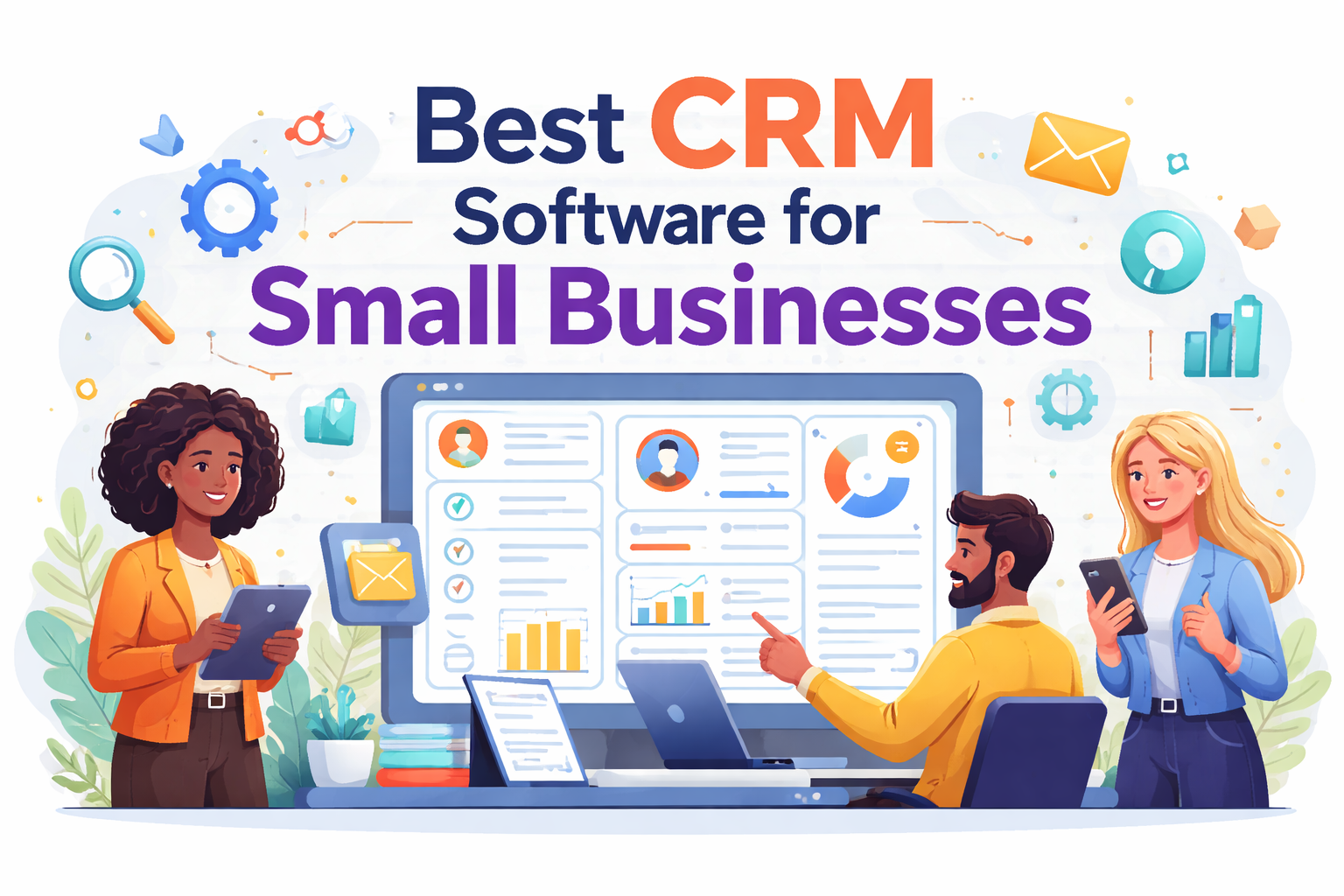
The 7 best CRM tools for small businesses in 2026, ranked and compared across price, features, and use case.
You followed up. Sort of. You sent the proposal, then life got busy, three weeks passed, and the lead went cold. You only remembered them when their name showed up on a competitor's client list.
This is the silent tax on disorganised sales, and it is far more expensive than any software subscription you will ever pay. The right CRM does not just organise your contacts. It turns follow-up from a thing you try to remember into a system that runs whether you think about it or not.
I tested the seven best CRM platforms available in 2026 specifically for small businesses, solo operators, and growing teams. The list below covers both free and paid options so you can find the right fit regardless of where your business is right now, whether you are running an agency in London, a consultancy in Lagos, a startup in Toronto, or a one-person operation in New York.
If you are doing outbound sales or B2B prospecting, Apollo.io is our top pick — it gives you a 275M+ contact database, email sequencing, and a full CRM in one platform. Try it free here →
What Is CRM Software and Do You Actually Need One?
CRM stands for Customer Relationship Management. At its core, it is a system that tracks every interaction with a potential or existing customer, from first contact through to a closed deal and beyond. Think of it as a smart, searchable memory for your business.
Instead of piecing together a conversation history from three different inboxes and a crumpled sticky note, your CRM shows you exactly where each lead stands, what was said last, what needs to happen next, and how close you are to revenue.
You need a CRM if any of the following describes you:
- You are managing 20 or more leads at the same time and relying on memory to follow up
- You have sent a proposal and then forgotten about it until weeks later
- You are a freelancer or consultant juggling client onboarding, renewals, and new business simultaneously
- You run a small sales team and nobody has visibility into the shared pipeline
- You are doing outbound email or phone prospecting and tracking responses in a spreadsheet
Research consistently shows that businesses using CRM software close more deals, not because the software is magic, but because it makes consistent follow-up automatic rather than optional.
According to Salesforce's CRM research, companies that use CRM software see up to 29% higher sales, 34% better productivity, and 40% more accurate sales forecasting.

A well-configured CRM shows you exactly where every deal stands, what action is needed, and what is at risk of going cold.
1. Apollo.io — Best for Outbound Sales and B2B Prospecting
Most CRMs require you to bring your own leads. Apollo gives you the leads and the CRM to work them, in a single platform. With a 275M+ verified B2B contact database, built-in email sequencing, a visual sales pipeline, and AI-powered lead scoring, Apollo is the most complete outbound sales tool on this list by a significant margin.
If you do any form of cold outreach, B2B prospecting, or agency new business development, this is the platform built for you. The free plan is genuinely usable (not just a crippled trial) which makes it the lowest-risk starting point on this entire list. For a deeper look at exactly how Apollo's database and credit system work, see our full Apollo.io review.
✓ Pros
- 275M+ verified B2B contacts with email and phone data
- Built-in email sequencing with A/B testing and open/click tracking
- Visual deal pipeline with customisable stages
- AI-powered lead scoring to prioritise the hottest prospects
- Chrome extension for one-click lead capture from LinkedIn
- Native integrations: Gmail, Outlook, Salesforce, HubSpot, Zapier
- Genuinely usable free plan — not just a short trial
✗ Cons
- Credit system for contact data can be confusing at first
- Phone number credits cost 8× more than email credits
- Annual contracts require 60-day written cancellation notice
- Not ideal as a pure CRM if you have no outbound prospecting needs
2. HubSpot CRM — Best Free CRM for Growing Teams
HubSpot CRM is the gold standard of free CRM software. It offers a feature set that most paid tools charge for, unlimited contacts, a visual deal pipeline, email tracking, meeting scheduling, live chat, and a reporting dashboard — at absolutely no cost.
For early-stage businesses not yet ready to spend on tools, HubSpot is the logical starting point. Its true power lies in the broader HubSpot ecosystem: as your business grows, you can layer on paid Marketing Hub, Sales Hub, and Service Hub tools (all natively connected to the same contact database) without switching platforms.
✓ Pros
- Unlimited contacts and deals on the free plan forever
- Drag-and-drop visual pipeline with deal stage tracking
- Live chat, email scheduling, and meeting booking on free tier
- 1,000+ native integrations including Gmail, Slack, Zapier
- Scales into a full marketing and service suite as you grow
- Exceptional onboarding experience for first-time CRM users
✗ Cons
- Paid hubs get expensive fast — costs can jump to $500+/month as you scale
- Advanced automation requires paid plans
- Can feel overwhelming with too many features for very small teams
- Reporting is limited on the free tier
3. Pipedrive — Best for Visual Pipeline Management
Pipedrive was built by salespeople for salespeople, and it shows. Its defining feature is a Kanban-style visual sales pipeline that makes it immediately obvious where every deal stands, what action is needed, and what is drifting toward cold. For people who think visually (and most salespeople do) Pipedrive feels like the first CRM that was designed with their actual brain in mind.
It is particularly strong for consultancies, agencies, SaaS companies, and any professional services business doing high-volume relationship-based sales. The AI next-action recommendations are a genuine time-saver once the system has processed a few months of your deal history.
✓ Pros
- Best-in-class visual Kanban pipeline — drag deals between stages effortlessly
- AI deal insights and next-action recommendations
- Built-in email sync with open tracking and one-click calling
- Smart automations that trigger between deal stages
- Clean, focused mobile app for managing deals on the go
- Activity reminders that stop deals from going cold
✗ Cons
- No free plan — 14-day trial only
- Limited built-in marketing automation compared to ActiveCampaign
- Reporting requires higher-tier plans for full customisation
- Not ideal for businesses with heavy inbound marketing workflows
4. Bonsai — Best for Freelancers and Independent Consultants
Bonsai is not a pure CRM — it is something more useful for independent professionals: an all-in-one business OS. It combines client pipeline management, contracts, invoicing, project tracking, time logging, and expense management into a single subscription. For a solo creator, consultant, or freelancer, this means replacing three or four separate tools with one. The client pipeline lets you track leads through proposal, contract, active project, and invoiced stages — with automated workflows connecting each step. If you are billing clients, signing contracts, and chasing invoices, Bonsai reduces the admin overhead of running your practice significantly.
✓ Pros
- CRM + contracts + invoicing + time tracking in one subscription
- Automated proposal-to-contract-to-invoice workflow
- Professional client portal for onboarding and file sharing
- Tax and expense tracking for US-based freelancers
- Replaces 3–4 separate tools — real cost savings for solos
✗ Cons
- Not built for teams larger than 3–4 people
- CRM features are lighter than dedicated platforms like Pipedrive
- Limited integrations compared to HubSpot or Apollo
- US-focused for tax features — less relevant for non-US freelancers
5. ActiveCampaign — Best for Email Automation and CRM Combined
ActiveCampaign sits at the intersection of CRM and marketing automation, and it excels at both. If your business relies on email nurture sequences (warming up leads over weeks, sending behaviour-triggered campaigns, scoring contacts based on what they click) ActiveCampaign gives you more horsepower in that area than any other platform in this price range.
The visual automation builder lets you create conditional workflows where a contact's behaviour (clicking a link, visiting a pricing page, not opening three emails in a row) automatically triggers different follow-up paths. It is the only platform here that genuinely bridges the gap between your CRM and your email marketing engine.
✓ Pros
- Most powerful visual automation builder in its price category
- CRM with deal pipelines, lead scoring, and automated task creation
- Site tracking — trigger automations based on web behaviour
- Deep contact segmentation for personalised campaigns at scale
- 900+ integrations including Shopify, WordPress, and Zapier
- Strong deliverability — important for outreach-heavy businesses
✗ Cons
- Learning curve is steeper than HubSpot or Pipedrive
- Pricing scales with contact list size — can get expensive at 10,000+ contacts
- CRM features are less mature than dedicated CRM tools
- Support quality varies on lower-tier plans
6. Streak — Best CRM Built Inside Gmail
Streak takes a brilliantly simple approach to the biggest barrier to CRM adoption: nobody wants to learn another piece of software. Streak turns your Gmail inbox into a fully functional CRM. There is no separate login, no migration headache, no new interface to learn. Your deals, contacts, and pipeline stages live inside the same Gmail tab where you already spend half your working day. For solopreneurs and consultants who find the idea of "yet another app" genuinely unappealing, Streak is the lowest-friction CRM on this list. It is also free for individual users, making it the best no-cost starting point for someone working alone in a Gmail-heavy workflow.
✓ Pros
- Lives entirely inside Gmail — zero new interface to learn
- Email tracking with real-time read receipts
- Mail merge for personalised bulk outreach from your own account
- Snippets and scheduled sending for faster email workflows
- Free forever for solo users — no credit card required
- Pipeline view directly inside Gmail sidebar
✗ Cons
- Gmail only — useless if your team uses Outlook
- Limited scalability for teams larger than 5–6 people
- No phone or SMS capabilities
- Fewer third-party integrations than standalone CRMs
- Reporting is very basic
7. Close — Best CRM for Inside Sales Teams
Close was built from the ground up for inside sales teams that live on the phone. Its native calling, SMS, and email capabilities remove the need for a separate dialler, voicemail drop tool, or communication platform entirely. Every call is logged automatically, every email syncs bidirectionally, and the Smart Inbox surfaces the follow-ups that matter most. If your sales process involves high-volume phone outreach (financial services, SaaS sales, recruitment, or any high-velocity inside sales motion) Close delivers one of the fastest time-to-close experiences on the market. It is not the cheapest option here, but for phone-dependent teams it eliminates the cost and friction of maintaining a separate calling stack.
✓ Pros
- Native calling, SMS, and email — all logged automatically
- Power Dialler and Predictive Dialler for high-volume campaigns
- Smart Inbox prioritises follow-ups across all channels
- Pipeline reporting with activity-based and outcome-based filtering
- Two-way email sync with sequences and automated follow-up
- Built for speed — designed to minimise time between contacts
✗ Cons
- More expensive than most alternatives at $49/mo to start
- Overkill for businesses not doing high-volume phone outreach
- Less intuitive for inbound or marketing-led sales processes
- Smaller app ecosystem than HubSpot or ActiveCampaign
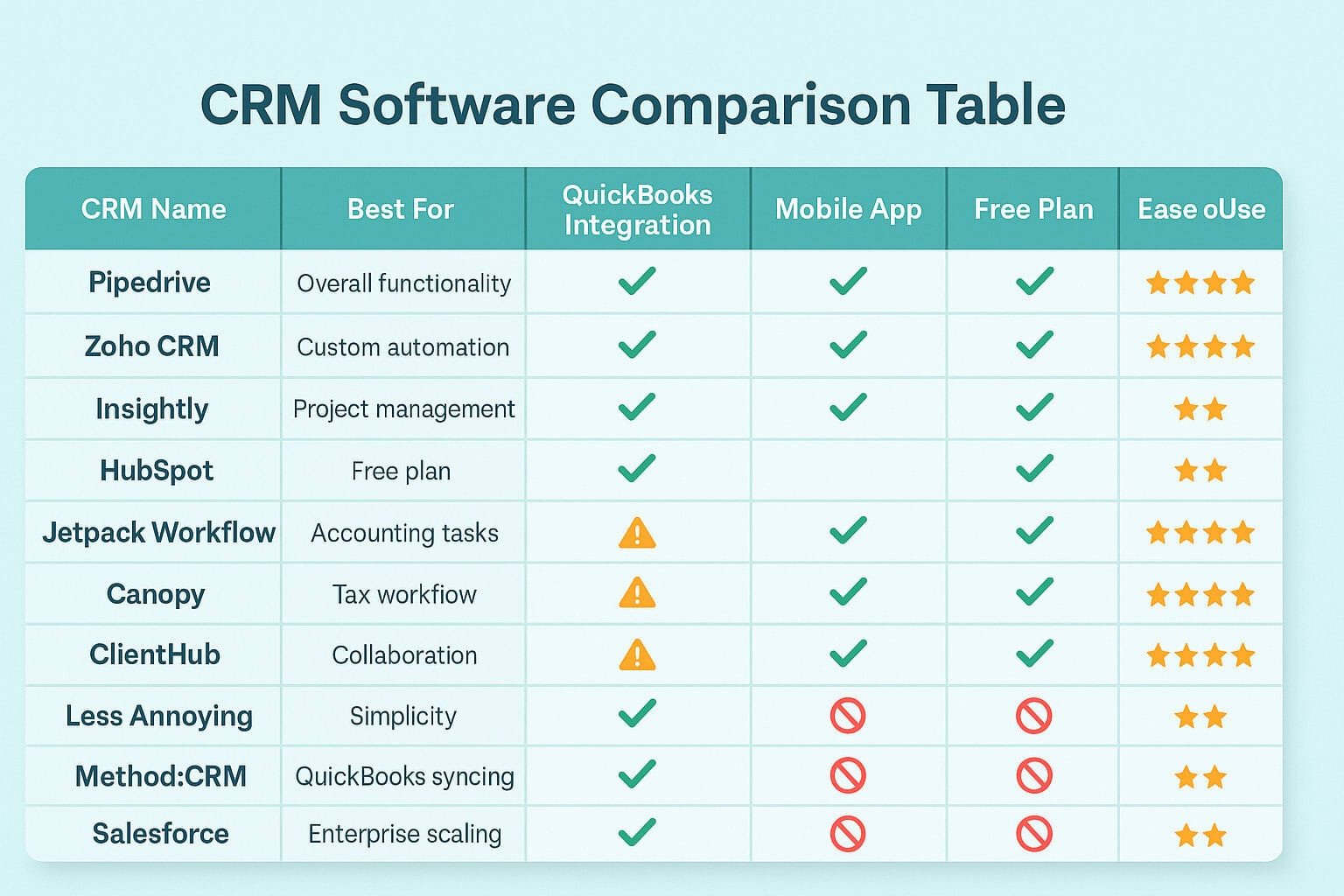
All seven CRM tools compared across free plan availability, starting price, and best use case.
Side-by-Side Comparison Table
| CRM Tool | Free Plan | Starting Price | Best For | Rating |
|---|---|---|---|---|
| Apollo.io ⭐ | ✓ Yes | $49/mo | Outbound sales & B2B prospecting | ★★★★★ 4.9 |
| HubSpot CRM | ✓ Unlimited contacts | $20/mo | Free CRM for growing teams | ★★★★★ 4.8 |
| Pipedrive | ✗ Trial only | $14/mo | Visual pipeline management | ★★★★½ 4.6 |
| Bonsai | ✗ Trial only | $21/mo | Freelancers & consultants | ★★★★☆ 4.4 |
| ActiveCampaign | ✗ Trial only | $15/mo | Email automation + CRM | ★★★★½ 4.5 |
| Streak | ✓ Solo users | $15/mo | Solopreneurs (Gmail-only) | ★★★★☆ 4.3 |
| Close | ✓ Limited | $49/mo | Inside sales & phone teams | ★★★★☆ 4.4 |
How to Choose the Right CRM for Your Business
With seven solid options on the table, the right answer comes down to your business model and where your actual bottleneck is. Here is the framework:
Match Your Business Type to the Right CRM
For more context on how CRM tools fit into a broader digital marketing and sales strategy, see our roundup of digital marketing tools for entrepreneurs. And if you are at the stage of setting up your business entity, our guide to the best LLC formation services covers the structural side of getting your business ready to close deals.
Ready to Build a Predictable Sales Pipeline?
Start with Apollo.io — the #1 CRM for outbound sales and B2B prospecting. Free to try, no credit card required.
🚀 Try Apollo.io Free →Frequently Asked Questions
HubSpot CRM offers the most generous free plan — unlimited contacts, a visual pipeline, email tracking, and meeting booking at no cost. If you are specifically doing outbound B2B prospecting, Apollo.io's free tier is also excellent, giving you database access and email sequencing at zero cost. For solo Gmail users, Streak's free plan is the easiest to set up. All three require no credit card to start.
Yes — especially if you are managing more than 20 leads at once. Even as a one-person operation, a CRM prevents leads from slipping through the cracks and ensures you follow up at the right time without relying on memory. The tools on this list that are genuinely free (HubSpot, Apollo free tier, Streak) mean there is no financial barrier to getting started.
Streak is the easiest starting point because it operates entirely inside Gmail — there is no new interface to learn at all. HubSpot CRM also has an exceptionally well-designed onboarding experience that walks you through setup step by step. Both are well-suited to first-time CRM users. Pipedrive is also beginner-friendly once you understand the pipeline concept.
The core difference is that Apollo.io includes a 275M+ B2B contact database alongside the CRM — you find your prospects inside Apollo rather than importing them from elsewhere. HubSpot CRM is a pure CRM: it organises contacts and deals you already have, but does not help you find new ones. Choose Apollo if your bottleneck is lead generation and outbound prospecting. Choose HubSpot if your leads come inbound (through content, ads, or referrals) and you need to manage and nurture them efficiently. See our full Apollo.io review for a detailed breakdown.
Yes. Apollo.io, HubSpot, Pipedrive, ActiveCampaign, and Close all offer dedicated mobile apps for iOS and Android. Most are well-optimised for managing your pipeline, logging activity, and updating deal stages away from your desk. Streak and Bonsai also have mobile-friendly interfaces, though their apps are less feature-rich than the desktop versions.
For a solo entrepreneur or small team, most CRM setups take between two and four hours to get to a fully functional state — connecting your email, importing existing contacts, customising your pipeline stages, and setting up your first automation or sequence. HubSpot and Streak are the fastest to set up (under an hour for basic configuration). Apollo and ActiveCampaign take slightly longer due to their additional capabilities, but both have guided onboarding flows that walk you through each step.