📋 Table of Contents
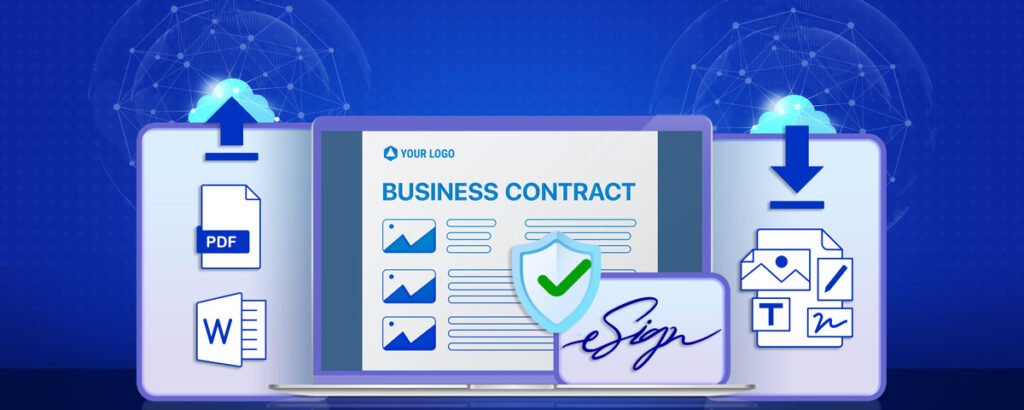
Choosing the right e-signature solution means evaluating security standards, compliance certifications, workflow automation capabilities, mobile experience, and pricing — before committing to a platform your business will rely on for every contract it signs.
Every business that handles contracts, agreements, proposals, or onboarding documents needs an e-signature solution. The real question is not whether to adopt one; it is which one to choose. With dozens of platforms available at very different price points and feature depths, selecting the wrong tool means either overpaying for capabilities you never use or locking yourself into a platform that breaks down when your volume grows or your compliance requirements become more specific.
This guide covers the nine key features that separate a good e-signature solution from the right one for your business, and a comparison of the leading platforms to help you make an informed decision. For the companion read on why e-signatures matter for your business in the first place, see our guide to the advantages of e-signature software. For our recommended platform, see the full airSlate SignNow review.

Why Choosing the Right E-Signature Solution Matters
Not all e-signature platforms are created equal. The differences between platforms become most apparent in three specific situations:
- High-volume operations — when you are sending dozens or hundreds of documents per month, per-document pricing, signing limits, and automation capabilities become critical cost and time factors
- Regulated industries — healthcare, financial services, legal, and real estate businesses have specific compliance certification requirements (HIPAA, SOC 2, eIDAS qualified) that only certain platforms meet
- Multi-party workflows — contracts that require sequential signing from multiple parties across different organisations need configured routing, reminder automation, and audit trails that basic platforms handle poorly
Choosing carefully now prevents a painful migration later — when your document volume has grown, your team has learned the platform's interface, and your templates are all built in the tool you selected.
9 Key Features to Look for in an E-Signature Solution
🔒 Security Standards and Compliance Certifications
Security is the most important evaluation criterion for any platform your business will use to execute legally binding agreements. An e-signature platform that lacks proper security infrastructure exposes your business to both legal risk (agreements that cannot be enforced) and operational risk (sensitive contract data that could be breached).
The minimum security baseline to look for is AES 256-bit encryption for documents at rest and in transit, and SOC 2 Type II certification — which requires an independent annual audit of the platform's security controls. Beyond the baseline, evaluate compliance with the specific regulations that apply to your industry and markets:
- eIDAS — European Union regulation governing electronic signatures. Three tiers exist: Simple (SES), Advanced (AES), and Qualified (QES). Most business contracts require Simple or Advanced; some regulated financial and legal documents in EU countries may require Qualified.
- ESIGN Act and UETA — US federal and state laws that give electronic signatures the same legal standing as handwritten signatures for most business documents
- HIPAA — required for healthcare providers and businesses handling Protected Health Information (PHI). The platform must be willing to sign a Business Associate Agreement (BAA)
- GDPR — required for businesses processing personal data of EU residents, regardless of where the business is located
📋 Audit Trail Quality
An audit trail is the complete, tamper-evident record of everything that happened to a document from the moment it was created to the moment the final signature was applied. It is the evidence layer that makes an e-signature legally enforceable and dispute-resistant.
A high-quality audit trail records: the identity of each signer (verified by email access at minimum), the timestamp of each action (document sent, opened, signed), the IP address and device information of each signer, the geolocation of signing events, and a cryptographic hash of the document at each stage. If any of these elements are missing or incomplete, the audit trail provides weaker legal protection.
The distinction between a basic and premium audit trail becomes important specifically when a signed document is challenged — in a contract dispute, employment tribunal, or regulatory investigation. A comprehensive audit trail provides the evidence to demonstrate that the right person signed the right document at the right time, with full consent and awareness of what they were signing.
📱 Mobile Experience and Signer Accessibility
Your e-signature platform is only as good as the experience it provides to the people who receive documents for signing. If the signing experience is clunky on mobile (requiring an app download, multiple logins, or a lengthy verification process) your signer completion rates will suffer.
Documents will sit unsigned for days not because signers object to them, but because the signing experience was too frustrating to complete on a phone.
The ideal signer experience: the recipient receives an email, taps a link, the document opens immediately in their mobile browser without any app download required, they tap to sign (draw, type, or upload), and the signed document is returned in under five minutes from any device.
Test this specifically on a mobile device when evaluating any platform — do not rely on vendor claims about mobile support.
📄 Template Library and Document Preparation
Businesses that sign the same types of documents repeatedly — NDAs, service agreements, employment contracts, client onboarding forms — need the ability to create reusable templates.
A template is a pre-built version of a document with signature and data fields already positioned, so you can send a new instance of the same contract in seconds by filling in the variable fields (client name, date, contract value) rather than rebuilding the document each time.
Beyond templates, evaluate the document preparation capabilities — specifically how the platform handles field placement (signature boxes, date fields, initials, text inputs, checkboxes), conditional logic (showing different fields based on previous answers), and bulk sending (sending the same document to a large list of recipients simultaneously, each receiving a personalised instance).
🔄 Multi-Party Signing and Sequential Workflow Routing
Many business documents require signatures from more than one person, often in a specific order. A commercial contract might need a client representative to sign first, then their legal approver, then your own signatory.
Managing this manually (tracking who has signed, chasing those who have not, forwarding the document to the next party) is time-consuming and error-prone.
The platform should automate this entirely: configure the signing order once, and the system handles routing — sending the document to each party in sequence, sending automated reminders when the document has not been signed within a defined period, and notifying all parties when the final signature completes the agreement.
Check whether in-person signing (where you hand a device to someone to sign in front of you) is also supported — useful for industries like real estate and financial services where some signatories prefer or require physical presence.
⚙️ Workflow Automation and CRM Integration
A standalone e-signature platform that does not connect to your other business tools creates manual data entry work. A signed contract should automatically create a record in your CRM, trigger a new project setup in your project management tool, add the client to your accounting system, or initiate your onboarding workflow — without someone manually copying data between systems.
Check what native integrations the platform offers (Salesforce, HubSpot, Pipedrive, Google Workspace, Microsoft 365, Slack, Zapier) and what level of data sync is available.
Also evaluate the automation features within the platform itself — automatic reminders, expiry dates after which unsigned documents are voided, conditional routing based on signer data, and pre-filled fields that draw from a CRM record.
🎨 Branding and Customisation
Every touchpoint with a client or partner communicates something about your business. The signing experience is no exception. A generic, unbranded signing page (showing the e-signature platform's logo rather than yours) is a missed brand impression at a critical moment in the client relationship.
Evaluate whether the platform allows you to: customise the signing page with your logo and brand colours, personalise the email notifications sent to signers, add a custom message to the document invitation email, and create branded PDF certificates on completion.
For businesses where client experience is a competitive differentiator (agencies, financial advisors, legal firms) branded signing is a meaningful detail, not a minor cosmetic feature.
📈 Pricing Model and Scalability
E-signature platform pricing varies significantly in structure. The main models are: per-user/per-month (a flat rate per team member, unlimited documents), per-document (pay per envelope sent), or hybrid (a base platform fee with document allowances and overage charges). Each model suits different usage patterns:
- Per-user monthly plans suit businesses with predictable, regular document volume where a flat monthly cost per team member is more predictable than paying per document
- Per-document plans suit businesses with irregular or seasonal document needs — pay only when you send, with no ongoing cost when volume is low
- Tiered plans work well for growing businesses — start with a lower tier and upgrade as volume, team size, or feature requirements grow
Watch for hidden costs in per-document plans — some platforms charge per "envelope" (container for one or more documents sent to one or more signers) rather than per signature, which can make the true cost unclear until your first invoice.
Always ask for a worked example based on your expected monthly document volume.
🛠️ Customer Support and Implementation Help
E-signature platforms handle legally sensitive documents. When something goes wrong (a signing link expires before your client signs, a document is accidentally voided, or an integration stops working) you need responsive, knowledgeable support. The quality of support varies dramatically between platforms and pricing tiers.
Evaluate the support options available at your pricing tier: 24/7 live chat, email support, phone support, dedicated account manager (enterprise tiers), and self-serve knowledge base quality.
Also assess the onboarding support — do they provide setup assistance, template creation guidance, and integration help, or are you expected to figure everything out from documentation alone? For businesses adopting an e-signature platform for the first time, onboarding quality significantly affects how quickly the tool becomes genuinely productive.
Top E-Signature Platforms to Consider
airSlate SignNow
Strong all-around platform with competitive pricing, solid mobile experience, robust template and automation features, and strong compliance coverage. Excellent value for small to medium businesses. Free trial available.
Try SignNow Free →DocuSign
The most widely recognised name in e-signatures. Excellent enterprise features, broad integration ecosystem, and strong compliance certifications. Premium pricing makes it less accessible for smaller businesses. Best for enterprise and regulated industries.
SignNow vs DocuSign →Adobe Acrobat Sign
Deep integration with the Adobe Creative Cloud and Document Cloud ecosystem. Strong compliance certifications. Best for organisations already using Adobe products extensively. Pricing is on the higher end for standalone use.
HelloSign (Dropbox Sign)
Clean interface, good free tier for basic use, and seamless Dropbox integration. Owned by Dropbox since 2019. Suitable for solopreneurs and freelancers with low signing volume. More limited on automation and compliance certifications than enterprise-focused competitors.
E-Signature Platform Quick Comparison
| Feature | airSlate SignNow | DocuSign | Adobe Sign | HelloSign |
|---|---|---|---|---|
| Free Trial | ✓ 7 days | ✓ 30 days | ✓ 7 days | ✓ Free plan |
| SOC 2 Type II | ✓ | ✓ | ✓ | ✓ |
| HIPAA Compliant | ✓ | ✓ | ✓ | Paid tiers |
| eIDAS / EU Compliance | ✓ | ✓ | ✓ | Basic only |
| Mobile Signing (no app) | ✓ | ✓ | ✓ | ✓ |
| Workflow Automation | ✓ Strong | ✓ Excellent | ✓ Strong | Basic |
| Multi-Party Sequential Signing | ✓ | ✓ | ✓ | ✓ |
| Custom Branding | ✓ | ✓ | ✓ | Paid tiers |
| Salesforce Integration | ✓ | ✓ Native | ✓ Native | Via Zapier |
| Entry Pricing | ~$8/user/mo | ~$15/user/mo | ~$15/user/mo | Free / $15/mo |
airSlate SignNow offers the best combination of compliance coverage, automation features, mobile experience, and pricing for small to medium businesses. It covers all the essential criteria in this guide at a more accessible price point than DocuSign or Adobe Sign. For a full breakdown of features and pricing, read our complete SignNow review. For a head-to-head comparison with the industry leader, see our SignNow vs DocuSign comparison and our SignNow industry use cases guide.
Which Solution Should Your Business Choose?
The right platform depends on your specific situation:
- Small businesses, freelancers, and consultants — airSlate SignNow's entry pricing and straightforward setup make it the best starting point. Start with the 7-day free trial to verify the mobile experience and template features work for your document types.
- Healthcare businesses needing HIPAA compliance — verify HIPAA compliance and BAA availability with your chosen vendor before selecting. SignNow, DocuSign, and Adobe Sign all support HIPAA at appropriate tiers.
- Enterprises with Salesforce or complex CRM workflows — DocuSign's native Salesforce integration and enterprise workflow automation make it the strongest choice for complex CRM-connected signing workflows, despite the higher price.
- Adobe Creative Cloud users — Adobe Acrobat Sign integrates directly with existing Adobe tools and may be the most friction-free option for businesses already deep in the Adobe ecosystem.
- Solopreneurs and very low-volume users — HelloSign's free plan supports a limited number of documents per month and is suitable for businesses that sign fewer than three documents per month and do not need advanced compliance certifications.
- International businesses requiring eIDAS Advanced or Qualified signatures — verify specifically that the platform supports the tier of eIDAS signature required for your document types in your EU jurisdictions. Not all platforms support QES natively.
Try airSlate SignNow Free for 7 Days
Full feature access · Test templates, multi-party signing, mobile experience, and integrations on your actual document types · No credit card required to start
Frequently Asked Questions About Choosing E-Signature Software
Security and compliance coverage is the most important criterion — because an e-signature without a proper audit trail and legally recognised compliance certification is not actually legally enforceable in many contexts, which defeats the purpose of using the tool at all. Beyond security, the signer experience (how easy it is for recipients to sign on a mobile device without any friction) is probably the second most important factor, because the best platform in the world produces poor results if your clients find it too difficult to use and leave documents unsigned. Evaluate both of these before looking at pricing or features.
DocuSign is the market-leading platform by revenue and brand recognition, and it remains the strongest choice for large enterprises with complex workflow requirements, deep Salesforce integration needs, and substantial compliance obligations. However, for small to medium businesses, the premium pricing (starting around $15/user/month) is no longer justified by a feature advantage over more affordable alternatives like airSlate SignNow (~$8/user/month). The core e-signature functionality, compliance certifications, and signer experience quality of the leading alternatives have converged significantly with DocuSign's capabilities at lower price points. Unless your business has specific enterprise requirements that only DocuSign fulfils, a more affordable alternative will typically provide equivalent value.
For the most common business jurisdictions, the key compliance standards are: ESIGN Act and UETA (USA), eIDAS (EU and UK), Electronic Transactions Act (Australia), and Personal Data Protection Act (Singapore). Reputable e-signature platforms publish their compliance certifications on their website — look for a "Trust" or "Security and Compliance" page that lists which standards the platform meets. For regulated industries (healthcare, financial services, legal), also confirm HIPAA compliance (US) or equivalent sector-specific standards. If you are uncertain about the legal requirements for a specific document type in a specific jurisdiction, consult a local legal professional — e-signature compliance is generally well-covered by the major platforms, but the specific tier of e-signature required (Simple, Advanced, or Qualified under eIDAS) varies by document type and country.
Free plans on platforms like HelloSign can handle simple business contracts where the legal requirements are straightforward and volume is very low (typically fewer than three documents per month). The limitations of free plans — no custom branding, basic audit trails, restricted template counts, and limited integrations — become meaningful as your business grows. More importantly, some free plans do not include the full compliance certifications required for certain regulated document types or industries. If your contracts have legal enforcement implications, it is worth paying for a plan with proper compliance coverage and a comprehensive audit trail. The monthly cost of a paid e-signature plan (typically $8–$15/month) is minimal compared to the legal risk of a poorly executed signature on a significant contract.
No — with all the platforms covered in this guide, recipients do not need to create an account or install any software to sign a document. They receive an email with a signing link, click the link, review the document in their browser, and apply their signature on any device without any registration required. This frictionless experience is essential for high completion rates — requiring signers to create an account before they can sign introduces friction that causes documents to sit unsigned. When evaluating any platform, confirm explicitly that the signer experience requires no account creation or app download.
The most reliable evaluation method is to start a free trial and test the platform on your actual documents with your actual use case — not just explore the interface in isolation. Specifically: create a template for your most commonly used document type, send a test document to yourself and complete the signing process on a mobile phone as if you were a client, check whether the completed document's audit trail includes all the information you would need to evidence the signing in a dispute, test the integration with your CRM or primary business tool, and contact support with a question to assess response quality. These five tests will surface the real-world performance differences that feature comparison tables do not capture.
Final Recommendation
Choosing the right e-signature solution comes down to matching the platform's specific strengths to your business's specific requirements. The nine criteria covered in this guide (security and compliance, audit trail quality, mobile signer experience, template capabilities, multi-party workflow routing, automation and integrations, branding options, pricing structure, and support quality) provide a complete framework for evaluating any platform you consider.
For most small businesses, agencies, consultants, and digital entrepreneurs, airSlate SignNow covers all nine criteria at a price point that is significantly more accessible than DocuSign or Adobe Sign — making it the strongest all-around recommendation for businesses that do not have specific enterprise requirements.
Start with the 7-day free trial, test it on your actual documents and workflows, and make a final decision based on your real experience rather than feature lists.
Start Your Free airSlate SignNow Trial Today
7-day free trial · Full feature access · No credit card required · Test on your real documents and workflows before committing