📋 Table of Contents
What Is Tailwind?
Pinterest and Instagram are two of the most commercially powerful visual platforms on the internet, and for bloggers, eCommerce businesses, and content creators, consistently showing up on both with high-quality content is one of the most effective ways to grow an audience and drive traffic.
The challenge is that managing those platforms at scale is genuinely time-consuming; content creation, scheduling, hashtag research, analytics monitoring, and community engagement can easily eat hours that should be spent on the actual business.
That is exactly the problem Tailwind was built to solve. Founded in the early 2010s and now used by major brands including Shopify and Jenny Yoo, Tailwind is an official Marketing Partner for both Pinterest and Instagram, meaning it operates with full platform approval and API access, not as a grey-area automation tool.
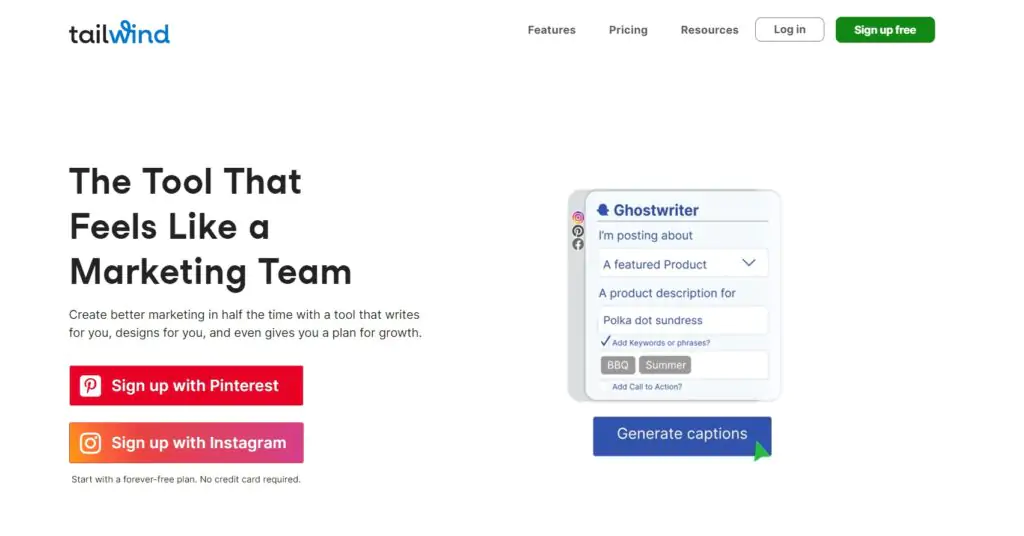
It handles scheduling, content creation, analytics, hashtag management, community participation, and (through its Ghostwriter feature) even AI-assisted blog content generation, all from a single dashboard.
This review covers everything you need to evaluate Tailwind: its full feature set, pricing plans (including the forever free tier), honest pros and cons, and how it compares to the main alternatives in the social media scheduling space.
Tailwind at a Glance
Who Tailwind Is Best For
📌 Pinterest Marketers
Tailwind is the most widely used Pinterest scheduling tool available — its Communities feature (formerly Tribes) and SmartSchedule optimisation are built specifically around Pinterest's algorithm and best practices.
📸 Instagram Business Owners
Schedule regular posts, carousels, and Stories in advance, manage hashtag sets, and auto-post directly to Instagram without the manual publishing step that most schedulers require.
✍️ Bloggers Driving Blog Traffic via Pinterest
Pinterest is one of the strongest long-term traffic sources for blog content. Tailwind's scheduling and Communities features make it the preferred tool for bloggers who use Pinterest as a primary traffic channel.
🛒 eCommerce Businesses on Visual Platforms
Product-based businesses on Instagram and Pinterest benefit from Tailwind's content creation tools, Autofit image adjustment, cross-posting, and the Smart.bio link-in-bio page for product links.
🏢 Small Agencies Managing Multiple Accounts
Higher-tier paid plans support multiple accounts per platform and multiple team users — suitable for small agencies or social media managers handling several clients across Pinterest and Instagram.
Tailwind does not currently support Twitter/X or LinkedIn. If your social media strategy is centred on those platforms, tools like Sprout Social or ContentStudio cover a broader platform range. Tailwind's strength is depth on Pinterest and Instagram, not breadth across all social channels.
Key Features
📅 Smart Scheduling for Pinterest and Instagram
Tailwind's core function is scheduling content to Pinterest and Instagram with SmartSchedule, an algorithm that analyses your account's audience engagement patterns and suggests the optimal posting times for maximum reach.
Rather than manually guessing when your audience is most active, SmartSchedule continuously learns from your account data and fills your posting queue with time slots most likely to drive engagement.
Pinterest pins can be scheduled months in advance (important because Pinterest is a long-tail platform where content continues driving traffic for years), and Instagram posts (including regular feed posts, carousels, and Stories) can be queued and auto-posted without requiring manual approval each time.
🎨 Built-in Graphic Design Tool
Tailwind includes a browser-based graphic design tool for creating social media images, covering Pinterest pin graphics, Instagram feed posts, Stories, and Facebook content.
Templates are available for each platform format, and the Autofit feature automatically adjusts uploaded images to the correct aspect ratio for each platform so you are not manually cropping and resizing the same image for different channels.
The design tool is not a Canva replacement for complex design work, but for creating consistent, on-brand social media graphics quickly (particularly Pinterest pins) it is genuinely practical for the primary use case.
🏘️ Tailwind Communities (Pinterest Marketing)
Tailwind Communities (formerly called Tailwind Tribes) is one of the platform's most distinctive features, and the one that most directly drives Pinterest reach beyond your existing followers. Communities are groups of Pinterest content creators in the same niche who share each other's content.
You share a member's pin to your boards; they share yours in return. This mutual amplification exposes your content to the combined audiences of every Community member, increasing the reach of each pin far beyond what your own followers alone would generate.
The free plan allows membership in up to 5 Communities. Paid plans scale from 5 to unlimited Community memberships.
#️⃣ Hashtag Suggestions and Management
Tailwind's hashtag tool analyses your content and suggests relevant hashtags for Instagram posts based on the image content and caption context.
You can save hashtag groups for repeated use, so popular, high-performing hashtag sets for your niche can be saved and applied to relevant posts without retyping them each time.
One current limitation: hashtags can only be posted to Instagram as a first comment rather than in the caption itself, a platform API restriction rather than a Tailwind design choice.
🔗 Smart.bio Link-in-Bio Page
Tailwind includes Smart.bio — a customisable link-in-bio page for your Instagram profile link. Rather than pointing your Instagram bio link to a single URL, Smart.bio creates a landing page with multiple links (to your website, latest blog posts, product pages, or any other destinations) that you can update from Tailwind's dashboard without changing your Instagram bio link.
This is a standard feature among social media tools (Linktree is a standalone version of the same concept) and useful for any Instagram account that needs to point followers to multiple destinations.
📊 Analytics and Performance Tracking
Tailwind's analytics dashboard tracks pin and post performance, showing which content drives the most repins, saves, clicks, and engagement on both Pinterest and Instagram.
Results are fast, accurate, and broken down by content type, time period, and individual post, giving you a clear picture of what is working and what is not.
For Pinterest specifically, Tailwind's analytics include virality tracking (how many times a pin has been repinned beyond its first distribution), which is a metric that Pinterest's own analytics interface does not surface clearly.
🔄 Cross-Platform Content Creation
Tailwind allows you to create a single post and simultaneously publish or schedule it to Pinterest, Instagram, and Facebook, with platform-specific formatting adjustments applied automatically for each.
This "create once, publish everywhere" workflow saves significant time for businesses and creators who maintain a presence across all three platforms with similar content.
All features available in Tailwind at a glance:
Ghostwriter Blog Wizard

Tailwind's Ghostwriter Blog Wizard generates a complete blog post draft in minutes from a topic description
Beyond social media scheduling, Tailwind has moved into AI-assisted content creation with the Ghostwriter Blog Wizard — a feature that generates complete blog post drafts from a short description of your topic. The workflow is:
The Ghostwriter Blog Wizard is most useful as a starting-point generator — it produces a solid structure and draft copy quickly, particularly for content types like listicles and how-to articles where the format is predictable. Treat the output as a first draft that needs editorial review and personalisation rather than publish-ready content.
How to Set Up a Tailwind Account
Setting up Tailwind requires an existing Instagram or Pinterest account (or both). The process is straightforward and takes under five minutes.
To connect a second platform, return to the account settings and repeat the connection process for Instagram or Pinterest — whichever you did not connect first.
Tailwind Pricing Plans
All plans include the forever free tier as a starting point. Paid plans are billed monthly or annually — annual billing gives approximately 50% off the monthly rate. Verify exact current pricing for each paid tier at tailwindapp.com/pricing.
- 1 account per platform
- 20 posts per month
- 20 post designs/month
- 5 Tailwind Communities
- 1 user
- Smart.bio page
- Hashtag suggestions
1 account per platform · 100 posts/month · 200 designs/month · 5 Communities · 1 user
2 accounts per platform · Unlimited posts/month · Unlimited designs · Unlimited Communities · Up to 2 users
3 accounts per platform · Unlimited posts · Unlimited designs · Unlimited Communities · Up to 5 users · Agency features
Start with the forever free plan — 20 posts per month is enough to evaluate whether Tailwind fits your workflow before committing to a paid subscription. If you consistently hit the 20-post limit or need to manage more than one account per platform, the Pro plan at $19.99/month (or significantly less on annual billing) is the logical next step. Annual billing gives approximately 50% off — worth choosing if you have confirmed Tailwind fits your workflow during the free period.
Tailwind Pros and Cons
✓ What Tailwind Does Well
- Dashboard is intuitive — low learning curve for new users
- Setup and platform connection is straightforward
- Efficient post scheduling — especially Instagram scheduling with auto-post
- Schedule Pinterest pins on the fly via browser extension
- Cross-posting to Pinterest, Instagram, and Facebook in one step
- Create tool is easy to use with usable design templates
- Built-in hashtag tool with saved hashtag group management
- Tailwind Communities is a highly effective Pinterest reach amplifier
- Drafts save automatically — no work lost if you close mid-creation
- Smart.bio page is simple and covers the link-in-bio use case well
- Autofit applies to uploaded images — no manual aspect ratio adjustment needed
- Mobile app works reliably on both iOS and Android
- Official partner status with Pinterest and Instagram — no account safety concerns
✗ Limitations Worth Knowing
- Can be laggy and unresponsive at times — a reported performance issue
- Auto post not available for multi-image carousel posts
- Requires an Instagram Business or Creator account for auto-posting — personal accounts must manually approve each post
- Setting up Tailwind Communities can be confusing for new users
- No Twitter/X or LinkedIn support — Pinterest and Instagram only (plus Facebook)
- No way to save custom-designed templates for reuse across future posts
- Hashtags can only be posted to the first comment on Instagram — not in the caption
- No inbox or DM management features — scheduling only
- Design templates and elements are basic compared to dedicated design tools like Canva
Tailwind Alternatives
Sprout Social
Sprout Social covers all major social platforms — Instagram, Pinterest, Twitter/X, LinkedIn, Facebook, TikTok — with advanced analytics, social listening, and team collaboration tools. The strongest enterprise-grade alternative if you need broader platform coverage than Tailwind's Pinterest-and-Instagram focus.
Try Sprout Social →ContentStudio
ContentStudio is a full social media management platform covering Instagram, Pinterest, Twitter/X, LinkedIn, Facebook, YouTube, and TikTok — with content discovery, AI writing tools, and analytics. The most direct alternative to Tailwind for creators who need broader platform coverage without enterprise pricing.
Try ContentStudio →SocialBee
SocialBee provides category-based content scheduling, AI content generation, and multi-platform support (including Twitter/X and LinkedIn). Particularly strong for businesses that batch-create content by category and want to maintain a consistent posting cadence across multiple platforms simultaneously.
Try SocialBee →Cleverly
Cleverly focuses on LinkedIn and Instagram growth through targeted outreach and content strategies — distinct from Tailwind's scheduling-first approach. Worth evaluating if Instagram follower growth and engagement are the primary goal rather than content scheduling and Pinterest reach.
Try Cleverly →Crowdfire
Crowdfire is a more affordable social media management tool covering Instagram, Twitter/X, Facebook, LinkedIn, and Pinterest — with content curation, scheduling, and basic analytics. A cost-conscious alternative for users who want broader platform coverage at a lower price point than Tailwind's paid tiers.
Try Crowdfire →Social Boost
Social Boost is an Instagram growth service — complementary to Tailwind rather than a direct alternative. Where Tailwind handles scheduling and content management, Social Boost focuses on growing your Instagram following through targeted engagement strategies.
Try Social Boost →Final Verdict — Is Tailwind Worth It for Your Social Media Marketing?
For anyone whose social media strategy is centred on Pinterest and Instagram, Tailwind is one of the most practically useful tools available at any price.
The scheduling tools alone (SmartSchedule, bulk pin scheduling, and Instagram auto-post) save hours of manual work per week.
The Communities feature adds a genuine Pinterest reach multiplier that is not available through any competing tool. And the analytics dashboard surfaces actionable performance data quickly.
The forever free plan is one of the most genuinely useful free tiers in social media marketing software, 20 posts per month and 5 Communities is enough for a serious test of whether Tailwind fits your workflow, without requiring a credit card upfront.
The limitations are real: no Twitter/X or LinkedIn support makes Tailwind a poor choice for anyone whose audience primarily lives on those platforms.
The design tool is competent but basic compared to dedicated tools. And the occasional performance lag is a friction point worth knowing about.
For what it does (Pinterest and Instagram scheduling and reach amplification) Tailwind does it very well, and the pricing is justified by the time it saves.
Start Growing on Pinterest and Instagram
Try Tailwind's forever free plan — 20 posts per month, 5 Communities, and Smart.bio included with no credit card required.
FAQs About This Tailwind Review
Yes — Tailwind is an official Marketing Partner for both Pinterest and Instagram. This is an important distinction: many social media scheduling tools operate in a grey area that puts accounts at risk of suspension. As an official partner, Tailwind has direct API access authorised by both platforms, which means using Tailwind to schedule and publish content carries no risk of account suspension or reduced reach due to "inauthentic activity" policies. Pinterest and Instagram's Marketing Partner programmes require tools to meet specific standards for data handling, API usage, and user security before receiving partner status. You can verify Tailwind's partner status directly in both platforms' official partner directories.
Tailwind offers a forever free plan that never expires — it includes 1 account per social media platform, 20 posts per month, 20 post designs per month, 5 Tailwind Communities, and 1 user. This is enough to fully evaluate whether Tailwind fits your workflow before committing to a paid subscription. Paid plans start at $19.99/month (billed monthly) with a significant discount — approximately 50% — available on annual billing. Higher-tier paid plans increase the number of accounts, posts, designs, Communities, and team users supported. All paid plans include a free trial period — check the current trial terms at tailwindapp.com.
Yes — Tailwind is one of the more accessible social media scheduling tools for beginners. The setup process requires just an Instagram or Pinterest account and takes under five minutes. The dashboard is laid out logically with the main actions — create, schedule, and analyse — clearly separated. The content creation tool provides templates for each platform format so beginners are not starting from a blank canvas. The browser extension makes scheduling content from any web page particularly easy. The area where beginners most commonly struggle is Tailwind Communities — the group content-sharing system that drives Pinterest reach — which has a slightly steeper learning curve than the rest of the platform. Their help centre and getting-started guides cover Communities setup in detail.
Tailwind Communities (formerly known as Tailwind Tribes) are groups of Pinterest content creators in the same niche who share each other's content to extend mutual reach. Within a Community, members submit their Pinterest pins to a shared pool, and other members repin those pins to their own boards — in exchange for having their own pins shared by other members in return. The mutual amplification effect means each pin you submit to a Community gets exposed to the combined Pinterest follower bases of every member who shares it, not just your own audience. Communities are particularly effective for bloggers and eCommerce businesses using Pinterest as a traffic source. The free plan allows membership in up to 5 Communities; paid plans scale to unlimited Community memberships. Each Community has its own content standards — some require specific content categories or niche focus to ensure the shared content stays relevant to each Community's audience.
No — Tailwind currently supports Pinterest, Instagram, and Facebook only. Twitter/X and LinkedIn are not supported. If your social media strategy requires scheduling to Twitter/X, LinkedIn, TikTok, or other platforms beyond Pinterest, Instagram, and Facebook, you will need a different tool — or use Tailwind alongside a separate tool that covers your other platforms. ContentStudio, Sprout Social, and SocialBee are the alternatives on this list that cover the broadest platform range. Tailwind's value is depth on Pinterest and Instagram rather than breadth across all social channels — for creators and businesses where Pinterest and Instagram are primary channels, this limitation is rarely a significant concern in practice.
Ghostwriter Blog Wizard is Tailwind's AI-powered blog content generation feature. It works in a five-step process: you describe your article topic, Ghostwriter generates up to five title and summary options for you to choose from, you select and edit a content outline, and Ghostwriter then writes a full blog post draft in real time. The output is a first draft — useful as a starting structure and a way to overcome the blank page, but intended to be reviewed, edited, and personalised before publishing. Ghostwriter is included in Tailwind's paid plans. It is best suited for content types with predictable formats (how-to guides, listicles, product roundups) where the AI's structural approach produces the most usable first drafts. For highly specialised, technical, or opinion-driven content, the draft will require more substantial editing.