

📋 Table of Contents
- The Basics — Encryption and Network Security
- Tip 1 — Use Strong Passwords
- Tip 2 — Enable Two-Factor Authentication
- Tip 3 — Be Wary of Public Wi-Fi
- Tip 4 — Use a VPN
- Tip 5 — Be Cautious with Emails
- Tip 6 — Know How to Spot Phishing Scams
- Tip 7 — Take Advantage of Security Software
- Tip 8 — Monitor Your Credit Score
- Tip 9 — Use a Secure Payment Method
- Tip 10 — Understand Your Rights as a Consumer
- Tip 11 — Don't Overshare on Social Media
- Tip 12 — Secure Your Cloud Storage
- Tip 13 — Be Mindful of Your Online Behaviour
- Tip 14 — Stay Informed About Privacy Policies
- Frequently Asked Questions
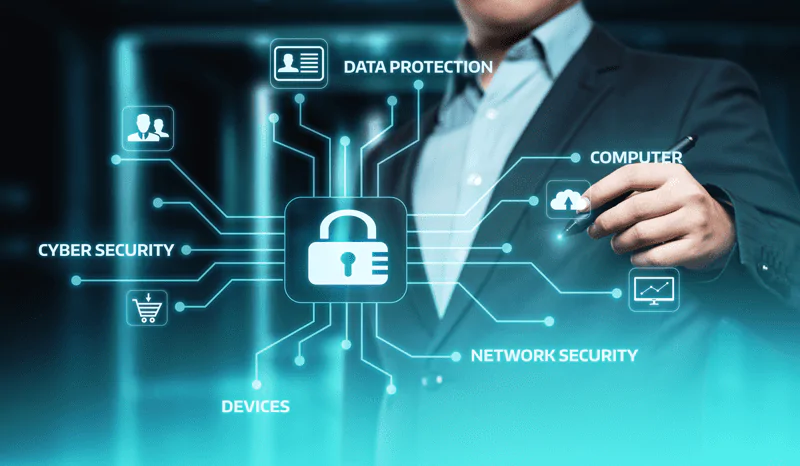
Your digital identity (the combination of your login credentials, financial information, personal data, and online behaviour) has become one of the most valuable and most targeted assets in the modern world. Cybercriminals do not need to pick a lock or follow you home. They need only find one weak point in your digital habits, and in 2026, most people unknowingly give them several.
The good news: the majority of successful cyberattacks exploit entirely preventable vulnerabilities. A strong password, two-factor authentication, a VPN on public networks, and a moment of scepticism before clicking a link would stop most attacks cold.
This guide covers 14 practical steps for protecting your identity online, from the basics of account security to the nuances of privacy policies and consumer rights.
The Basics — Encryption and Network Security
Before diving into specific practices, two foundational concepts underpin everything in this guide.
Data encryption scrambles your information into unreadable code that can only be deciphered by someone with the correct decryption key.
When you see "HTTPS" in a website's address bar (indicated by the padlock icon), the connection between your browser and that website is encrypted; meaning any data you transmit cannot be easily intercepted in transit. Always verify that any website where you enter personal information uses HTTPS before proceeding.
Network security encompasses the measures (firewalls, authentication systems, access controls, and security updates) that govern who can connect to a network and what they can do once connected. Both concepts work together to create the foundation of online security, but they protect nothing unless users also build sound personal security habits on top of them.
✅ Key Takeaways at a Glance
- Use strong, unique passwords for every account
- Enable two-factor authentication everywhere possible
- Use a VPN on any network you do not control
- Never open email attachments from unknown senders
- Verify URLs before clicking any link
- Keep all software and browsers updated
- Monitor accounts and credit reports regularly
- Limit personal information shared on social media
- Use encrypted cloud storage for sensitive documents
- Understand your consumer data rights
🔑 Use Strong Passwords — and a Password Manager
According to Verizon's annual Data Breach Investigations Report, 81% of hacking-related breaches involve stolen or weak passwords. A strong password is at minimum 12 characters long and uses a mix of uppercase and lowercase letters, numbers, and symbols.
More importantly, it must be unique to each account — using the same password across multiple services means one breach exposes every account using that credential.
The practical reality is that no one can memorise 50+ unique complex passwords. A password manager solves this — it generates, stores, and auto-fills strong passwords across all your accounts so you only need to remember one master password. Most password managers also include dark web monitoring that alerts you when your credentials appear in breach databases.
Beyond using strong passwords, implement these additional practices:
- Change passwords immediately on any account notified of a breach
- Never store passwords in a plain text document or unencrypted spreadsheet
- Avoid password patterns like replacing letters with numbers (p@ssw0rd is not strong)
- Use different passwords for email accounts than for everything else — your email is the master key to most other accounts
See our full guide on how to safeguard your identity online for recommended password managers and security tools, including detailed reviews of each.
🔐 Enable Two-Factor Authentication (2FA)
Two-factor authentication (2FA) adds a second verification step beyond your password — typically a time-sensitive code from an authenticator app, a push notification to your phone, or a hardware security key. Even if an attacker has your password from a data breach, they cannot access your account without also passing the second factor.
Enable 2FA on every account that supports it. Prioritise your email accounts first (the master key to everything else), then banking and financial accounts, then social media, then your domain registrar and hosting accounts.
- Authenticator apps (Google Authenticator, Authy) are more secure than SMS codes — SIM-swapping attacks can intercept text messages
- Hardware security keys (YubiKey) provide the strongest protection for high-value accounts like banking and email
- Push notifications from dedicated apps are a middle ground — more secure than SMS, slightly less convenient than authenticator apps
The benefits of 2FA are significant: it eliminates the risk from password reuse, makes phishing attacks far less effective, and protects your accounts even when your password is compromised in a third-party data breach. There is essentially no scenario where enabling 2FA makes you less secure.
📶 Be Wary of Public Wi-Fi Networks
Public Wi-Fi networks — in coffee shops, airports, hotels, and other public spaces — are among the most common vectors for man-in-the-middle attacks, where an attacker intercepts data transmitted between your device and the network. On an unsecured connection, login credentials, financial details, and personal information can be captured in transit.
🚩 Risks to Know
- Unknown or fake networks designed to collect data
- Man-in-the-middle attacks on unencrypted connections
- Requests for personal information from suspicious networks
- Networks with weak or no encryption (WEP protocol)
✓ Best Practices
- Always use a VPN when on any public network
- Verify the network name with staff before connecting
- Avoid accessing banking or sensitive accounts on public Wi-Fi
- Use only HTTPS websites if you must use public Wi-Fi without a VPN
If a Wi-Fi network does not offer encryption or uses the outdated WEP protocol, do not connect to it. Legitimate public networks in reputable establishments will always use at minimum WPA2 encryption, though the safest approach remains using your mobile data or a VPN on any network outside your direct control.
🛡️ Use a Virtual Private Network (VPN)
A VPN (Virtual Private Network) encrypts all data transmitted between your device and the internet — making it unreadable to anyone who might intercept it on the network.
This is the single most practical defensive measure on any network you do not control, but it is also valuable at home: a VPN masks your browsing activity from your internet service provider and protects your actual IP address from advertisers, trackers, and potentially malicious sites.
Key benefits of using a VPN include:
- Encrypts all transmitted data — intercepted traffic is unreadable without the decryption key
- Anonymises your IP address — websites and services see the VPN server's IP, not yours
- Hides browsing activity from your ISP — your internet provider cannot log or sell your browsing history
- Bypasses censorship and geo-restrictions — access content blocked in your region
- Blocks intrusive ads and malicious domains — many VPNs include DNS-level blocking
When choosing a VPN, prioritise providers with a verified no-logs policy (independently audited, not just claimed), jurisdiction outside of major intelligence-sharing alliances, and strong encryption standards. Avoid free VPNs from unknown providers — many fund themselves by logging and selling the user data they are supposed to be protecting.
📧 Be Cautious with Emails
Email is the single most common vector for cyberattacks — phishing, malware delivery, credential harvesting, and business email compromise all primarily arrive through your inbox. Caution with emails is not paranoia; it is the most practical defensive habit you can build.
Checking Attachments
Before opening any email attachment, ask: were you expecting this? From this sender? A legitimately sent attachment should match the context of your recent communications.
Unexpected attachments; even from people you know (whose accounts may have been compromised) should be verified by contacting the sender through a separate channel before opening.
- Disable automatic download options so attachments must be manually approved before downloading
- Scan all attachments with antivirus software before opening, particularly .exe, .zip, .docx, and .pdf files from unknown sources
- Never open attachments from unknown senders regardless of how legitimate they appear
Checking Links
Before clicking any link in an email, hover over it to preview the actual destination URL. A link that appears to say "paypal.com" may actually lead to "paypa1.com" or "paypal.maliciousdomain.com". The displayed text of a link and its actual destination are entirely independent in HTML email — check the destination, not the label.
- Verify all URLs before clicking — look for misspellings, extra subdomains, or unusual extensions
- When in doubt, navigate to the website directly by typing the address into your browser rather than clicking the link
- Never click links in emails urging urgent action about accounts, payments, or passwords without independently verifying through the company's official website first
- Report suspicious emails to your email provider using the built-in phishing report function
🎣 Know How to Spot and Handle Phishing Scams
Phishing is the practice of creating fraudulent communications (emails, SMS messages, websites, and phone calls) that impersonate legitimate organisations to trick you into revealing credentials, financial information, or personal data. Over 3.4 billion phishing emails are sent every day worldwide, making it the most prevalent form of cybercrime.
Phishers use several key tactics worth understanding:
- Urgency and fear — "Your account will be suspended in 24 hours." Legitimate organisations rarely demand immediate action under threat.
- Spoofed sender addresses — an email can appear to come from "support@paypal.com" while actually originating from a completely different domain. Always check the full sending address, not just the display name.
- Fake login pages — links in phishing emails lead to convincing replica login pages that send your credentials directly to attackers.
- Spear phishing — targeted attacks that use personal details (often gathered from social media or data brokers) to appear personalised and credible.
The most effective defence: any message requesting action regarding an account, payment, or personal information should be verified through an independent channel.
Call the number on the back of your card. Type the website address directly into your browser. Do not trust the contact details provided in the suspicious message itself.
If you receive an email, text, or call that creates urgency and asks you to click a link, call a number, or provide personal information — pause. Legitimate banks, government agencies, and companies do not operate this way. Verify through an official channel before taking any action.
🦠 Take Advantage of Security Software
Modern security software does far more than scan for viruses. A comprehensive security suite provides real-time protection against malware, ransomware, phishing sites, and keyloggers; monitors network traffic for suspicious behaviour; protects your webcam and microphone from unauthorised access; and alerts you when your credentials appear in data breach databases.
Key categories of security software to have installed:
- Antivirus and endpoint security — real-time malware detection and removal, ransomware protection, and web browsing safety. Run a full scan at least monthly and keep virus definitions updated automatically.
- Password manager — generates and stores strong unique passwords for every account, with dark web monitoring for breach alerts.
- VPN software — see Tip 4 above.
- Encrypted cloud storage — for sensitive documents, use end-to-end encrypted storage rather than standard cloud services where the provider holds the encryption keys.
Beyond software, keep your operating system, browsers, and applications updated. The majority of successful malware attacks exploit known vulnerabilities that were patched months or years before the attack — missed updates are the most preventable security failure in personal computing.
Enable automatic updates for your operating system and browsers, and manually check other applications monthly.
📊 Monitor Your Credit Score Regularly
Regular credit score monitoring provides two critical security benefits: it reveals any fraudulent credit applications made in your name (a common identity theft outcome), and it identifies errors on your credit report before they affect your financial standing.
Catching fraudulent activity within days is significantly easier to dispute and resolve than discovering it months later after the damage has compounded.
The benefits of active monitoring include:
- Early detection of unauthorised credit accounts opened in your name
- Identification of unusual spending patterns or large withdrawals
- Discovery of errors (which are more common than most people assume) before they affect loan applications or interest rates
- A baseline understanding of your credit profile that makes anomalies immediately visible
In the US, you are entitled to a free credit report from each of the three major bureaus (Experian, Equifax, TransUnion) annually at AnnualCreditReport.com.
If you believe your identity has been stolen, consider placing a credit freeze, this prevents new accounts from being opened in your name until the freeze is lifted, at no cost to you.
Review your credit card and bank statements weekly rather than monthly — fraud caught within days is far easier to dispute and recover than fraud discovered after 30 days. Most banks now have mobile app transaction notifications that alert you to every charge in real time.
💳 Use a Secure Payment Method
The payment method you choose for online purchases significantly affects your exposure to fraud. Understanding the risk profile of each option allows you to make informed choices that minimise potential financial damage.
- Credit cards offer the strongest fraud protection — disputable charges, chargeback rights, and zero liability policies from most issuers. Fraudulent charges are reversed more easily than with debit cards because the money is the bank's, not yours.
- Debit cards carry more risk — fraudulent charges come directly from your bank account and recovery timelines are longer than credit card disputes.
- Virtual card numbers — many banks offer single-use or merchant-specific virtual card numbers for online purchases. Even if stolen, they cannot be reused.
- Digital wallets (PayPal, Apple Pay, Google Pay) provide an additional privacy layer — the merchant receives a transaction token rather than your actual card number.
- Bank transfers offer minimal fraud protection — once sent, funds are difficult to recover. Reserve for known, trusted parties only.
Always check your card statement promptly after online purchases. Report any unauthorised transaction to your card issuer immediately — most have 24-hour fraud lines.
For international transactions and receiving payments securely, see our guide on opening a virtual domiciliary account for secure international payments.
⚖️ Understand Your Rights as a Consumer
Digital consumer rights protect you in situations where your personal data is collected, processed, or exposed — but only if you know what those rights are and how to exercise them. Most people are unaware of the protections they are legally entitled to.
📋 Right to Clear Disclosure
You are entitled to clear information about all terms, conditions, pricing, warranties, and refund policies before entering any transaction or agreement.
🔒 Right to Data Privacy
Companies must obtain your consent before collecting sensitive personal data. Under GDPR (EU) and similar laws, you can request to see, correct, or delete the data a company holds about you.
🔔 Right to Breach Notification
If a company experiences a data breach that exposes your personal information, you are entitled to timely notification of the breach and its potential risks to you.
⚖️ Right to Legal Recourse
If a company fails to adequately protect your data or misuses it, you may have legal recourse including the right to file a complaint with regulatory authorities or pursue civil action.
Financial fraud is one of the most common identity theft outcomes. Dispute any fraudulent transaction immediately through your bank or card issuer's official fraud channel.
Keep records of all communications relating to the dispute, dates, reference numbers, and the names of representatives you spoke with.
📱 Don't Overshare on Social Media
Every piece of personal information you post on social media is potentially available to anyone who views your profile — and to the companies whose platforms you use.
Social engineers specifically mine social media to build target profiles: your home city, employer, family members' names, frequent locations, and life events are all usable in constructing a credible pretext for a targeted attack.
Think carefully before posting:
- Your home address or the specific neighbourhood where you live
- Travel dates that signal your home is unoccupied
- Information that answers common security questions (mother's maiden name, first school, first pet, place of birth)
- Financial information or images of significant purchases
- Your phone number or personal email address
Regularly audit the privacy settings on each platform you use — what is publicly visible, what is visible to friends, and what data you have shared with third-party apps.
Revoke access to any app you no longer use or do not recognise. Review your privacy settings on each platform at least every six months, as platforms often change default settings during updates.
Be cautious of unsolicited friend or connection requests from people you do not know, particularly if their profile is sparse or recently created. Fake profiles are created specifically to gather information from their target's network — once accepted, they can see anything you share with friends.
☁️ Secure Your Cloud Storage
Cloud storage is one of the most convenient ways to keep files accessible across devices — but it introduces security considerations that local storage does not.
The default cloud storage services most people use (Google Drive, iCloud, standard Dropbox) encrypt your data, but the provider holds the encryption keys — meaning a subpoena, employee misuse, or server breach could expose your files.
For sensitive documents (financial records, identity documents, confidential business files) end-to-end encrypted storage (where only you hold the encryption keys) provides meaningfully stronger protection. With end-to-end encryption, the storage provider has no technical ability to access your file contents.
Regardless of which cloud storage service you use, implement these security practices:
- Use a strong, unique password for your cloud storage account — not the same as any other service
- Enable two-factor authentication on your cloud account
- Encrypt sensitive files before uploading if your service does not offer end-to-end encryption
- Regularly back up your most important files using the 3-2-1 rule: 3 copies, on 2 different types of storage, with 1 copy off-site
- Test your backups periodically — a backup that has never been tested is a backup you cannot trust when you need it
🧠 Be Mindful of Your Online Behaviour
Technical security measures protect against known attack vectors. Your online behaviour determines whether attackers can find new ones. The two primary techniques that exploit human behaviour rather than technical vulnerabilities are social engineering and data mining.
Social engineering uses deception and manipulation to gain access to sensitive information or systems. Common methods include phishing emails, pretexting calls (impersonating IT support, your bank, or a trusted authority), and quid pro quo attacks (offering something of value in exchange for information).
The defence is healthy scepticism: any unsolicited contact that requests information, action, or access deserves independent verification before compliance.
Data mining involves aggregating publicly available data from multiple sources to build detailed profiles of individuals. What you share on LinkedIn, Facebook, Instagram, your website bio, and public records can collectively reveal more than you would consciously choose to share with a stranger.
Thinking about your entire digital footprint holistically (not just individual posts) is the starting point for managing this risk.
Practical behavioural habits that reduce your attack surface:
- Pause before clicking — treat unexpected links and attachments as suspicious until verified
- Verify before acting on any request that involves money, credentials, or access
- Use separate browser profiles or browsers for work, personal, and sensitive activities
- Clear browser cookies and cache regularly
- Install only necessary browser extensions — each one adds attack surface
- Be cautious about granting app permissions — only allow what is strictly necessary for the app's function
📄 Stay Informed About Privacy Policies
The companies whose services you use are handling your personal data in ways defined by their privacy policies — but most people never read them.
This is understandable: privacy policies are long, written in legal language, and change frequently. However, not reading them does not protect you from their provisions.
A pragmatic four-step approach to staying informed:
- Research the company before signing up — a quick search for "[company name] + data privacy + controversy" surfaces most significant issues before you hand over your information.
- Read the key sections of Terms and Conditions — not the full document, but specifically: what data is collected, how it is shared with third parties, and what your rights are to access and delete your data.
- Check for privacy policy updates periodically — companies update policies without prominent notification. Revisit the privacy policies of services you use frequently every few months.
- Ask questions when something is unclear — contact customer support directly if any element of a privacy policy or data handling practice is unclear. A company that cannot or will not clearly answer questions about how your data is handled is a company whose services you should reconsider using.
Under GDPR (EU), CCPA (California), and similar data protection laws elsewhere, you have the right to request a copy of all personal data a company holds about you and to request deletion of that data.
Exercise these rights with any service you use regularly, knowing what is held about you is the first step to controlling it.
Looking for Specific Security Tool Recommendations?
Our companion guide covers the best security tools for each of these areas — password managers, VPNs, antivirus software, data broker removal, encrypted storage, and backup services — with detailed reviews and affiliate links.
Read: How to Safeguard Your Identity Online →Build Your Digital Life with Security Built In
Join AIpreneur Academy to learn how to build a profitable online business from scratch — with the right tools, habits, and infrastructure to keep it secure.
Frequently Asked Questions About Online Security
The most effective combination is strong unique passwords plus two-factor authentication on every account. Use a password manager to generate and store complex passwords — at minimum 12 characters with a mix of letters, numbers, and symbols — and ensure each account uses a different one. Enable 2FA using an authenticator app (more secure than SMS) wherever the option is available. Prioritise your email account above all others, because it is the recovery mechanism for most other services — securing your email is securing everything linked to it. Additionally, keep your devices and software updated, run antivirus protection in the background, and review account login history periodically for any unfamiliar devices or locations.
A layered approach is most effective. First, control what information you share — be selective about which services you give personal data to, use minimal necessary information where possible, and avoid sharing sensitive details on social media. Second, protect the information you must share — use strong unique passwords, enable 2FA, and choose services with strong privacy policies and data encryption. Third, monitor for exposure — check HaveIBeenPwned.com to see if your email appears in known data breaches, and consider a data broker removal service that monitors and removes your personal information from public databases. Fourth, use encrypted storage for sensitive documents and a VPN on public networks to protect data in transit. No single measure is sufficient — the protection comes from combining all of these layers.
Online scams typically share recognisable patterns. Watch for: messages creating urgency or fear ("your account will be closed", "you owe tax debt", "you have won a prize"); requests for personal information, login credentials, or payment through unusual channels; emails from senders whose address does not match the claimed organisation (the display name can say anything — always check the actual sending address); links that go to slightly misspelled or subtly different domain names; and requests to download unexpected files. When in doubt about any communication, verify through an independent channel — call the organisation's official number (found on their website, not in the message), or navigate to their website directly rather than through any link provided. Legitimate organisations do not pressure you to act immediately and do not request sensitive information through unexpected communications.
Act quickly and systematically. First, contact your bank and all financial institutions immediately — report the suspected theft, request a fraud flag on your accounts, and cancel and replace any cards that may be compromised. Second, place a credit freeze with the three major credit bureaus (Experian, Equifax, TransUnion in the US) — this prevents new accounts from being opened in your name. Third, change passwords on all important accounts, starting with your email and financial accounts, from a device you are confident is not compromised. Fourth, file a police report — this creates an official record required for insurance claims and some dispute processes. Fifth, report to the relevant authority in your country (the FTC at IdentityTheft.gov in the US, Action Fraud in the UK). Keep detailed records of all steps taken, all communications, and all reference numbers throughout the process.
For truly sensitive data — identity documents, financial records, confidential business information — use end-to-end encrypted cloud storage where the encryption keys are held by you rather than the provider. This means the storage company technically cannot access your files even under a legal order or in the event of a server breach. Pair this with a strong unique password on the storage account and two-factor authentication for account access. Additionally, maintain the 3-2-1 backup rule: three copies of any critical data, stored on two different types of media, with one copy off-site or in the cloud. Test your ability to restore from your backups at least once per year — a backup that has never been successfully restored from is a backup you cannot rely on.
Using a single device for both personal and business activities increases risk in both directions: a personal malware infection can compromise business data and vice versa. Where possible, maintain separate devices for work and personal use, or at minimum use separate browser profiles with different accounts, extensions, and saved passwords for each context. Business devices should have endpoint security software managed by your IT team or a professional security suite. Personal devices should have updated antivirus protection, a VPN, and the same strong password and 2FA practices applied to both. If you run your own business, consider the compliance implications of mixing personal and business data on the same device — in some industries and jurisdictions, this has data protection implications beyond personal security risk.

Thanks for sharing. It’s very helpful.
Your blog is very good.