

This Xero Review is for business owners who appreciates and recorgnises truth when they see one; Nobody starts a business because they love accounting.
You started your business to make money, not to spend your Friday nights fighting with an Excel spreadsheet that won’t balance. For years, the default answer was “Just get QuickBooks.” But in 2026, that advice is outdated.
I have spent the last month running my own business finances through the latest 2026 version of Xero. I didn’t just look at the pictures; I connected my real bank accounts, sent actual invoices to clients, and even tested their “24/7” support to see if they would actually reply.
The result? Xero isn’t just “accounting software” anymore, it’s a financial operating system.
If you are still using spreadsheets, you are wasting at least 5 hours a month. If you are using other softwares, you might be overpaying. Here is exactly why Xero is winning the market right now.
READ ALSO: Airwallex vs Wise (2026): Which Is Better for International Business Payments?
We’re reader-supported. When you buy through links on our site, we may earn an affiliate commission.
Xero Review Summary

My Rating: ⭐⭐⭐⭐⭐ (4.8/5)
Pros
<ul><li style=""> <span style="font-size: 15px !important;">Unlimited Users </span></li><li style=""> <span style="font-size: 15px !important;">Thorough accounting features</span></li><li style=""> <span style="">Handles employee expense claims </span></li><li style=""> <span style="font-size: 15px !important;">Exceptional support </span></li><li style=""> <span style="font-size: 15px !important;">Great reporting tools</span></li></ul><h3 style="font-size: 20px !important;" id="t-1766456519001">Cons</h3> <ul><li style=""> <span style="font-size: 15px !important;">The "20 Invoice" Limit </span></li><li style=""> <span style="font-size: 15px !important;">No Phone Support </span></li><li style=""> <span style="font-size: 15px !important;">Transaction templates are difficult to modify</span></li></ul><h3 style="text-align: center;" id="t-1766456519002">Our Verdict</h3><b data-index-in-node="0" data-path-to-node="8,0">Is Xero the best accounting software? </b>Yes, <a href="https://nwaezedavid.com/recommends/xero/" target="_blank" rel="nofollow"><b data-index-in-node="43" data-path-to-node="8,0">Xero </b></a><b data-index-in-node="43" data-path-to-node="8,0">is currently the #1 choice</b> for small to medium-sized businesses (SMBs), freelancers, and agencies.
Why? Unlike QuickBooks, Xero allows unlimited users on all plans, making it significantly cheaper for growing teams. While it lacks the advanced custom reporting of QuickBooks, its “beautiful” interface and superior bank reconciliation make it the easiest software to use for non-accountants.
Best For: Agencies, E-commerce, and Remote Teams.
Avoid Xero If: You need complex inventory management (Use QuickBooks Enterprise).
What’s New in Xero (2026 Update)?
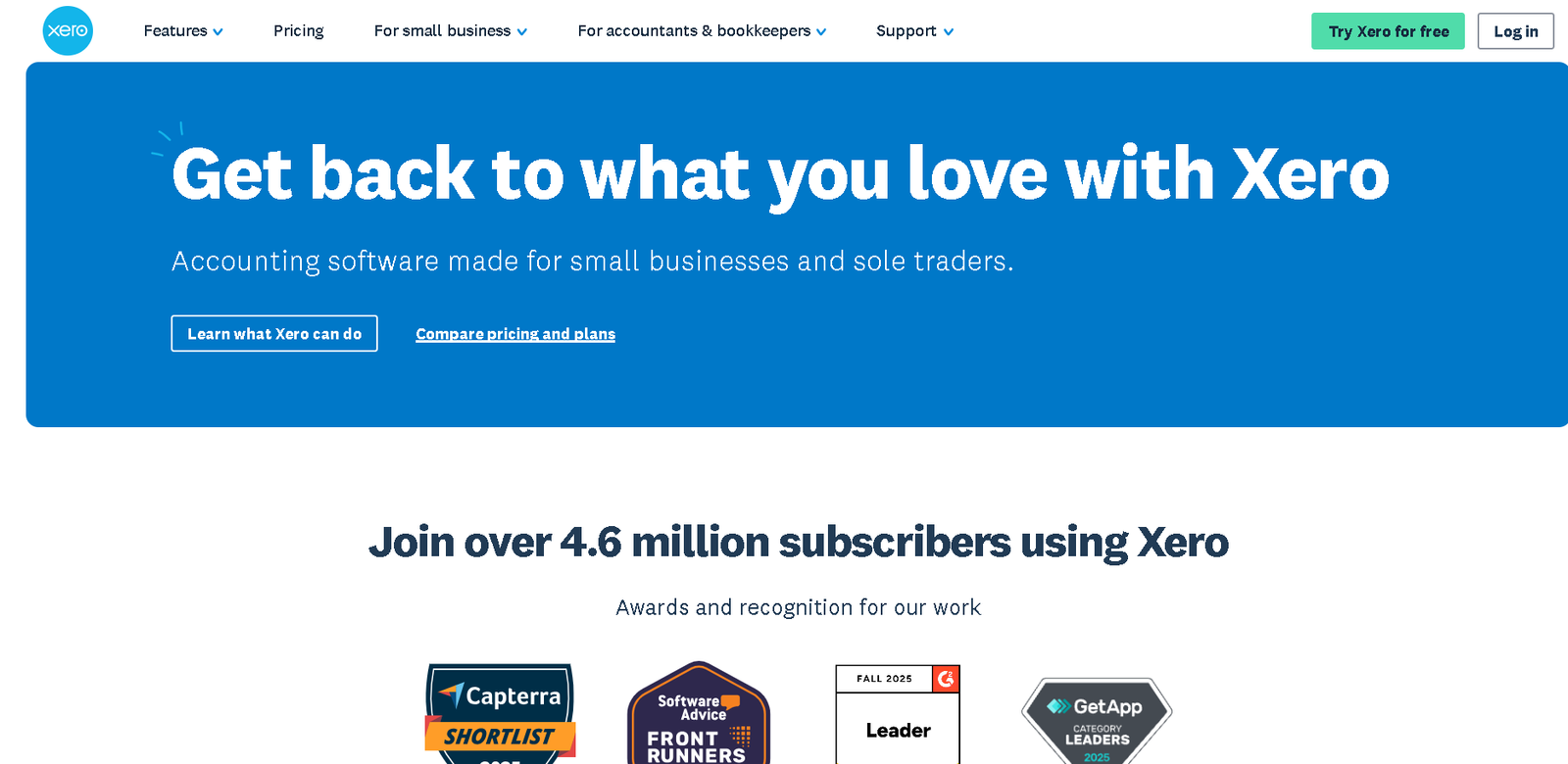
Xero pushes updates quietly, but the changes in late 2024 and 2025 were massive. Here is what you need to know:
-
New “Auto-Reconcile” (Beta): Xero now uses AI to predict your transactions with scary accuracy. If you buy coffee at the same place twice, Xero “learns” it and fills in the details for you.
-
The 2025 Price Shift:
-
UK Users: Prices increased slightly in September 2025 (The “Grow” plan is now £37/mo).
-
US Users: Prices adjusted in November 2025.
-
Why this matters: Even with the price bump, Xero is still cheaper than QuickBooks when you add a second or third user.
-
-
Improved Invoicing: They finally fixed the “Save” button. You can now edit an invoice and hit “Approve & Email” in one click without navigating through three different screens.
Most accounting software looks like it was built in 1998 by people who hate joy. Xero is different. Their slogan is “Beautiful Business,” and for once, it’s not just marketing fluff.
The Dashboard
When you log in, you don’t see a spreadsheet. You see a Cockpit.
-
Total Cash In: See exactly who paid you today.
-
Total Cash Out: See what bills are due next week.
-
Bank Balances: Live feeds from your real bank accounts (Zenith, GTB, Monzo, Chase, etc.).
My Take: The dashboard is one of the reason non-accountants love Xero. You don’t need a degree in finance to understand if you are making money or losing it. It’s all right there in blue and white.
READ ALSO: Amplemarket vs Apollo vs Lusha vs Seamless AI: The Ultimate 2026 B2B Sales Intelligence Comparison
The “Killer Feature”: Bank Reconciliation (Why It’s Addictive)
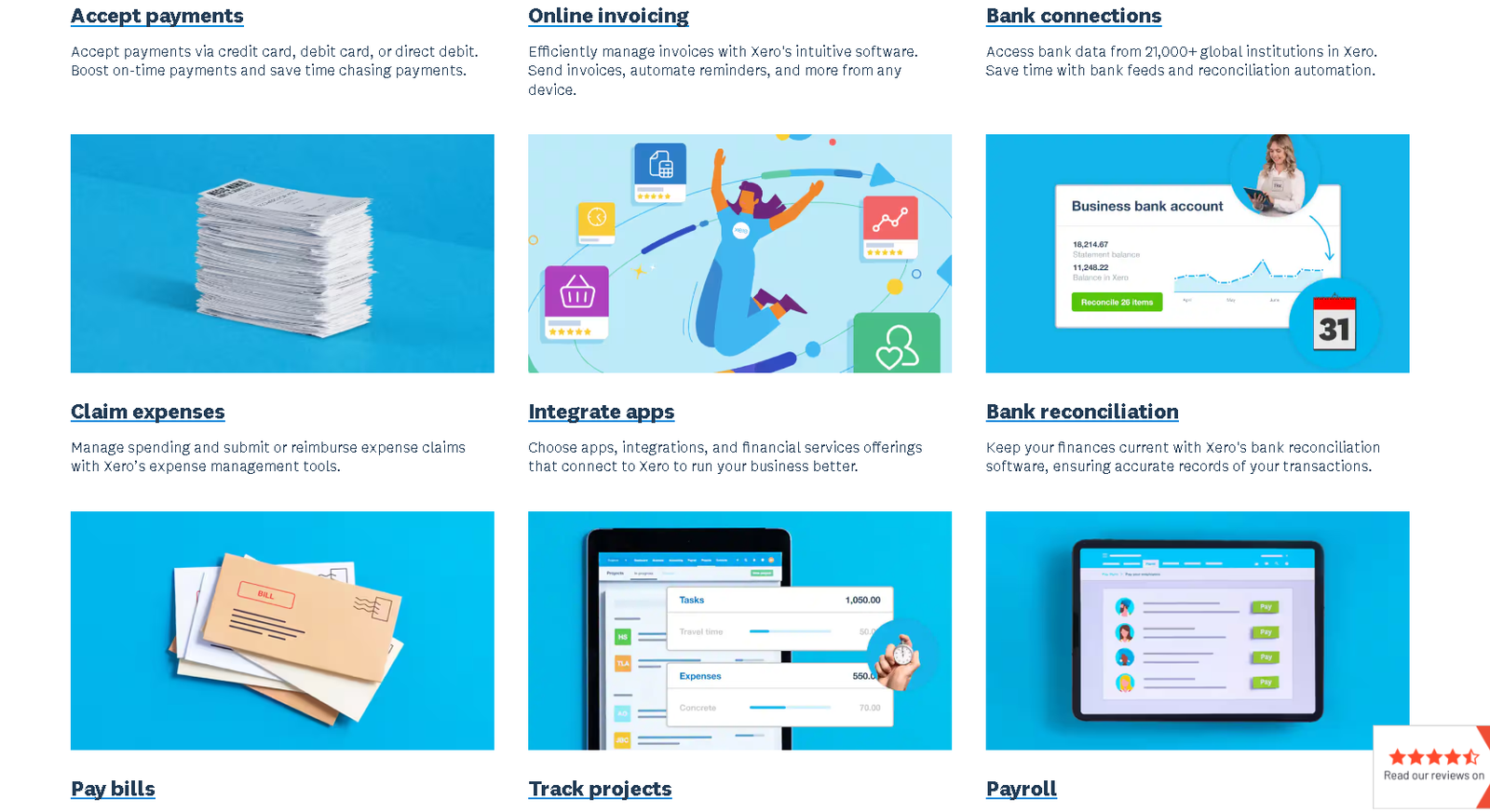
If you have used QuickBooks, you know “reconciling” is usually a chore you dread at the end of the month. Xero flipped the script and turned it into a daily habit.
How it works: Xero pulls your bank transactions automatically every morning. It then presents them in a “Match Game” style interface:
- Left Side: Your bank statement line (e.g., “Uber Ride – $15.50”).
- Right Side: Xero’s suggestion (e.g., “Travel Expense”).
- The Button: A big green “OK”.
The 2025 AI Upgrade (JAX): In late 2025, Xero began rolling out JAX (Just Ask Xero) and enhanced AI matching. If you buy a coffee from Starbucks every Tuesday, Xero “learns” this instantly. By your third visit, it auto-fills the category, the tax rate, and the description. You just click “OK.”
My Experience: I actually found myself logging in over my morning coffee just to click the “OK” buttons. It feels more like clearing your inbox than doing accounting.
Warning: If you have messy books, the AI might “guess” wrong initially. You need to correct it a few times before it gets smart.
READ ALSO: Streamline Your Business Finances with QuickBooks Online
The Features That Actually Matter
1. Invoicing (The Good & The Bad)
The invoicing templates are clean, professional, and mobile-friendly. You can see exactly when a client has opened your invoice (no more “I didn’t get the email” excuses).
-
The “Pay Now” Button: I connected Stripe to Xero, and my invoices now have a “Pay Now” button. Clients pay by card, and Xero automatically marks the invoice as paid and handles the transaction fee accounting.
-
The “Early/Ignite” Plan Trap: Be careful. The cheapest plan (Ignite in UK / Early in US) limits you to sending only 20 invoices per month. If you are a freelancer sending 21 invoices, you must upgrade to the expensive plan. This is Xero’s biggest annoyance.
2. Hubdoc (The Hidden Gem)
Most people don’t realize this, but Xero bought a company called Hubdoc and now gives it to you for free (on most plans).
-
What it is: A digital receipt filing cabinet.
-
The Workflow: I took a photo of a lunch receipt on my phone. Hubdoc read the date, amount, and restaurant name, then pushed it into Xero as a “Draft Bill” with the photo attached.
-
Value: Competitors like Dext charge £20/$25 month for this. Xero includes it for free.
3. Reporting (For the Data Nerds)
Xero’s reports are “pretty” but rigid. You can easily run a Profit & Loss or a Balance Sheet with one click.
-
The Downside: If you need highly complex, custom-coded reports (common for massive inventory businesses), QuickBooks Enterprise is still better. Xero is built for speed, not deep-dive data surgery.
Xero Pricing Plans
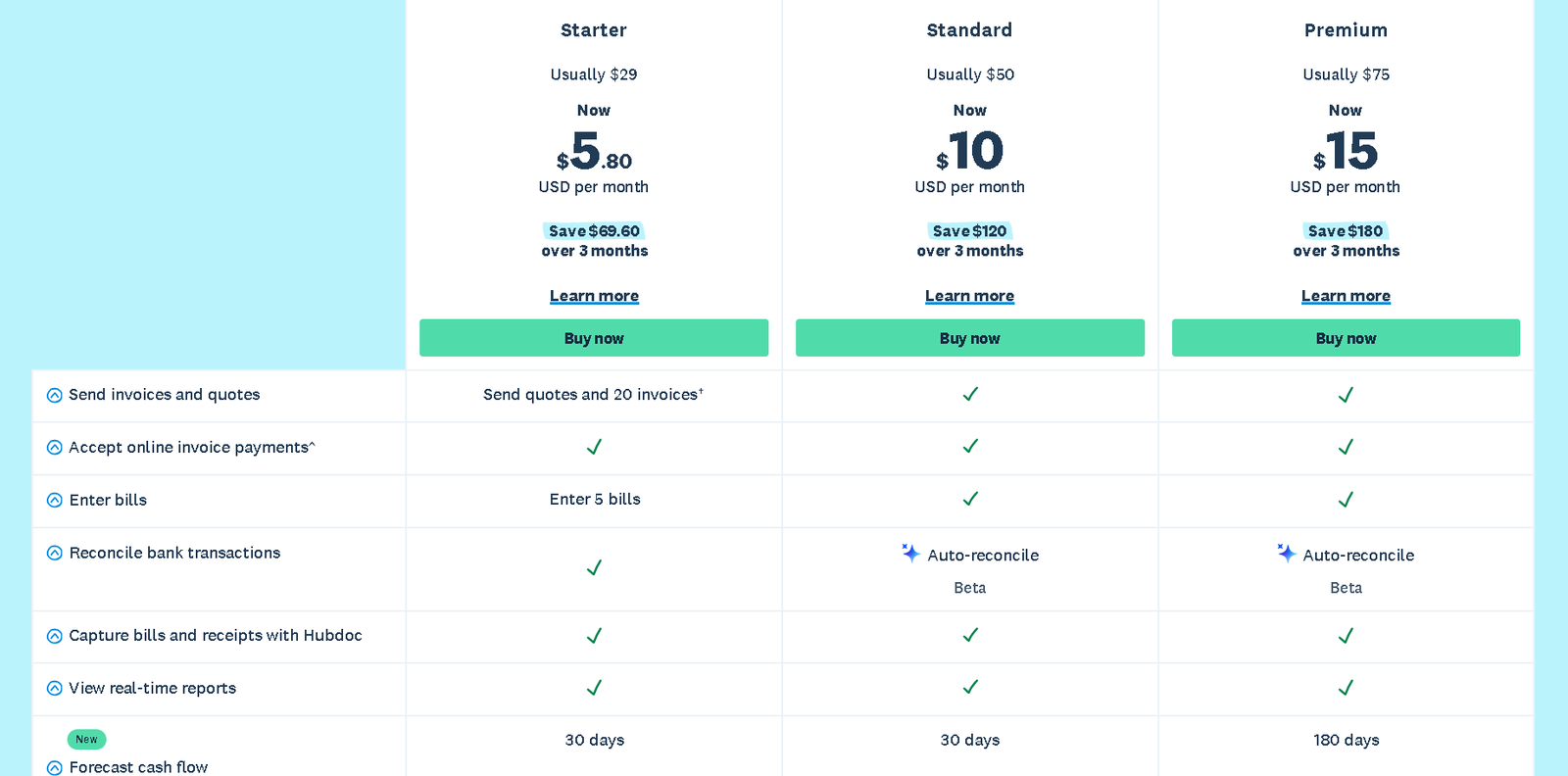
For US Business Owners (Updated Nov 2025)
Prices increased slightly on November 1, 2025.
| Plan | Price (Monthly) | Best For | The Catch |
| Starter | $29 | New freelancers | Limit of 20 invoices per month. |
| Standard | **$50** | Most Businesses | No limits. This is the sweet spot. |
| Premium | $75 | International Biz | Adds Multi-currency support. |
For UK Business Owners (Updated Sept 2025)
Xero dominates the UK market. Prices rose in September 2025.
| Plan | Price (Monthly) | Best For | The Catch |
| Ignite | £16 | Side Hustles | Limit of 20 invoices per month. |
| Grow | £37 | Ltd Companies | Most Popular. Includes Hubdoc. |
| Comprehensive | £50 | Agencies | Adds Multi-currency & Analytics. |
| Ultimate | £65 | Larger Teams | Adds Payroll (for 5 people) & Expenses |
Xero vs QuickBooks: The Decision Matrix
-
Choose Xero if:
-
You have a team (Unlimited users = massive savings).
-
You want a “clean” interface that doesn’t feel like a math test.
-
You run a service-based business (Agency, Consultant, Digital Products).
-
-
Choose QuickBooks if:
-
You run a complex retail business with heavy inventory needs.
-
You need highly specific, custom-coded reports.
-
In Summary: Is Xero Worth It?
After 30 days of testing, my answer is a confident Yes.
While the price increase in late 2025 was annoying, Xero is still the best value for money in the accounting world.
The AI automation (JAX) saves me about 3 hours of manual work every week. If you value your time at even $20/hour, the software pays for itself in the first week.
You don’t need to commit today. Xero offers a 30-day free trial that doesn’t even require a credit card. My advice? Connect your bank account, let it import your data, and see if you experience that same “relief” I did.
Follow me on Youtube to learn more…
 Click Here to Start Your Free 30-Day Xero Trial
Top 3 Xero Alternatives (For Different Needs)
Xero is fantastic, but it isn’t the only player in town. Depending on your business model, one of these three might be a better fit.
1. QuickBooks Online (The Direct Rival)

Best For: Inventory-heavy businesses and US-based retailers.
-
The Verdict: This is the Pepsi to Xero’s Coke. It is Xero’s only true “full service” competitor.
-
Why Switch? If you have complex inventory needs (e.g., you need to track raw materials vs. finished goods), QuickBooks Enterprise handles this better than Xero. It also has more customizable reporting for data nerds.
-
The Downside: It gets expensive fast. Unlike Xero, QuickBooks charges you extra for every user you add.
2. Deel (The Global Hiring Specialist)

Best For: Businesses whose main “accounting” headache is paying international freelancers/employees.
-
The Verdict: Xero is for managing books; Deel is for managing people.
-
Why Switch? If 90% of your financial stress comes from trying to figure out how to pay a developer in Nigeria or a VA in the Philippines legally, Xero won’t help you with the compliance. Deel handles the contracts, payments, and tax forms for global teams automatically.
-
Pro Tip: Smart businesses use both. Use Deel to pay your team, and sync it to Xero for your bookkeeping.
3. Gusto (The Payroll King)
Best For: US Businesses who need flawless payroll.
-
The Verdict: Xero’s accounting is world-class, but its US payroll features are weak. Gusto is widely considered the best payroll software in America.
-
Why Switch? If you are looking for software specifically to pay your US employees, file W2s, and manage health insurance, Gusto destroys Xero.
-
The Sync: Like Deel, Gusto isn’t a replacement for your entire accounting system, but a replacement for the payroll function. The good news? Gusto integrates perfectly with Xero.
Frequently Asked Questions (FAQ)
1. Is Xero better than QuickBooks for small businesses in 2026?
For most modern businesses, yes. Xero is generally better than QuickBooks Online because it allows for unlimited users on all plans, whereas QuickBooks charges extra for each additional person. However, if you run a large inventory-heavy retail business, QuickBooks Enterprise is still the stronger option.
2. Is Xero difficult to learn for beginners?
No, Xero is considered the easiest accounting software to learn. It was designed specifically for non-accountants.
The dashboard uses plain English (e.g., “Money In” vs. “Money Out”) instead of complex accounting jargon. Most users can master the basics of invoicing and bank reconciliation in under 30 minutes.
3. Can I transfer my data from QuickBooks to Xero?
Yes. Xero offers a free “conversion service” through partners like Movemybooks (in the UK) or simple CSV import tools for US users.
You can transfer your contacts, invoices, and bills. However, we recommend starting fresh at the beginning of a fiscal year for the cleanest data.
4. Does Xero include Payroll?
It depends on your location.
-
In the UK: Yes, Xero has a built-in payroll feature (Xero Payroll) that is excellent and compliant with HMRC.
-
In the US: No, Xero integrates with Gusto for payroll. It is a seamless integration, but you will pay a separate fee to Gusto.
5. What is the catch with the “Ignite” (or Early) plan?
The catch is the invoice limit. The cheapest Xero plan allows you to send only 20 invoices per month.
If you send 21 invoices, you must upgrade to the “Grow” (Standard) plan. This makes the cheapest plan suitable only for hobbyists or very small side hustles.
6. Is my bank data safe with Xero?
Yes. Xero uses bank-grade security and two-factor authentication (2FA) to protect your data. They do not store your bank login credentials; they use secure “bank feeds” (APIs) to view your transactions read-only.
7. Does Xero work for US LLCs and UK Ltd Companies?
Absolutely.
-
For UK Ltd Companies: Xero is fully compatible with Making Tax Digital (MTD) for VAT returns.
-
For US LLCs: Xero handles 1099s and sales tax calculations (using Avalara) automatically.
