Loading...
Namecheap Review: Hosting Features, Pricing, Pros & Cons
Disclosure: This post contains affiliate links. If you click through and purchase, I may earn a commission at no extra cost to you. I only recommend tools I personally research. Read my full disclosure →
📋 Table of Contents
What Is Namecheap?
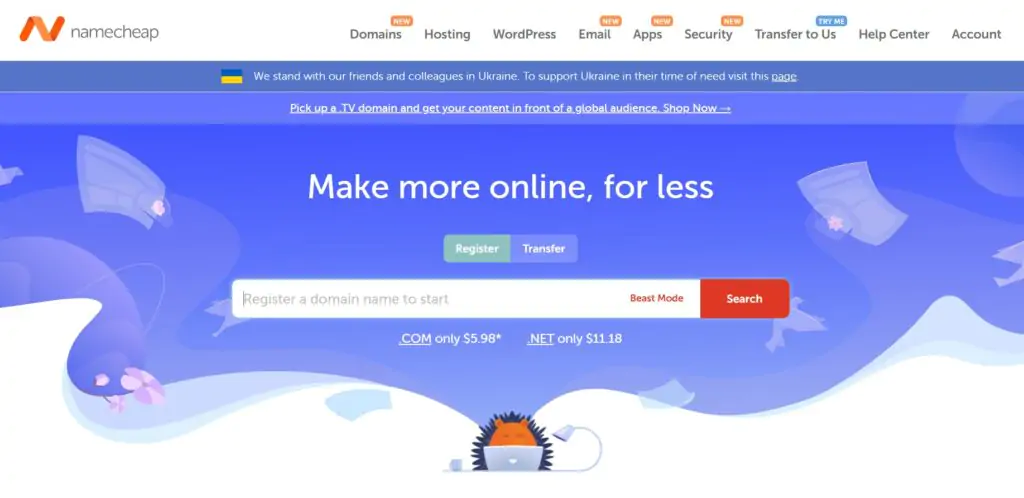
When starting a new website, finding affordable domain names without sacrificing reliability is one of the first practical decisions you face. Namecheap has been one of the most competitive options for exactly that, with domain pricing starting from $0.99 and consistently undercutting most major registrars on both initial registration and renewal rates.
Founded in 2000 by Richard Kirkendall, Namecheap has grown into one of the world's leading ICANN Accredited Domain Registrars, managing over 16 million domains for more than 2 million customers. Beyond domain registration, it provides reliable hosting for over 1.5 million websites of all sizes, serving clients including Buffer, Figma, and Imgur.
Its hosting plans include free automatic SSL installation, a free website builder, domain privacy protection, and unmetered bandwidth across the range.
For a broader comparison, see our guide to the 21+ best WordPress hosting plans.
Namecheap at a Glance
🐱 Namecheap — 2026 Quick Summary
Founded2000 — Richard Kirkendall
Domains Managed16+ million across 2M+ customers
Registrar StatusICANN Accredited Domain Registrar
Domain From$0.99 (promotional) · $8.88 .com
Shared Hosting From$18.96/year (Stellar intro)
WP Hosting From$3.88/month (EasyWP Starter)
Free Domain PrivacyYes — WhoisGuard, permanent and free
Money-Back30 days on most hosting plans
What Namecheap Offers
Namecheap covers all major hosting types plus domain registration, email hosting, VPN, and SSL certificates, making it a single-provider option for most standard web presence requirements.
🌐 Shared Hosting
Shared hosting places multiple websites on a single physical server, sharing its resources — the most affordable entry point for new websites.
Namecheap's shared hosting plans come with free domain registration, cPanel, unmetered bandwidth, and a free website builder. Three tiers (Stellar, Stellar Plus, and Stellar Business) scale from 3 sites to unlimited sites.
📝 WordPress Hosting (EasyWP)
Namecheap's EasyWP WordPress hosting plans are optimised specifically for WordPress performance — faster loading times, easy WordPress installation, SSL certificates, automatic backups, and SFTP and database access. Three tiers: Starter, Turbo, and Supersonic.
All plans include 99.9% uptime and easy backup and restore tools.
🔄 Reseller Hosting
Namecheap's reseller hosting plans allow users to sell hosting plans to clients under their own brand name, with the option to white-label Namecheap's infrastructure. All reseller plans include unmetered bandwidth and free cPanel/WHM for managing client accounts.
⚙️ VPS Hosting
Namecheap's VPS hosting offers dedicated resources and full root access with complete customisability — choose your operating system (Ubuntu, CentOS, or Debian), root access, and whether to install cPanel. Two plans: Pulsar and Quasar, both with full root access, OS selection, security standards, and free site transfers.
🖥️ Dedicated Hosting
Namecheap's dedicated hosting provides complete server control with dedicated resources. Multiple server configurations are available, and plans are highly customisable, you can filter by CPU requirements, price range, RAM, and more.
Three entry options available, with more advanced configurations on the dedicated server page.
📧 Email Hosting
Business email hosting with a custom domain (you@yourcompany.com), anti-spam protection, two-factor authentication, unified inbox, POP3/IMAP/Webmail access, and HTML signatures. Three tiers from $0.74/month — one of the most affordable business email hosting options available.
Standout Features
🔒 Free WhoisGuard Domain Privacy — Permanently Free
When you register a domain, your personal details (name, address, phone number, email) are entered into the public WHOIS database, searchable by anyone. Most domain registrars charge extra for privacy protection to mask these details.
Namecheap includes WhoisGuard domain privacy permanently and for free on all domain registrations. This is one of its clearest differentiators from competitors like GoDaddy, where privacy protection is a paid annual add-on.
🚀 Free Automatic SSL Installation
All Namecheap hosting plans include free automatic SSL certificate installation — encrypting the connection between your visitors' browsers and your server.
SSL is required for HTTPS, is a Google search ranking signal, and prevents browsers from flagging your site as "Not Secure." Namecheap installs it automatically, so there is no manual setup or renewal management required.
🔄 Free WordPress Migration — 24-Hour Turnaround
Namecheap migrates your existing WordPress website to its hosting for free within 24 hours. You simply submit a request with your site's details and Namecheap's team handles the technical migration.
This removes the most common friction point in switching hosting providers — the risk and complexity of moving a live site without breaking it.
🏗️ Free Website Builder + Free Apps
All shared hosting plans include Namecheap's free website builder for building a site without coding knowledge. Additionally, Namecheap offers a range of free and paid apps to support site growth — including a logo builder, site speed optimisation tools, and apps related to business formation (LLC assistance). These are accessible directly from the hosting control panel.
📚 Extensive Knowledge Base + Support
Namecheap provides 24/7 customer support via live chat and support tickets. Its knowledge base is extensive — covering how-to guides, video tutorials, and step-by-step troubleshooting for both domain and hosting management.
For self-directed learners who prefer to resolve issues independently, this documentation is one of the more comprehensive available among budget-tier hosting providers.
Domain Name Pricing
Domain pricing is where Namecheap earns its name, and its reputation. Below are the current registration and renewal prices for the most popular domain extensions. Namecheap regularly offers promotional deals with some extensions starting from as low as $0.99 for the first year.

Namecheap domain pricing — consistently one of the most competitive rates for domain registration across major extensions
.com
$8.88/yr
Renews at $12.98/yr
.net
$10.98/yr
Renews at $14.98/yr
.org
$9.18/yr
Renews at $14.98/yr
.io
$32.98/yr
Renews at $34.98/yr
.co
$7.98/yr
Renews at $25.98/yr
.ai
$58.98/yr
Renews at $68.88/yr
.ca
$11.98/yr
Renews at $13.98/yr
📌 Watch the Renewal Rates
Domain renewal rates are almost always higher than the first-year registration price — this is standard across all registrars. Namecheap's renewal rates are competitive compared to major alternatives (GoDaddy, Google Domains, etc.), but factor the renewal cost into your long-term budget before registering. The .co extension in particular has a significant jump from $7.98 first year to $25.98 at renewal.
Hosting Plans and Pricing
📌 Pricing Note
Introductory prices are for the first billing term. Renewal rates are higher — shown for shared hosting plans below. All plans include a 30-day money-back guarantee. Verify current pricing at namecheap.com.
Shared Hosting
All shared hosting plans include: free domain name, free SSL (first year), cPanel, unmetered bandwidth, business email, and a 30-day money-back guarantee.
Stellar
$18.96/yr
Renews $44.88/yr · 3 sites
- 3 websites
- 20 GB SSD storage
- Unmetered bandwidth
- Free domain + SSL
- Free website builder
Best Value
Stellar Plus
$30.96/yr
Renews $68.88/yr · Unlimited sites
- Unlimited websites
- Unmetered SSD storage
- Semiweekly auto-backups
- Unlimited email accounts
- 100% uptime guarantee
Stellar Business
$58.88/yr
Renews $108.88/yr · Unlimited sites
- Unlimited websites
- 50 GB SSD + cloud storage
- PHP accelerators (eAccelerator, xCache)
- Auto-backup
- 100% uptime guarantee
WordPress Hosting (EasyWP)
EasyWP Starter
$3.88/mo
Entry WP · Personal sites
- Easy WordPress install
- 99.9% uptime
- SFTP + DB access
- Easy backup & restore
Popular
EasyWP Turbo
$7.88/mo
Faster WP performance
- All Starter features
- Enhanced performance
- Fast site load times
- Priority resources
EasyWP Supersonic
$11.88/mo
Maximum WP speed
- All Turbo features
- Maximum performance tier
- Best for high-traffic WP
- Priority support access
Reseller Hosting
Nebula
$19.88/mo
Entry reseller
- Unmetered bandwidth
- Free cPanel/WHM
- White-label hosting
- 30-day MBG
Most Popular
Galaxy Expert
$36.88/mo
Mid reseller
- Unmetered bandwidth
- Free cPanel/WHM
- White-label hosting
- More client capacity
Universe Pro
$54.88/mo
Agency reseller
- Unmetered bandwidth
- Free cPanel/WHM
- Maximum client capacity
- Priority support
Email Hosting
Starter
$0.74/mo
Entry email
- Custom domain email
- Anti-spam protection
- 2FA security
- POP3/IMAP/Webmail
Best Value
Pro
$2.12/mo
Enhanced email
- All Starter features
- Unified inbox
- HTML signatures
- Larger mailbox storage
Ultimate
$3.49/mo
Full-featured email
- All Pro features
- Maximum storage
- Priority access
- Full collaboration tools
VPS Hosting
Pulsar
$9.88/mo
Entry VPS
- Full root access
- OS selection (Ubuntu/CentOS/Debian)
- cPanel optional
- Free site transfers
- 30-day MBG
More Power
Quasar
$15.88/mo
Mid VPS · More resources
- Full root access
- OS selection (Ubuntu/CentOS/Debian)
- cPanel optional
- Free site transfers
- 30-day MBG
Dedicated Hosting
Namecheap's dedicated hosting range is fully customisable; filter by CPU, RAM, price range, and more on the dedicated server page. Three example configurations:
Xeon E3-1240 v3
$40.88/mo
Entry dedicated
- Intel Xeon E3-1240 v3
- Full server control
- Dedicated resources
Mid-Range
Xeon E-2236
$78.88/mo
Mid dedicated
- Intel Xeon E-2236
- Higher performance CPU
- Full control
Dual AMD EPYC 7282
$255.88/mo
Enterprise dedicated
- Dual AMD EPYC 7282
- Maximum processing power
- Enterprise workloads
💡 Dedicated Server Customisation
The three dedicated server configurations above are entry examples only. Namecheap's dedicated server page lets you filter and customise by CPU type, RAM amount, storage configuration, and price range to find a server spec that precisely matches your requirements — one of the more flexible dedicated server configuration tools among budget-accessible hosting providers.
Security Features
One of Namecheap's clearest differentiators from comparable registrars and hosting providers is its commitment to privacy and security; features that others charge extra for are included as standard.
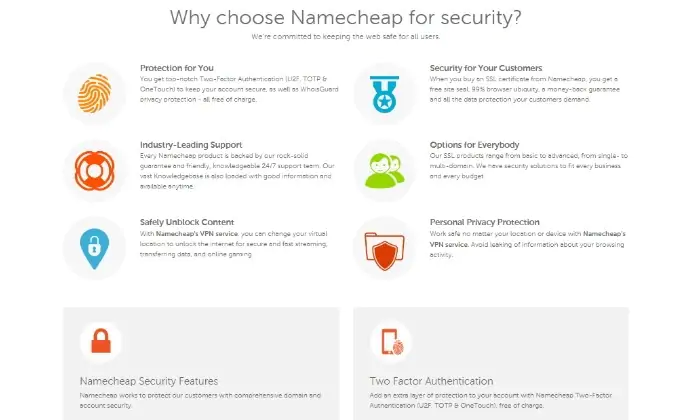
Namecheap's security dashboard — two-factor authentication, VPN, and domain privacy built in as standard
Free WhoisGuard Privacy
Permanently free domain privacy — masks your personal WHOIS data. Most registrars charge annually for this. Namecheap includes it at no extra cost.
Two-Factor Authentication
2FA for your Namecheap account and hosted email — adding a second verification step that prevents unauthorised account access even if your password is compromised.
DDoS Protection
Distributed Denial of Service attack mitigation built into the hosting infrastructure — protecting your site from traffic floods designed to take it offline.
Free Automatic SSL
SSL certificates installed automatically on all hosting plans — encrypting visitor-to-server communications and satisfying Google's HTTPS preference for search rankings.
VPN Service
Namecheap's optional VPN service protects your browsing activity and personal privacy online — useful for managing your hosting and domain accounts from public networks.
Anti-Spam Protection
Included on all email hosting plans — filtering inbound spam and malicious emails before they reach your inbox, reducing security risk from phishing and malware delivery via email.
Who Namecheap Is and Isn't Best For
✓ Namecheap Is Best For
- Budget-conscious site owners — competitive pricing across domains and hosting, particularly strong at the entry level
- Domain-first users — the best combination of low registration prices and free permanent WhoisGuard privacy
- Multiple hosting needs under one account — domains, shared, WordPress, VPS, email, and dedicated all available from one provider
- Beginner site owners — easy-to-use interface, free website builder, and free migration lower the technical barrier
- Businesses needing affordable email hosting — professional email from $0.74/month is one of the lowest prices available
✗ Namecheap Is Not Recommended For
- International users outside US/UK — data centers are primarily in the US and UK; users in Asia, Africa, and other regions may find better-performing options with closer data center proximity
- Medium businesses needing premium features — Namecheap excels at basic features; more advanced enterprise requirements may call for a more specialised provider
- Long-term cost-sensitive users — renewal rates increase significantly after the first year; the initial low price is promotional
Namecheap Pros and Cons
✓ What Namecheap Does Well
- Easy to use — intuitive interface for purchasing domains and managing hosting without confusing navigation. No technical expertise required.
- Free domain privacy (forever) — WhoisGuard is permanently free, unlike competitors like GoDaddy where it is a paid annual add-on
- Free WordPress migration — free 24-hour migration to Namecheap hosting when switching from another host
- Affordable across the range — consistently competitive pricing for domains, shared hosting, email, and VPS
- Continually updated TLD extensions — regular additions to the list of available domain extensions beyond the popular .com
- Free apps included — logo builder, speed optimisation tools, and other site-related apps accessible from the control panel
- Responsive customer support — 24/7 live chat and support ticket options with generally quick response times
- Extensive knowledge base — how-to guides, video tutorials, and detailed documentation for self-service troubleshooting
- Easy domain transfer — straightforward process for transferring domains to Namecheap via ticket submission
✗ Limitations Worth Knowing
- Occasional downtime reports — some users have experienced downtime despite the 99%+ uptime claim. The five-minute check interval on uptime monitoring means brief outages may not always be captured in reported metrics
- Renewal rate escalation — introductory prices are substantially lower than renewal rates across both domains and hosting plans. The shared hosting renewal rates are particularly significant: Stellar goes from $18.96/yr intro to $44.88/yr on renewal
- Domain transfer fees — transferring a domain to Namecheap is straightforward but carries a fee that varies depending on the domain extension and whether a coupon is applied
Namecheap Alternatives
Best Managed WP
Pressable
Owned by Automattic (the company behind WordPress), Pressable provides enterprise managed WordPress hosting (far beyond what Namecheap's EasyWP offers) with Jetpack Security, global CDN, staging, and WordPress-specialist support. See our Pressable hosting review.
Try Pressable →Best Beginner Host
Bluehost
One of WordPress.org's three officially recommended hosts.
Bluehost provides one-click WordPress install, free domain, Yoast SEO integration, and 24/7 support. If you are choosing between Namecheap and Bluehost for a first WordPress site, Bluehost's WordPress-specific onboarding is more polished. See our Bluehost review.
Try Bluehost →Best Scalable VPS
Scala Hosting
Scala Hosting's managed VPS starts at $29.95/month with SPanel (proprietary cPanel alternative), SShield security suite, and NVMe SSD. For users outgrowing Namecheap's VPS plans and needing a more managed, performance-focused VPS environment. See our Scala Hosting review.
Try Scala Hosting →Best Speed-Focused
A2 Hosting
A2 Hosting's Turbo servers (LiteSpeed, up to 20x faster than Apache) with an anytime money-back guarantee make it a strong alternative if site speed is your primary concern — particularly for moving an existing site to faster hosting. See our A2 Hosting review.
Try A2 Hosting →Best Small Business
HostGator
HostGator serves over 10 million domains with competitive shared hosting, 99.9% uptime, and 62% off for Nwaeze David readers with a free domain and SSL. A broader shared hosting alternative with strong name recognition and a straightforward upgrade path for growing sites.
Try HostGator →Best Budget + Speed
Hostinger
At $1.99/month with LiteSpeed servers, 29 million users, free SSL, and free domain — Hostinger is arguably the strongest budget alternative to Namecheap for hosting specifically. Domain pricing is not as competitive, but hosting performance and pricing is very strong at the entry level.
Try Hostinger →Best Premium Managed WP
WP Engine
WP Engine is the market leader in premium managed WordPress hosting — with A+ performance, EverCache caching, 36+ free StudioPress themes, staging, and 24/7 WordPress expert support. For users whose sites have outgrown Namecheap EasyWP and need enterprise-grade managed WordPress. See our WP Engine review.
Try WP Engine →Final Verdict — Is Namecheap Right for You?
Namecheap earns its reputation as one of the most affordable and user-friendly domain registrars available. The combination of low domain registration prices, permanently free WhoisGuard privacy protection, free automatic SSL, free website builder, free WordPress migration, and competitive hosting plans across six different hosting types makes it a compelling one-stop-shop for new website owners and small businesses.
Where Namecheap shines most clearly is at the entry level, for domain registration specifically, it is consistently one of the cheapest options available.
For shared hosting and email hosting, the pricing is similarly accessible. For WordPress specifically, EasyWP provides a functional managed WordPress environment at very competitive pricing.
The limitations are worth knowing before committing: renewal rates are substantially higher than promotional first-year prices (shared hosting nearly doubles), data centers are primarily US and UK (limiting performance for Asian and other international audiences), and some users have reported occasional downtime.
These are not disqualifying for the right use case, but factor them into your decision, particularly if you are planning for long-term hosting at the promoted introductory price.
Try Namecheap — Domains from $0.99
Free WhoisGuard privacy, free SSL, and free website builder on all hosting plans. 30-day money-back guarantee included.
FAQs About This Namecheap Review
What types of web hosting does Namecheap offer?
Namecheap offers six distinct types of web hosting alongside its domain registration services: shared hosting (three plans — Stellar, Stellar Plus, Stellar Business), WordPress hosting (EasyWP Starter, Turbo, Supersonic), reseller hosting (Nebula, Galaxy Expert, Universe Pro), VPS hosting (Pulsar, Quasar), dedicated hosting (multiple highly customisable configurations), and email hosting (Starter, Pro, Ultimate). All plans include a 30-day money-back guarantee. For most personal sites and small businesses, the shared or EasyWP WordPress plans are the appropriate starting point. VPS and dedicated hosting suit larger or more resource-intensive applications.
Is Namecheap secure?
Yes — Namecheap includes several meaningful security features as standard. All hosting plans include free automatic SSL certificates and DDoS protection. Domain registrations include permanently free WhoisGuard privacy protection — masking your personal WHOIS data from public databases at no ongoing cost. Account security includes two-factor authentication options. Email hosting plans include anti-spam filtering. Namecheap also offers its own VPN service for users who want to protect their browsing privacy when accessing their hosting accounts from public networks. These security features compare favourably to other budget-tier hosting providers, where some of these (particularly domain privacy) are typically paid add-ons.
How long does it take to activate Namecheap web hosting?
Activation times vary by plan type. Standard shared hosting and EasyWP WordPress plans typically activate within a few minutes of payment — the account is provisioned automatically and you can begin installing WordPress or uploading files almost immediately. More complex setups like VPS plans may take a few hours for full provisioning, as the virtual server environment needs to be configured with your chosen operating system and settings. Dedicated server provisioning can take longer, sometimes up to 24 hours, depending on the configuration selected. If you are migrating an existing WordPress site from another host, Namecheap's free migration service takes up to 24 hours from when you submit the migration request.
What is VPS hosting and when do I need it?
VPS (Virtual Private Server) hosting uses virtualisation technology to divide a physical server into multiple isolated virtual environments — each functioning as a dedicated server with guaranteed allocated resources (CPU, RAM, storage) that are not shared with other customers. This is different from shared hosting, where all resources are pooled and one customer's traffic spike can affect others. Namecheap's VPS plans include full root access, operating system selection (Ubuntu, CentOS, or Debian), your choice of server management level, and optional cPanel installation. You should consider upgrading from shared to VPS hosting when your site consistently experiences performance slowdowns under traffic load, needs custom server configuration or software that shared hosting cannot accommodate, or requires stronger resource isolation for security or compliance reasons. Both Namecheap VPS plans include a 30-day money-back guarantee.
What is an SSL certificate and why do I need one?
An SSL (Secure Sockets Layer) certificate authenticates your website's identity and encrypts all data transmitted between your visitors' browsers and your server. When SSL is installed, your site's URL shows "https://" instead of "http://," and browsers display a padlock icon indicating the connection is secure. SSL is required for several practical reasons: Google treats HTTPS as a positive ranking signal in search results, browsers (Chrome, Firefox, Safari) display "Not Secure" warnings on non-SSL sites which reduces visitor trust, and payment processors require SSL for any pages handling transactions. Namecheap includes free automatic SSL on all hosting plans — installed and renewed automatically without manual setup. This removes one of the most common technical barriers for new site owners.
Can I permanently buy a domain name?
No — domain names cannot be purchased permanently. Domain registration works on a rental or leasing model: you register the right to use a domain name for a specified period, typically one year at a time, with the option to renew annually. Most domain registrars — including Namecheap — allow you to register a domain for up to 10 years at a time. Namecheap offers an auto-renewal service that automatically renews your domain before it expires, so you do not accidentally lose a domain you depend on. If a domain expires and is not renewed, it enters a grace period during which you can still renew it (often at a higher redemption fee), after which it becomes available for registration by anyone. The practical implication: always ensure auto-renewal is enabled on your important domains, or set a calendar reminder to renew manually before the expiry date.